 SWITCHING SIGNAL
Table of Contents
Skyrim, one of the most popular games to ever be released, with a storyline and DLCs to give you hours upon hours of gameplay to a vast community of people creating mods to add new content, to the world of Skyrim Modding, it’s no wonder why this game is classed as one of the greatest games to have ever been made. This beginners guide to Skyrim Modding will tell you about the various tools that exist today to help you mod your Skyrim Game. But first we’ll talk about why you’d want to get into Skyrim Modding.
Why Mod Skyrim?

Source: https://www.pcgamer.com/skyrim-graphics-mods/
The answer to that question is simple. Mods allow the user to add new content, whether it is simply new armours and weapons or entirely new questlines to give you hours of gameplay, with mods the possibilities are endless. Perhaps you are unhappy with the graphics of the game or simply wish to test the limits of Skyrim. Well, there are mods that exist that retexture the game to look more next-gen, mods that add in new land or even mods that completely change the game as people know it such as the infamous “Enderal”, or even mods that replaces every dragon in the game with Thomas the Tank Engine. Freaky, right?
Where to get mods?
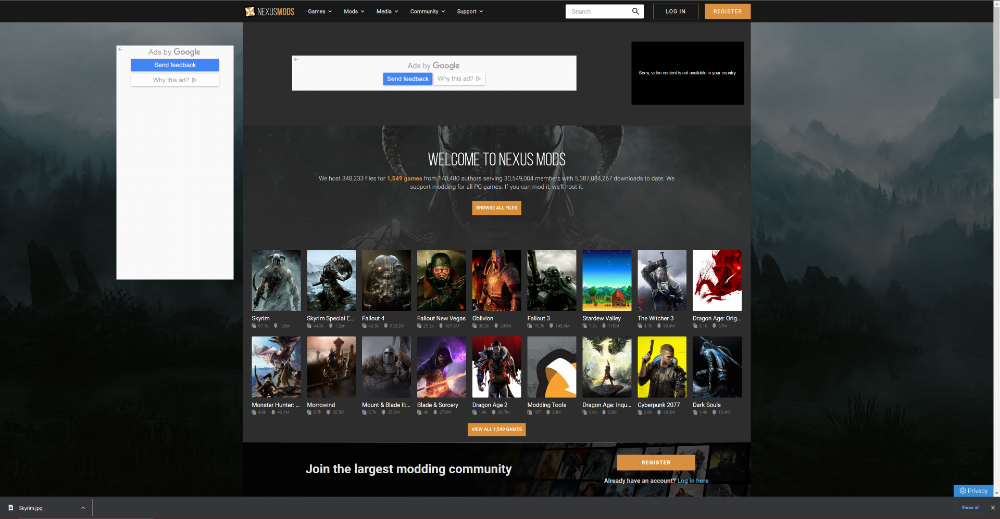
When it comes to modding games, there are thousands of websites that offer a vast collection of mods, not just for Skyrim but for a wide range of other games as well. However, if you’re looking for the safest, most reliable, and most popular platform within the Skyrim Modding community, Nexus Mods stands out as the best choice. This trusted website has been the go-to destination for players who want to enhance their Skyrim experience with new graphics, gameplay mechanics, and immersive content. Nexus Mods provides a massive selection of modifications, catering to both the original Skyrim (often referred to as the Legendary Edition) and the more optimized Special Edition. Additionally, for players using the Anniversary Edition, Nexus Mods continues to offer robust Skyrim Modding support, ensuring compatibility with the latest updates and expansions. Whether you’re a beginner or an experienced modder, Skyrim Modding through Nexus Mods opens up endless possibilities to customize and improve your game in ways you never imagined.
Installing Mods

Source: https://store.steampowered.com/app/489830/The_Elder_Scrolls_V_Skyrim_Special_Edition/
For beginners, the prospect of modding a game like Skyrim can feel overwhelming and confusing, especially with the vast number of mods and tools available. Fortunately, this comprehensive guide is designed to simplify the Skyrim Modding process, ensuring that even those with no prior experience can confidently enhance their game. Not only will we compare the best mod managers to help you find the most efficient way to organize and install your mods, but we’ll also provide a clear, step-by-step walkthrough to guide you through the installation process. Whether you’re looking to improve graphics, add new quests, or completely overhaul gameplay, this guide will make Skyrim Modding more accessible and enjoyable than ever before.
Now for installing mods, there are various tools known as mod managers to make this as user friendly as possible. Some popular mod managers are Nexus Mod Manager, Mod Organizer 2 and Vortex. But before this the user will have to download SKSE (Skyrim Script Extender) in order to run some mods as well as download the latest ENBSeries if the player wishes to have an ENB enabled on their game.
To install SKSE, the user just has to drag the Data Folder, src Folder, skse64_steam_loader.dll, skse64_loader.exe and the skse64_1_6_342.dll into their game directory.
*For the skse64_1_6_342.dll, the numbers may be different based upon what version of skse you’ve downloaded, please ensure it is the latest version you download, otherwise the game will fail to run. Also ensure that you choose either the SKSE built for Special Edition or the SKSE built for Anniversary Edition. As of writing this blog, SKSE AE Version is called Preliminary AE build 2.1.4*

ENBSeries can be download here.
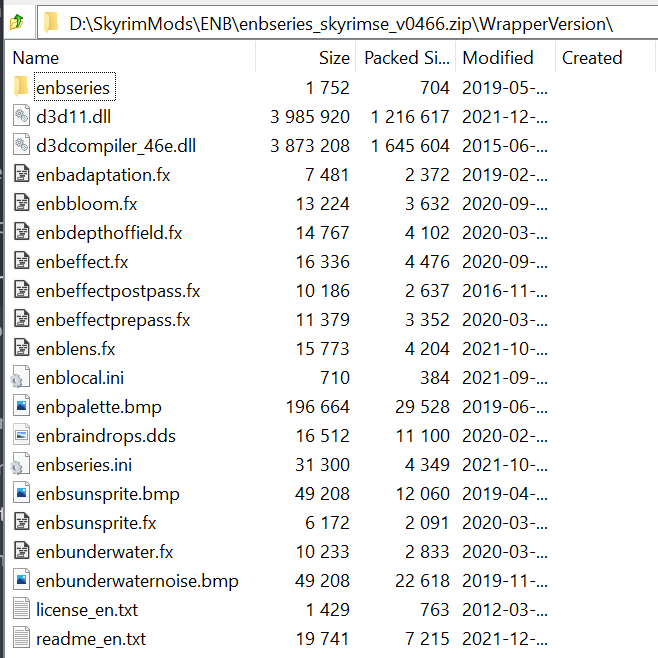
To install ENBSeries, the user just has to drag the enbseries Folder, d3d11.dll, d3dcompiler_46e.dll, enblocal.ini and finally the enbseries.ini into their game directory.
*With these 5 things in the Game Directory, your game is now ready to have an ENB installed.*
Nexus Mod Manager

Nexus Mod Manager remains one of the most popular and essential tools for managing mods, especially in the world of Skyrim Modding. This powerful software simplifies the process of installing, organizing, and updating mods, making it an invaluable asset for both beginners and experienced modders alike. While its functionality extends far beyond just Skyrim Modding, supporting a wide range of games, it has become a go-to choice for those looking to enhance their Skyrim experience with custom content, graphics overhauls, and gameplay tweaks. In addition to Skyrim Modding, Nexus Mod Manager also works seamlessly with other major titles such as Fallout 4, Subnautica, The Witcher 3, and countless other games that support modding through Nexus. Its user-friendly interface and robust mod-handling capabilities continue to make it a favourite among gaming communities worldwide.
Nexus Mod Manager provides a very easy-to-use interface that helps you download, install and organize your mods in the already set up categories or custom categories created by the user. One of the most important features of this mod manager is its ability to keep your game directory as clean as possible when mods are updated and reinstalled. If there’s an error with installing a mod, then this mod manager will also clean up properly after itself to ensure your game directory does not suffer from any corruptions or unnecessary files that can slow down or even crash your game.
Although Nexus no longer supports Nexus Mod Manager with its release of Vortex, it’s still available to use and still regularly gets updated by the community. You can find the latest community release of the Mod Manager on GitHub here.
Vortex
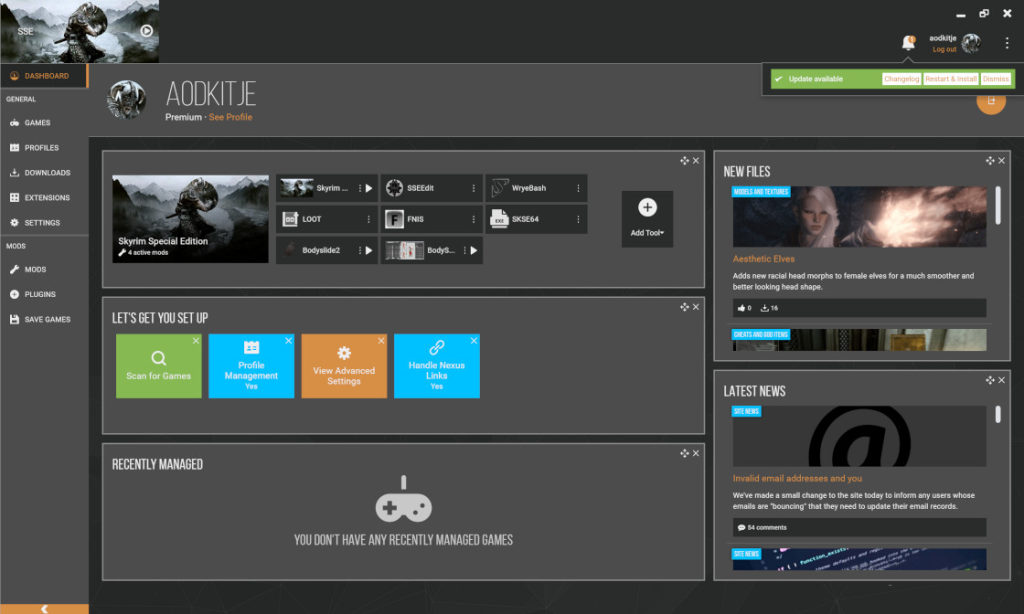
Next on the list of mod managers is Vortex, a powerful and user-friendly tool developed by Nexus Mods. If you’re looking for an all-in-one solution for managing your Skyrim Modding experience, Vortex is one of the most versatile mod managers available today. With support for over 65 different games, it stands out as an essential choice for both beginners and experienced modders alike. One of its biggest advantages is its superior handling of mod conflicts, a common challenge in Skyrim Modding. Compared to its predecessor, Nexus Mod Manager, Vortex offers a more intuitive and efficient approach to resolving conflicts, making it an excellent upgrade for anyone serious about modding Skyrim.
Unlike Nexus Mod Manager, which merely prompts users with a basic override warning when installing mods that affect the same files, Vortex provides a granular level of control over these conflicts. It allows users to selectively override specific files, ensuring greater flexibility when customizing their Skyrim Modding setup. This feature is particularly useful for those who want to mix and match elements from different mods. For instance, if a player installs a mod that completely retextures the Skyrim landscape, but prefers a separate mod’s stone textures, Vortex makes it easy to prioritize certain files while keeping others intact. This level of customization is a game-changer, as it allows for a truly personalized modding experience.
Another major benefit of Vortex is its built-in integration with LOOT (Load Order Optimization Tool). Load order is crucial when modding Skyrim, as an incorrect order can lead to crashes, glitches, or missing features. With LOOT built into Vortex, users can automatically sort their mods for optimal stability, reducing the need for manual troubleshooting. Additionally, Vortex provides quick access to mod issue detection, making it easier to identify and resolve conflicts before they cause major problems. This ensures that your Skyrim Modding experience is as smooth, stable, and enjoyable as possible.
You can download the Vortex Mod Manager here.
Mod Organizer 2
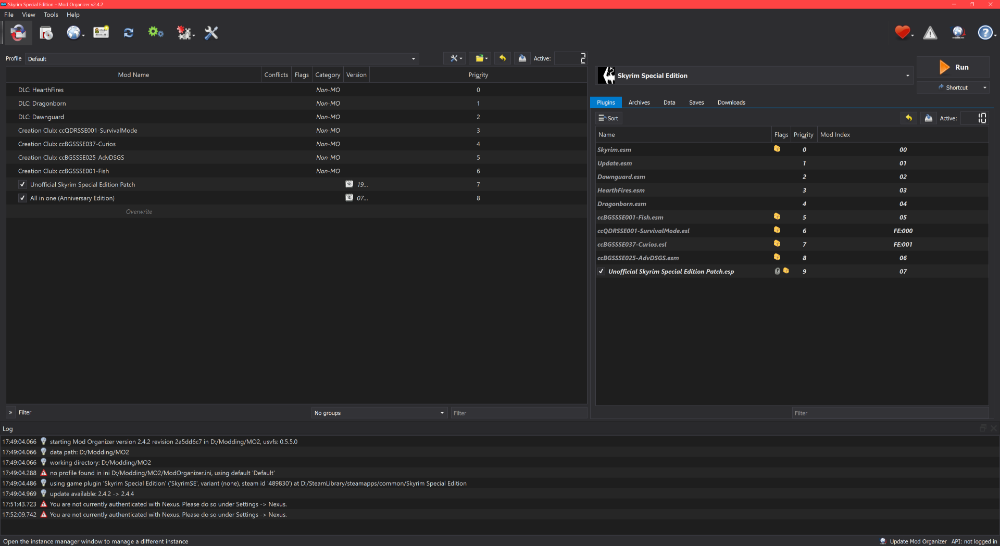
Finally on our list of mod managers, we have Mod Organizer 2. Easily one of the community’s favourite mod manager to use. Mod Organizer 2 was developed by Tannin to support 64-bit games as well as all the 32-bit games that were supported by Mod Organizer 1. Mod Organizer 2 is now an open project and being developed by the community, just like Nexus Mod Manager, since Tannin was hired by the Nexus Team to help develop their Vortex Mod Manager.
Mod Organizer 2 was specifically designed for those who like to experiment with mods in mind, therefore this mod manager has an easy and reliable way to install and uninstall mods. Mod Organizer 2 also does not modify the vanilla game installation in any way making this mod manager different to traditional one. Mods installed by this mod manager are installed in their own folders separate from the actual game folder. The mod manager also utilises its own .ini files (Configuration Files) rather than edit the base games. By doing this mods are only active when the game is booted up from within the mod manager. The mod manager also comes with an integrated ini editor meaning users who want to mess around with .ini files should do so from within the mod manager. However, we recommend that you know what you’re doing before touching these as there can break your game or stop specific mods from functioning correctly. Ultimately, this mod manager is absolutely the best choice for people to use whether your a beginner or not. With Mod Organizer 2, Skyrim Modding has never been easier.
You can download Mod Organizer 2 here.
Tools You’ll Need

And finally, after installing mods and running LOOT, to optimize your load order, you may need to run some mods through what is called SSEEdit in order to fix some issues with mods. By Skyrim Modding, you can sometimes encounter conflicts or unclean mods which means they need to be fixed in SSEEdit. Don’t worry though, SSEEdit comes with a QuickAutoClean.exe. When the user boots this tool up it will display a list of mods that the user has installed. The user can then look through the list and click on the mod that LOOT says there’s an issue with and once the user presses “OK” the tool will run through and cleanup the mod therefore preventing any further issues and giving the user the cleanest possible playthrough so there don’t have to suffer through their game crashing or random FPS drops.

You can download SSEEdit here.
Last but not least, if you enjoyed reading our beginners guide to Skyrim Modding then why not check out our guide on turning Skyrim into a next-gen game by using mods here! It truly showcases just what can be achieved through Skyrim Modding.
If you want help applying this guide to a PC or upgrade, talk directly with the Glitchtech builders.
Talk to a builder