

Welcome to the wonderful world of building your own gaming PC 2025, where you’ll experience the unique joy of spending thousands of dollars on components only to realize you forgot to buy thermal paste at 11 PM on a Sunday night. But don’t worry – building a PC is one of the most rewarding tech experiences you can have, assuming you don’t accidentally bend any CPU pins or forget to remove the plastic film from your cooler. This guide will walk you through everything you need to know to build your first gaming PC 2025 without having a complete mental breakdown in the process.
The beauty of building your own gaming PC 2025 is that you get total control over every component, you’ll save hundreds compared to pre-builts, and you’ll gain the sacred knowledge needed to troubleshoot problems instead of just turning it off and on again like some kind of caveman. Plus, there’s something deeply satisfying about playing games on a machine you built yourself, even if you spent six hours cable managing and nobody will ever see inside your case except you.
Before we dive into the technical details, let’s address the elephant in the room: yes, building a gaming PC 2025 can seem intimidating at first. There are compatibility concerns, technical specifications that look like alphabet soup, and enough RGB lighting options to blind a small army. But here’s the secret – if you can follow a LEGO instruction manual and resist the urge to force things that don’t fit, you can absolutely build your own PC. Modern components are designed to be surprisingly user-friendly, with clear labeling, foolproof connectors, and enough YouTube tutorials to guide you through any challenge.
This guide will cover everything from choosing your components to that magical moment when you press the power button and your gaming PC 2025 actually boots on the first try (spoiler alert: it probably won’t, but that’s part of the fun). We’ll discuss budget considerations, component selection, assembly techniques, and troubleshooting tips that will help you avoid the most common mistakes that plague first-time builders. By the end of this guide, you’ll have the knowledge and confidence to build a machine that will serve you well for years to come.
The first and most important decision for your gaming PC 2025 build is establishing a realistic budget that balances your gaming ambitions with your financial reality. The good news is that you can build a capable gaming PC 2025 at almost any price point, from budget builds around $800 that handle 1080p gaming admirably to absolute monsters that cost more than a used car and can render games at resolutions your eyeballs can’t even appreciate.
For most beginners entering the gaming PC 2025 ecosystem, a budget of $1000-1500 represents the sweet spot where you get excellent 1080p performance and decent 1440p capabilities without mortgaging your future. This budget allows for a modern mid-range CPU, a capable GPU that won’t cry when you enable ray tracing, enough RAM to keep Chrome’s tab addiction satisfied, and quality components that won’t explode after six months of use.
The $1500-2000 range is where your gaming PC 2025 starts feeling truly premium, offering silky-smooth 1440p gaming and entry-level 4K capabilities for less demanding titles. This budget tier gives you access to high-end CPUs that laugh at multitasking, GPUs that make games look like interactive movies, fast NVMe storage that makes loading screens feel like time travel, and enough headroom for future upgrades when your gaming standards inevitably inflate.
Beyond $2000, you’re entering enthusiast territory where your gaming PC 2025 becomes less about practical gaming and more about flexing on strangers in online forums. These builds feature top-tier components that deliver diminishing returns on investment but maximum bragging rights. They’re overkill for 99% of gamers, but if you’ve got the budget and want the absolute best, nobody’s going to judge you (they’ll just be jealous).
Understanding component price allocation for your gaming PC 2025 is crucial for building a balanced system. As a general rule, your GPU should consume 30-40% of your total budget since it’s the single most important component for gaming performance. The CPU takes another 15-20%, with the remaining budget distributed among motherboard, RAM, storage, power supply, case, and cooling. This allocation ensures you don’t end up with a $1000 CPU bottlenecked by a $200 GPU, which is the PC building equivalent of putting a racing engine in a golf cart.
The GPU represents the heart and soul of any gaming PC 2025, which explains why graphics cards now cost more than rent in some zip codes. For a mid-range build, expect to allocate $400-600 for a GPU that delivers solid 1440p performance. Cards like the RTX 4060 Ti or AMD’s RX 7700 XT provide excellent value, offering modern features like ray tracing and upscaling technologies that make games look prettier without murdering your frame rates.
CPU pricing for your gaming PC 2025 has become more reasonable thanks to intense competition between AMD and Intel, both of whom are desperately trying to convince you their silicon is superior. A mid-range CPU like the Ryzen 5 7600X or Intel Core i5-14600K costs $200-300 and provides more than enough processing power for gaming while leaving budget for other components. Unless you’re streaming, video editing, or running seventeen Chrome tabs while gaming, you don’t need the flagship processors that cost as much as the rest of your build combined.
Motherboards for your gaming PC 2025 range from $120 budget options that do the bare minimum to $500 enthusiast boards with enough RGB to be visible from space. For most builders, a $150-200 mid-range motherboard offers the perfect balance of features, connectivity, and upgradeability without paying for bells and whistles you’ll never use. Make sure it supports your chosen CPU, has enough fan headers to keep things cool, and includes the connectivity options you actually need.
RAM, storage, and power supply round out your gaming PC 2025 component budget, typically consuming $300-400 combined. 16GB of DDR5 RAM ($80-120) is the minimum for modern gaming, though 32GB ($150-200) future-proofs your build and prevents awkward moments when games demand more memory than you have. A 1TB NVMe SSD ($80-120) provides ample space for your operating system and favorite games, while a quality 650-750W power supply ($90-130) ensures everything receives clean, stable power without exploding in a shower of sparks and regret.
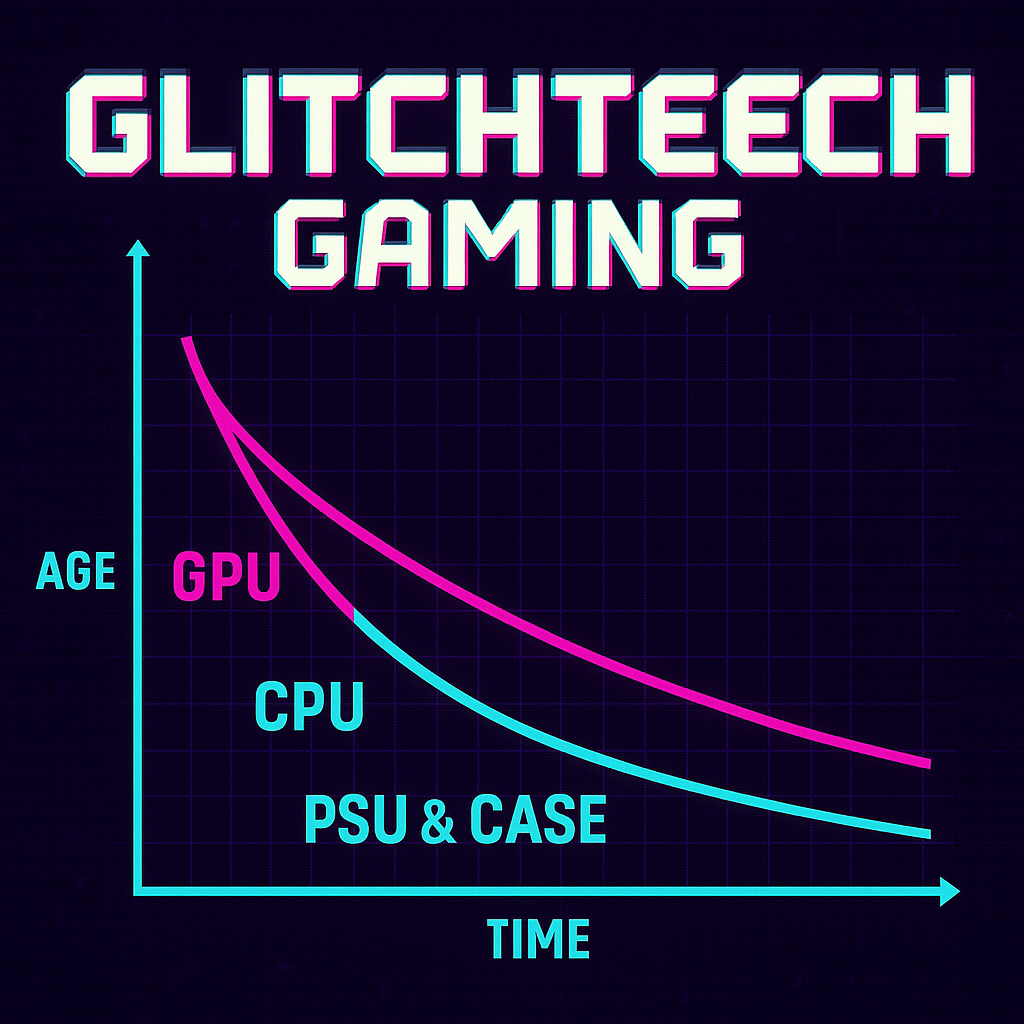
Future-proofing your gaming PC 2025 requires strategic component selection that balances current performance with upgrade potential. The key is identifying which components will remain relevant longest and which will need replacement as games become more demanding. Spoiler alert: your GPU will become obsolete faster than milk left on a summer dashboard, while your power supply might outlive your gaming career.
Investing in a quality power supply for your gaming PC 2025 is the ultimate future-proofing move, since a good 80+ Gold rated PSU can serve multiple builds over 7-10 years. Spending an extra $30-50 for higher wattage (750W instead of 650W) and better efficiency gives you headroom for GPU upgrades without needing to replace your PSU. Plus, quality PSUs include longer warranties, better voltage regulation, and lower chances of spectacular failure that takes other components with them.
Case selection for your gaming PC 2025 is another long-term investment that transcends individual builds. A well-designed case with good airflow, cable management, and build quality will house multiple component generations. Spending $100-150 on a case that doesn’t fight you during assembly and keeps components properly cooled is infinitely better than saving $30 on a budget chassis that makes you question all your life choices every time you need to install something.
Motherboard choice impacts your gaming PC 2025 upgrade path more than you might think. Selecting a board with the latest chipset and good VRM design means you can potentially upgrade to future CPUs without replacing the motherboard. However, be realistic – motherboards typically serve 3-5 years before new CPU socket changes force replacement anyway. Focus on getting features you need now rather than overspending on theoretical future compatibility.
Storage upgradability ensures your gaming PC 2025 can grow with your game library without requiring surgery. Choose a motherboard with multiple M.2 slots for fast NVMe drives, and consider starting with a smaller primary drive that you can complement with additional storage later. This approach spreads costs over time while ensuring you’re never uninstalling games to make room for new ones like some kind of digital hoarder playing storage Tetris.
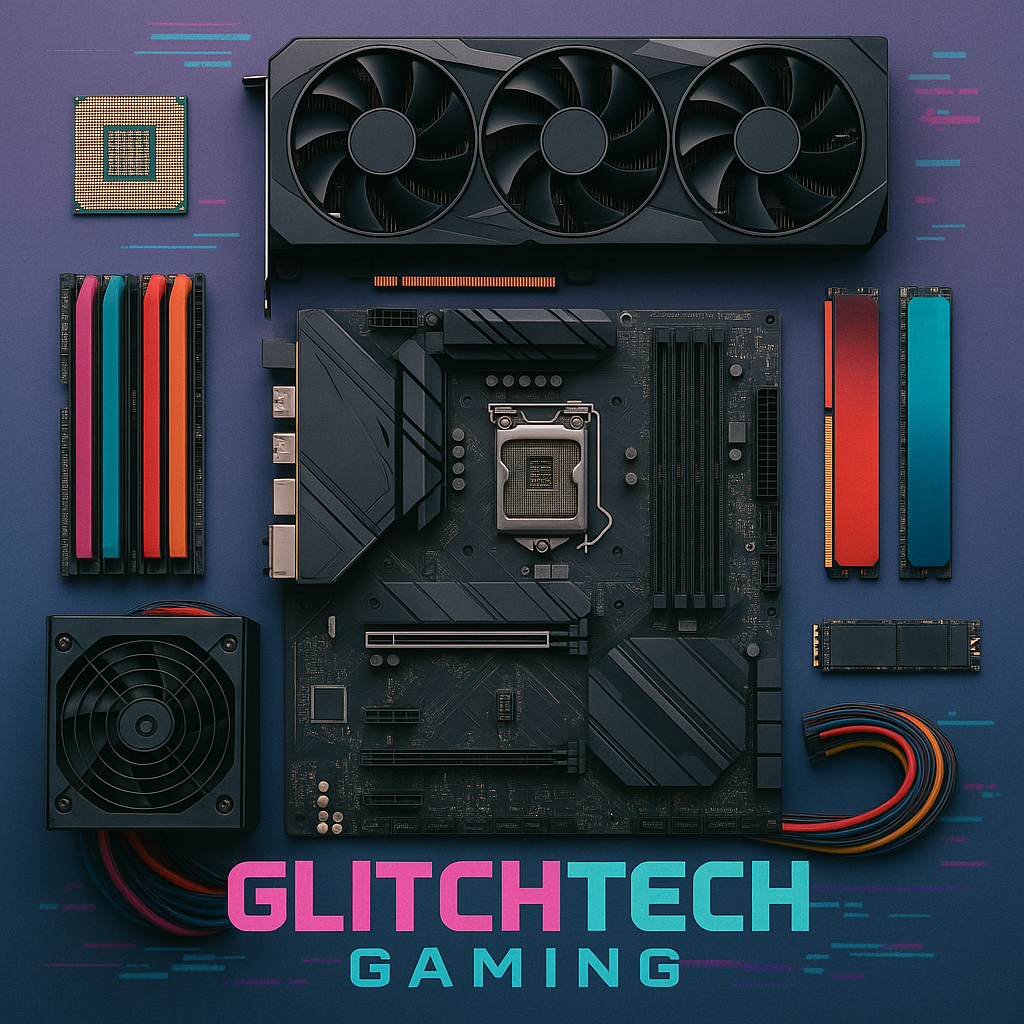
The CPU (Central Processing Unit) serves as the brain of your gaming PC 2025, handling game logic, physics calculations, and everything your GPU doesn’t want to deal with. Modern CPUs pack billions of transistors into packages smaller than a Post-It note, performing calculations at speeds that would make 1990s supercomputers weep with envy. For gaming, you want a CPU with strong single-core performance and enough cores to handle background tasks without stuttering when Discord decides to update mid-game.
AMD’s Ryzen 7000 series and Intel’s 14th generation processors dominate the gaming PC 2025 landscape, offering excellent performance at various price points. The Ryzen 5 7600X and Intel Core i5-14600K represent the sweet spot for most gamers, providing 6-14 cores that handle modern games easily while leaving headroom for streaming, recording, or running the seventeen browser tabs you definitely need open. Higher-end options like the Ryzen 7 7800X3D offer even better gaming performance but cost significantly more for often marginal improvements.
The GPU (Graphics Processing Unit) is the single most important component for your gaming PC 2025, responsible for rendering those gorgeous graphics that make games look less like abstract pixel art and more like interactive movies. Your GPU choice determines what resolution and frame rates you can achieve, with modern cards ranging from budget options that handle 1080p admirably to absolute monsters that render 4K like it’s nothing. This is where you should spend the most money, because pretty games make brain chemicals go brrrr.
Current GPU options for your gaming PC 2025 span from AMD’s RX 7600 and Nvidia’s RTX 4060 at the budget end ($250-350) to flagship cards like the RTX 4090 that cost more than some people’s monthly rent but can probably calculate the meaning of life while rendering Cyberpunk 2077 at 4K. For most builders, mid-range cards like the RTX 4060 Ti, RTX 4070, or AMD RX 7700 XT ($400-600) provide the best balance of performance and value, delivering smooth 1440p gaming without requiring a second mortgage.
The motherboard connects everything in your gaming PC 2025, serving as the central hub where components communicate and occasionally argue about who gets priority on the PCIe lanes. Modern motherboards support the latest connectivity standards, offer extensive customization through BIOS, and include enough RGB headers to light up your room like a rave. Choose a motherboard that matches your CPU socket (AM5 for AMD Ryzen 7000, LGA1700 for Intel 12th-14th gen), supports the RAM speeds you want, and includes features you’ll actually use.
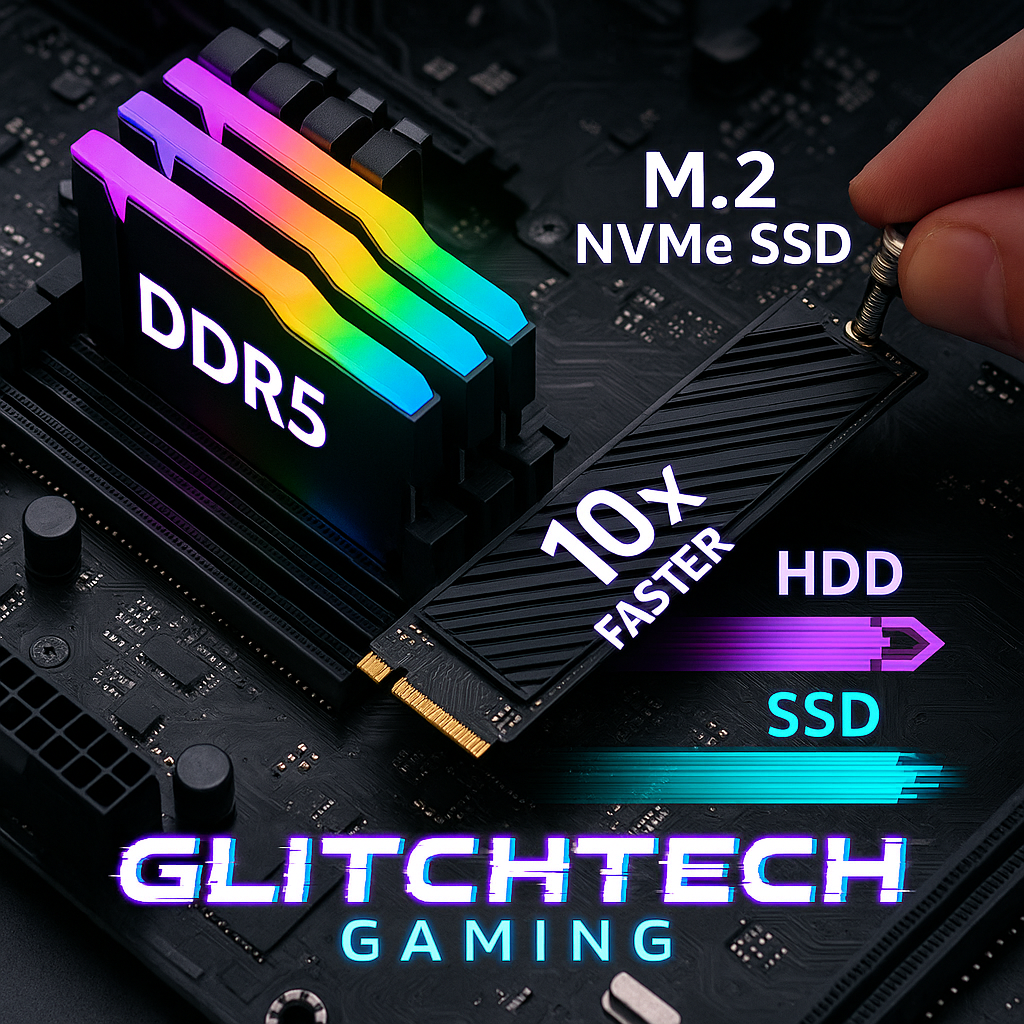
RAM (Random Access Memory) serves as your gaming PC 2025‘s short-term memory, storing data that needs quick access while you game, stream, browse, and pretend to work. Modern games are RAM hungry beasts that consume memory like teenagers eat pizza, with 16GB being the absolute minimum for comfortable gaming and 32GB becoming increasingly recommended for future-proofing. DDR5 RAM has become the standard for new builds, offering faster speeds and better efficiency than DDR4, though you’ll pay a premium for cutting-edge memory technology.
When selecting RAM for your gaming PC 2025, speed and capacity matter more than RGB lighting despite what the marketing materials suggest. Look for DDR5 RAM rated at 5600MHz or higher, as faster RAM provides measurable benefits in modern games, particularly with AMD Ryzen CPUs that love fast memory. Buy RAM in matched pairs (2x8GB or 2x16GB) to enable dual-channel mode, which doubles memory bandwidth and provides better performance than single sticks. And yes, you can buy RGB RAM if it makes you happy – just remember that performance matters more than pretty lights.
NVMe SSDs have revolutionized storage for your gaming PC 2025, offering read speeds that make old SATA drives look like they’re powered by hamsters running in wheels. A quality 1TB NVMe SSD costs $80-120 and provides enough space for your operating system, essential programs, and a healthy game library while loading games faster than you can say “remember when we had to wait for things to load?” PCIe 4.0 drives offer excellent performance for most users, while PCIe 5.0 drives provide unnecessary speed for 95% of gamers at significantly higher prices.
Storage strategy for your gaming PC 2025 should prioritize a fast NVMe drive for your OS and frequently played games, with options to expand later as your library grows. Don’t fall into the trap of buying the fastest, most expensive SSD available – the difference between a good PCIe 4.0 drive and a cutting-edge PCIe 5.0 drive in actual gaming scenarios is negligible despite the dramatic benchmark differences. Save that money for better components that actually impact gaming performance, like a stronger GPU or additional RAM.
The power supply (PSU) for your gaming PC 2025 is the unsung hero that converts wall electricity into stable power your components can use without exploding into spectacular fireworks. A quality 80+ Gold rated PSU with appropriate wattage (650-750W for most builds) ensures clean power delivery, better efficiency, and lower electricity costs over the PSU’s lifespan. Never cheap out on your PSU – a failing power supply can take other expensive components with it, turning a $80 savings into a $800 disaster.
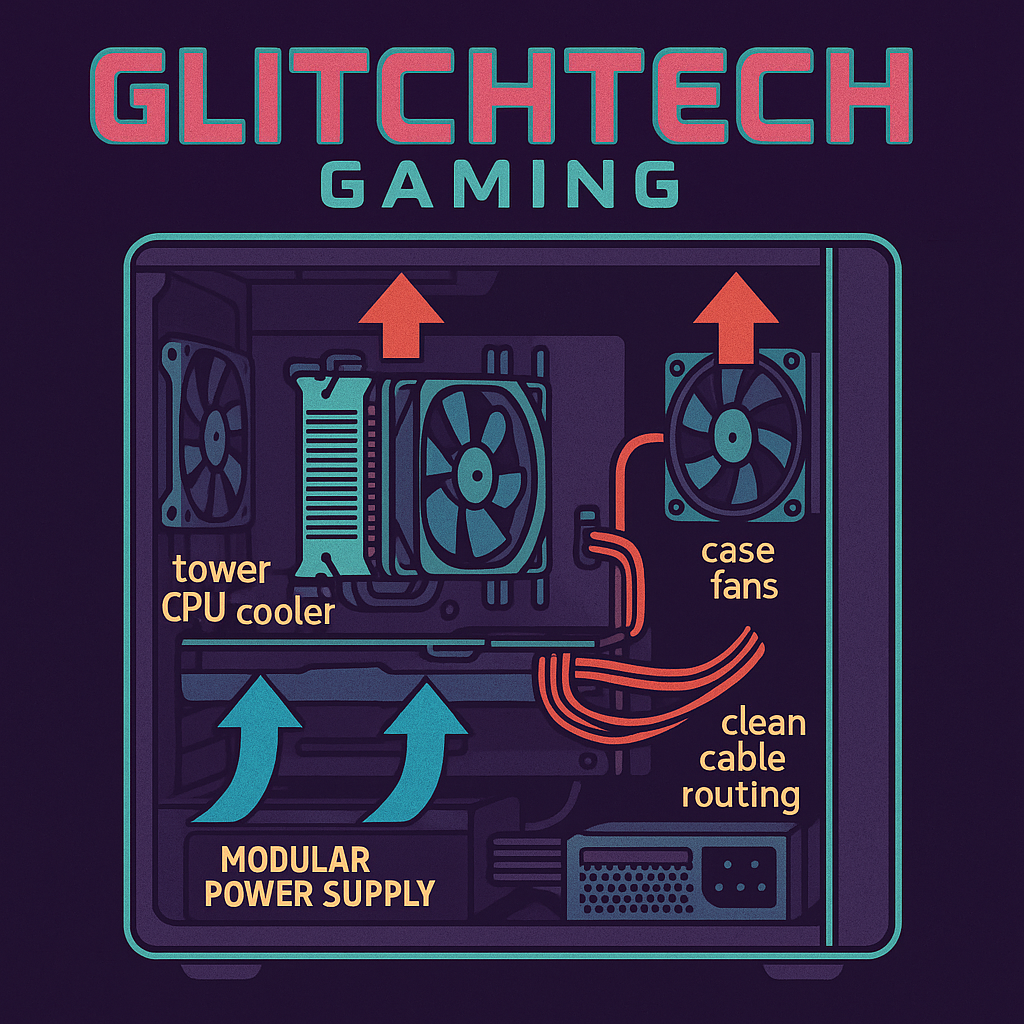
Modular PSUs make building your gaming PC 2025 significantly easier by letting you attach only the cables you need, reducing clutter and improving airflow. Fully modular units cost slightly more but provide maximum flexibility, while semi-modular options (essential cables attached, optional ones modular) offer good value for budget-conscious builders. The cleaner cable management possible with modular PSUs not only looks better but also improves airflow, which helps with temperatures and component longevity.
CPU cooling is critical for your gaming PC 2025, as processors generate enough heat to potentially damage themselves if not properly cooled. Stock coolers included with some CPUs work adequately for basic use but struggle under load, leading to higher temperatures and thermal throttling that reduces performance. Aftermarket coolers range from budget tower coolers ($30-50) that provide solid cooling quietly to expensive AIO liquid coolers ($100-200) that offer maximum cooling performance with added complexity and potential failure points.
Case cooling for your gaming PC 2025 creates the airflow ecosystem that keeps all your components happy and prevents heat from building up like a sauna. A good case comes with 2-3 fans pre-installed and mounting points for additional fans if needed. The basic airflow principle is simple: cool air enters from the front/bottom, warm air exits from the rear/top, and you don’t create weird pressure situations by installing too many exhaust fans without enough intake. Additional case fans cost $10-30 each and can significantly improve temperatures if your case runs hot.
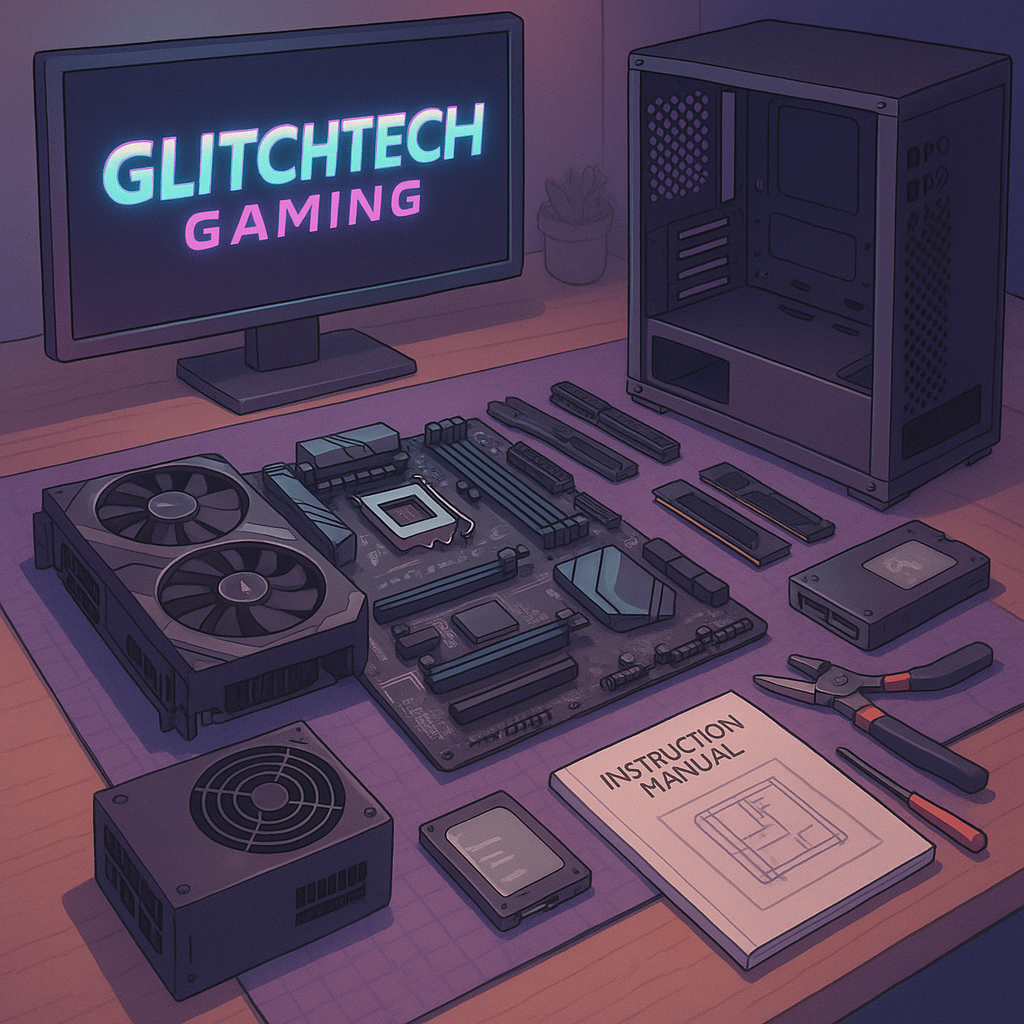
Preparing your workspace for gaming PC 2025 assembly requires a clean, static-free area with good lighting and enough space to lay out components without accidentally knocking something off the table. An anti-static wrist strap provides peace of mind though regularly touching your case grounds you adequately. Have your motherboard manual handy – it contains essential information about header locations, RAM slot configurations, and connection details that you’ll reference constantly during assembly.
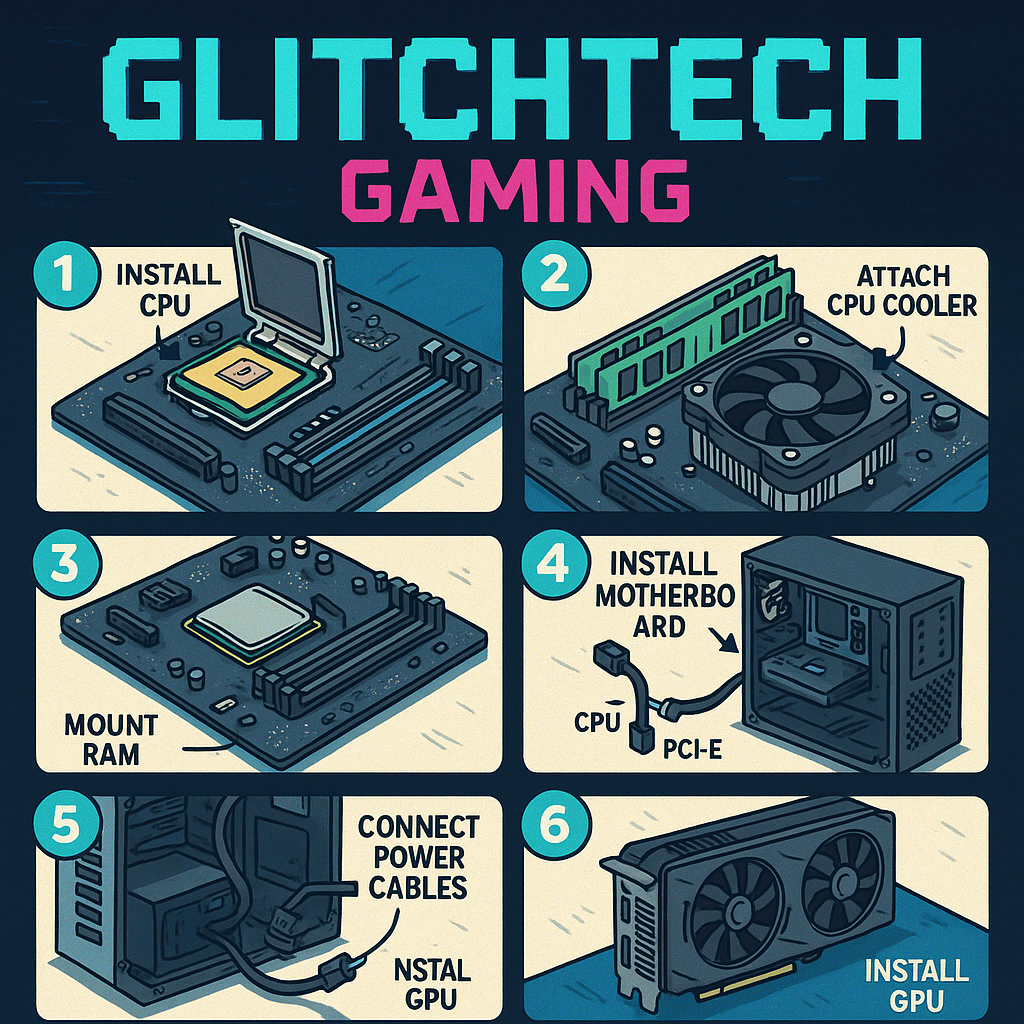
Installing the CPU into your gaming PC 2025 motherboard is the most nerve-wracking step because you’re handling expensive silicon that can be damaged by poor technique. For AMD CPUs, align the gold triangle on the CPU with the triangle on the socket, gently place the CPU (no pressure needed!), and secure the retention arm. Intel CPUs require opening the retention bracket, carefully lowering the CPU into place (again, no pressure), and closing the bracket which requires more force than seems reasonable but is normal. Triple-check alignment before securing anything – bent pins are expensive mistakes that void warranties faster than you can say “oops.”
RAM installation in your gaming PC 2025 is straightforward but requires consulting your motherboard manual to identify which slots provide optimal performance. Most boards recommend using slots 2 and 4 (counting from the CPU) for dual-channel configuration with two RAM sticks. Align the notch in the RAM stick with the notch in the slot, apply even pressure to both ends until you hear satisfying clicks as the retention clips engage. If you’re using significant force or the clips won’t close, something’s wrong – remove and try again before you break something expensive.
Motherboard installation into your gaming PC 2025 case requires patience and attention to detail to avoid shorts and ensure proper grounding. Install the I/O shield first (that metal plate that goes in the back of your case), then install motherboard standoffs that match your board’s mounting holes. Carefully lower the motherboard into position, align all mounting holes, and secure with screws – finger-tight plus a quarter turn is plenty, don’t over-tighten. Connect the front panel headers (power switch, reset, LEDs) according to your motherboard manual, because these tiny connectors are the devil’s work and will test your patience.
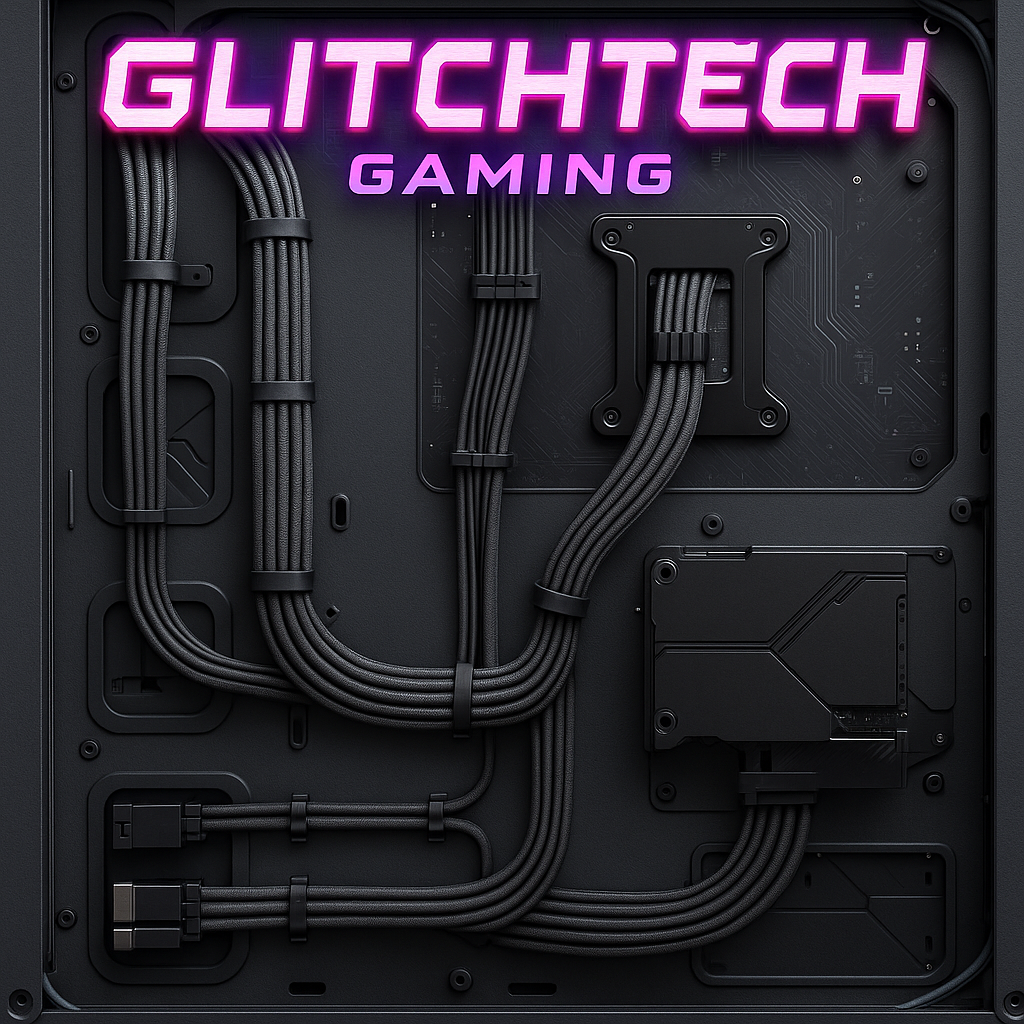
PSU installation in your gaming PC 2025 typically goes in the bottom of your case with the fan facing down (if your case has ventilation) or facing up (if it sits on carpet). Secure the PSU with four screws, ensuring the power socket faces the rear I/O cutout for easy access. With modular PSUs, attach only the cables you need: 24-pin ATX for motherboard, 4+4 pin EPS for CPU, PCIe cables for GPU, and SATA power for storage drives. Leave cable management for later – focus on getting everything connected and working first.
GPU installation is the final major component for your gaming PC 2025, and also the most satisfying since you’re finally installing the expensive part that actually makes games pretty. Remove the appropriate number of PCIe slot covers from your case (most GPUs use 2-3 slots), carefully align the GPU with the top PCIe x16 slot on your motherboard, and firmly press down until you hear the retention clip click. Secure the GPU to your case with screws, then connect the required PCIe power cables from your PSU – modern GPUs typically need one or two 8-pin connectors, and the card won’t work without them.
Storage installation in your gaming PC 2025 varies based on drive type but is generally straightforward. M.2 NVMe drives install directly onto the motherboard – find the M.2 slot (consult your manual), remove the tiny screw and standoff, insert the drive at a 30-degree angle, press down gently, and secure with the screw. For SATA SSDs or HDDs, mount them in drive bays using screws or tool-less trays, then connect SATA data cables to the motherboard and SATA power from your PSU. Remember, NVMe drives don’t need power cables – they draw power through the motherboard.
Cable management transforms your gaming PC 2025 from a bird’s nest of wires into a clean, professional-looking machine that doesn’t embarrass you when friends peek through the side panel. Route cables behind the motherboard tray when possible, use the included velcro straps or zip ties to bundle cables together, and aim for a “good enough” result rather than perfection. Proper cable management improves airflow, makes future upgrades easier, and provides psychological satisfaction that’s hard to quantify but deeply satisfying.

Before powering on your gaming PC 2025 for the first time, perform a final check of all connections: 24-pin ATX power to motherboard, 4+4 pin EPS to CPU, PCIe power to GPU, RAM firmly seated with clips engaged, and all case fans connected to headers. Double-check that the PSU switch is off before plugging in the power cable, because it’s better to be safe than to experience immediate regret. Connect your monitor to the GPU (not the motherboard) via DisplayPort or HDMI, plug in your keyboard, and pray to the PC building gods that everything works first try.
The moment of truth for your gaming PC 2025 arrives when you press the power button and watch for signs of life. Fans should spin up, RGB components should light up like a Christmas tree (if you went that route), and you should hear a single beep indicating successful POST (Power-On Self Test). If nothing happens, don’t panic – check that the PSU is switched on, power cables are properly connected, and RAM is fully seated. If you get stuck in a boot loop or see error lights on the motherboard, consult your manual to decode what’s wrong before assuming you broke something expensive.
Entering BIOS/UEFI on your gaming PC 2025 typically requires pressing Delete, F2, or F12 during initial boot (your motherboard manual specifies which key). The BIOS is where you configure critical settings before installing Windows, including boot order, RAM profiles, and fan curves. Modern BIOS interfaces are surprisingly user-friendly with mouse support and clear labeling, so don’t be intimidated by the technical appearance. Take time to familiarize yourself with the layout – this is where you’ll troubleshoot future issues and optimize performance.
Enabling XMP (Intel) or DOCP (AMD) profiles activates your RAM’s rated speeds for your gaming PC 2025, since RAM runs at conservative speeds by default for stability. Navigate to the memory settings in BIOS, enable the XMP/DOCP profile, save changes, and reboot. This simple step provides noticeable performance improvements in games, particularly with AMD systems that benefit greatly from faster RAM. If your system becomes unstable after enabling XMP, you can always return to BIOS and disable it, though this rarely causes issues with quality RAM and compatible motherboards.
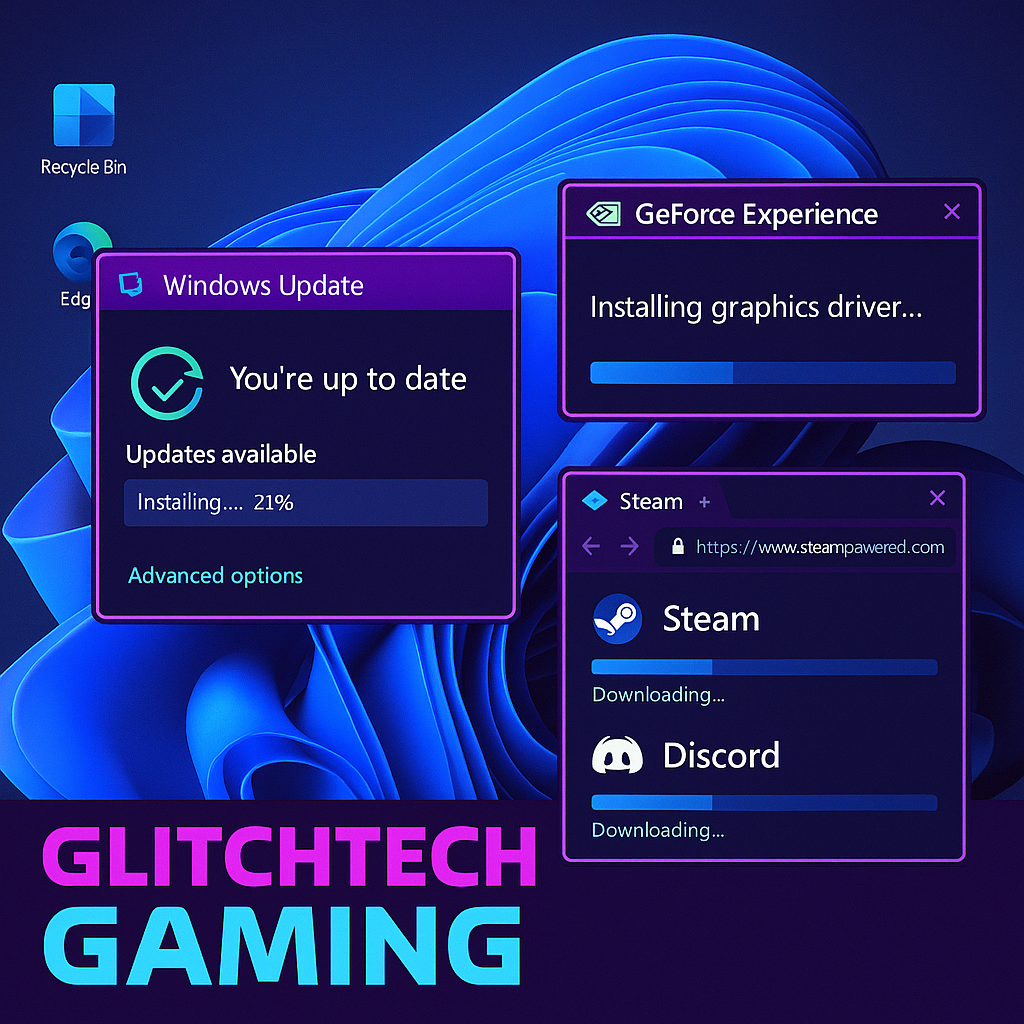
Windows 11 installation transforms your gaming PC 2025 from an expensive pile of hardware into an actual functional computer. Create a Windows 11 installation USB using Microsoft’s Media Creation Tool on another computer, boot from the USB (select it in BIOS boot menu), and follow the installation wizard that’s designed to be foolproof for people who absolutely don’t read instructions. Choose the custom installation option, select your NVMe drive as the installation target, and let Windows do its thing for 20-30 minutes while you contemplate your life choices and refresh hardware monitoring forums.
Driver installation is critical for your gaming PC 2025 to function at peak performance, starting with GPU drivers that make your graphics card actually work properly. Download the latest drivers directly from Nvidia or AMD’s website rather than using the outdated versions Windows Update provides – the difference in gaming performance can be substantial. Install chipset drivers from your motherboard manufacturer’s website to ensure proper communication between components, and update network drivers if you experience connectivity issues. Sound drivers usually work fine with Windows defaults unless you have specialized audio equipment.
Windows optimization helps your gaming PC 2025 perform better by disabling unnecessary bloat and configuring settings for gaming performance. Enable Game Mode in Windows Settings > Gaming to prioritize system resources for games, disable background apps you don’t need, and consider disabling Windows Search indexing on your game drive to prevent stuttering during gameplay. Adjust power settings to High Performance mode to prevent CPU throttling, and disable any aggressive RGB software that consumes more resources than the pretty lights justify.
Essential software for your gaming PC 2025 includes game launchers (Steam, Epic, GOG), communication tools (Discord), hardware monitoring software (HWMonitor, MSI Afterburner), and GPU overclocking utilities if you’re brave enough. Install antivirus software or stick with Windows Defender which is surprisingly competent these days, and consider using browser extensions to block ads and trackers that slow down your browsing experience. Keep a clean system by only installing software you’ll actually use – every background process consumes resources that could go toward gaming performance.
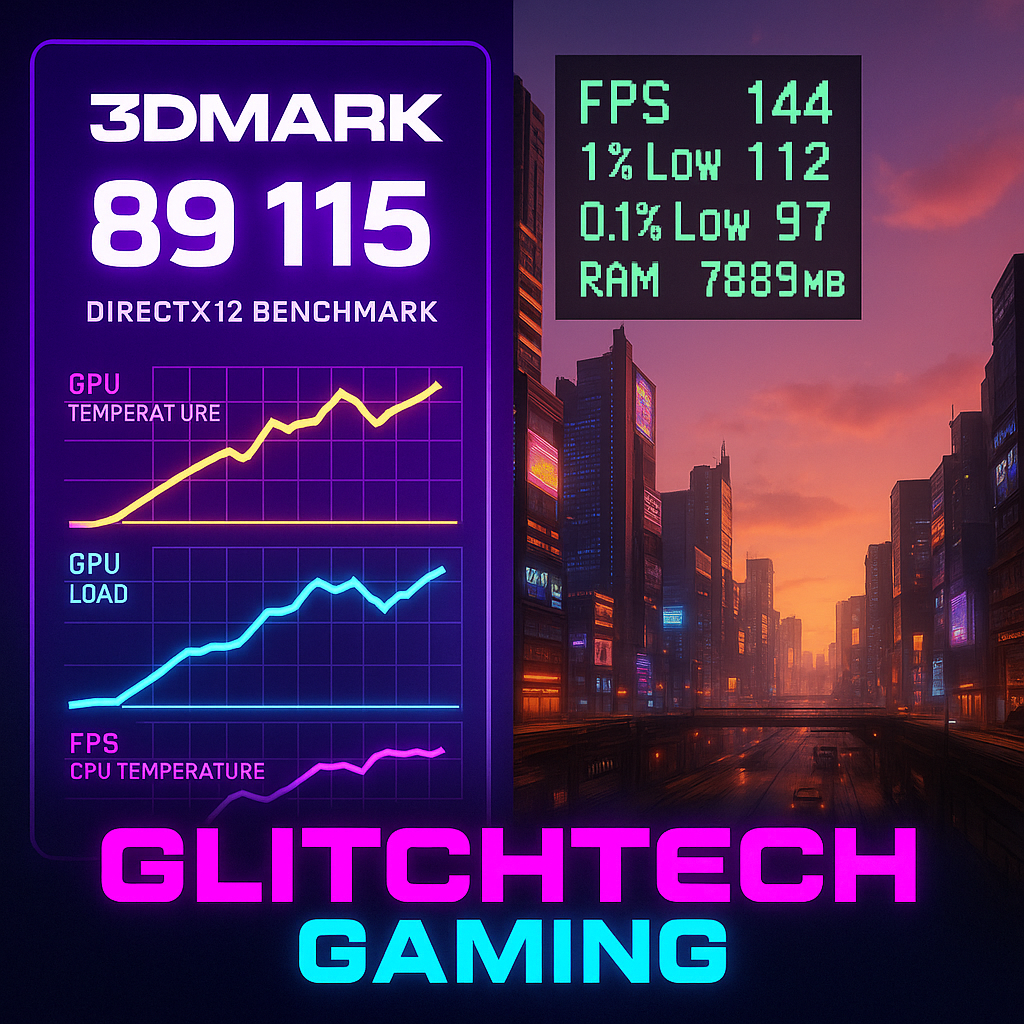
Benchmarking your gaming PC 2025 provides baseline performance metrics that help identify problems and track system health over time. Run 3DMark (free basic version available on Steam) to stress test your GPU and compare scores against similar systems – if your scores are significantly lower, something might be misconfigured. Use Cinebench R23 to test CPU performance under sustained load, which also helps verify your cooling solution can handle extended workloads without thermal throttling.
Temperature monitoring is essential for your gaming PC 2025 to ensure components aren’t overheating and potentially reducing their lifespan. Use HWMonitor or HWiNFO during gaming sessions to track CPU and GPU temperatures – modern CPUs can safely reach 80-90°C under load while GPUs can comfortably run at 70-80°C depending on the model. If temperatures consistently exceed these ranges, check that all fans are running, verify CPU cooler is properly mounted with fresh thermal paste, and ensure your case has adequate airflow.
Game-specific testing reveals how your gaming PC 2025 performs in actual gaming scenarios rather than synthetic benchmarks. Install a demanding recent title (Cyberpunk 2077, Starfield, or similar), enable in-game FPS counters or use MSI Afterburner‘s overlay, and test at various graphics settings to find the sweet spot between visual quality and performance. Aim for consistent frame rates above your monitor’s refresh rate for smooth gameplay – 60 FPS minimum for 60Hz monitors, 144 FPS for 144Hz displays, and so on.
Overclocking your gaming PC 2025 components can extract additional performance but requires careful testing and monitoring to avoid instability. GPU overclocking using MSI Afterburner is relatively safe and can provide 5-15% performance improvements by increasing core and memory clocks gradually while monitoring temperatures and stability. CPU overclocking requires more expertise and better cooling but can provide similar gains for workloads that benefit from higher clock speeds. Only overclock if you understand the risks and have adequate cooling – a stable system beats a slightly faster unstable one every time.
No POST (Power-On Self-Test) is the most common gaming PC 2025 problem where the system powers on but doesn’t display anything or beep. Start with the easiest solutions: reseat RAM firmly in the correct slots, verify GPU is fully inserted with power cables connected, check that CPU power (4+4 pin EPS) is properly connected, and ensure all cables click into place. If problems persist, try booting with one RAM stick at a time to identify faulty memory, remove the GPU to test with integrated graphics (if available), and verify the CPU is correctly installed without bent pins.
Boot loops plague gaming PC 2025 builds when systems power on briefly then restart repeatedly without reaching BIOS. Common causes include incorrect RAM configuration (wrong slots or incompatible speeds), insufficient or faulty PSU, or incompatible components. Try clearing CMOS by removing the motherboard battery for 30 seconds to reset BIOS to defaults, disconnect all non-essential components (extra drives, RGB controllers) to isolate problems, and verify your PSU has adequate wattage for your components with all power connectors properly seated.
Random crashes and instability in your gaming PC 2025 during gaming or heavy workloads often indicate cooling, power, or driver issues rather than defective hardware. Monitor temperatures during gaming to identify thermal throttling, stress test RAM with MemTest86 to verify stability, and use DDU (Display Driver Uninstaller) to cleanly remove and reinstall GPU drivers. Check Windows Event Viewer for error messages that provide clues about crash causes, and ensure your PSU can deliver adequate power under full load – underpowered systems experience crashes during demanding scenes.
Performance issues where your gaming PC 2025 runs slower than expected require systematic diagnosis to identify bottlenecks. Verify GPU drivers are current and game-ready, enable XMP/DOCP profiles in BIOS for rated RAM speeds, check that games are using the discrete GPU rather than integrated graphics, and monitor temperatures for thermal throttling. Compare your benchmark scores against similar systems to identify outliers, ensure Windows Game Mode is enabled, and verify no background software is consuming excessive resources during gaming.
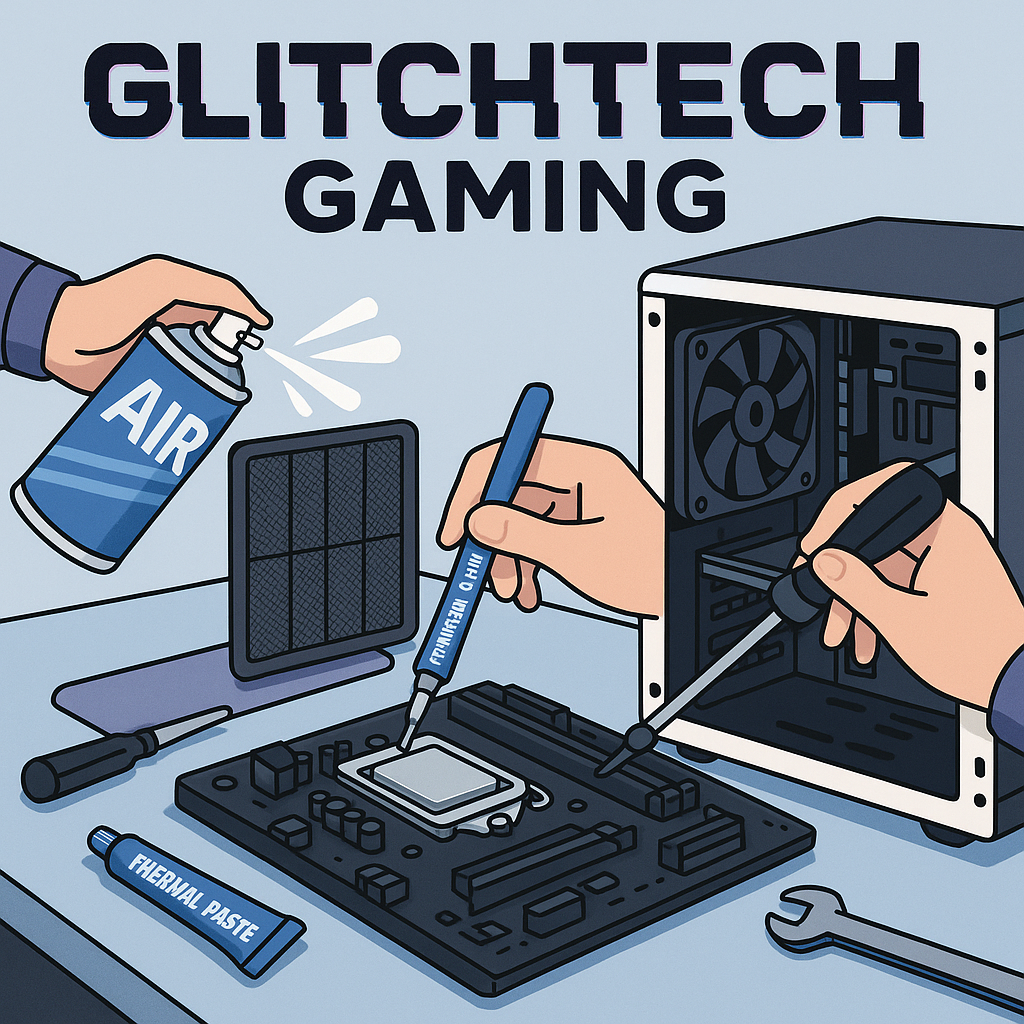
Regular maintenance keeps your gaming PC 2025 running optimally and extends component lifespan beyond their already impressive longevity. Clean dust filters every 1-2 months using compressed air or vacuum, as accumulated dust restricts airflow and increases temperatures. Perform internal cleaning every 3-6 months by powering off completely, removing side panels, and using compressed air to blow dust from heatsinks, fans, and components while holding fans stationary to prevent overspin damage.
Software maintenance for your gaming PC 2025 includes keeping drivers updated, running occasional malware scans, and performing disk cleanup to remove temporary files and bloatware. Update GPU drivers when major game releases arrive or stability/performance improvements are significant, but don’t feel pressured to install every driver update immediately – if your system works well, the “don’t fix what ain’t broke” philosophy applies. Perform Windows Updates regularly to receive security patches and system improvements, though you can defer feature updates if you prefer stability over new features.
Upgrade planning for your gaming PC 2025 should focus on components that provide meaningful performance improvements for your specific use case. The GPU typically becomes the first upgrade priority 2-3 years after building, as games’ graphics demands outpace other system requirements. RAM upgrades from 16GB to 32GB benefit content creators and heavy multitaskers more than pure gamers, though future games may justify additional memory. Storage expansion is the easiest upgrade, simply adding another NVMe drive when your library outgrows current capacity.
Component longevity varies significantly in your gaming PC 2025, with some parts lasting through multiple upgrade cycles while others require replacement sooner. Quality PSUs, cases, and cooling solutions can serve 7-10 years across multiple builds, making them worthwhile investments. CPUs and motherboards typically remain relevant for 4-6 years before platform limitations necessitate replacement. RAM rarely fails but may need upgrading for capacity rather than speed. GPUs have the shortest effective lifespan of 3-5 years as games’ graphics demands continuously increase, though they remain functional long after they stop delivering cutting-edge performance.
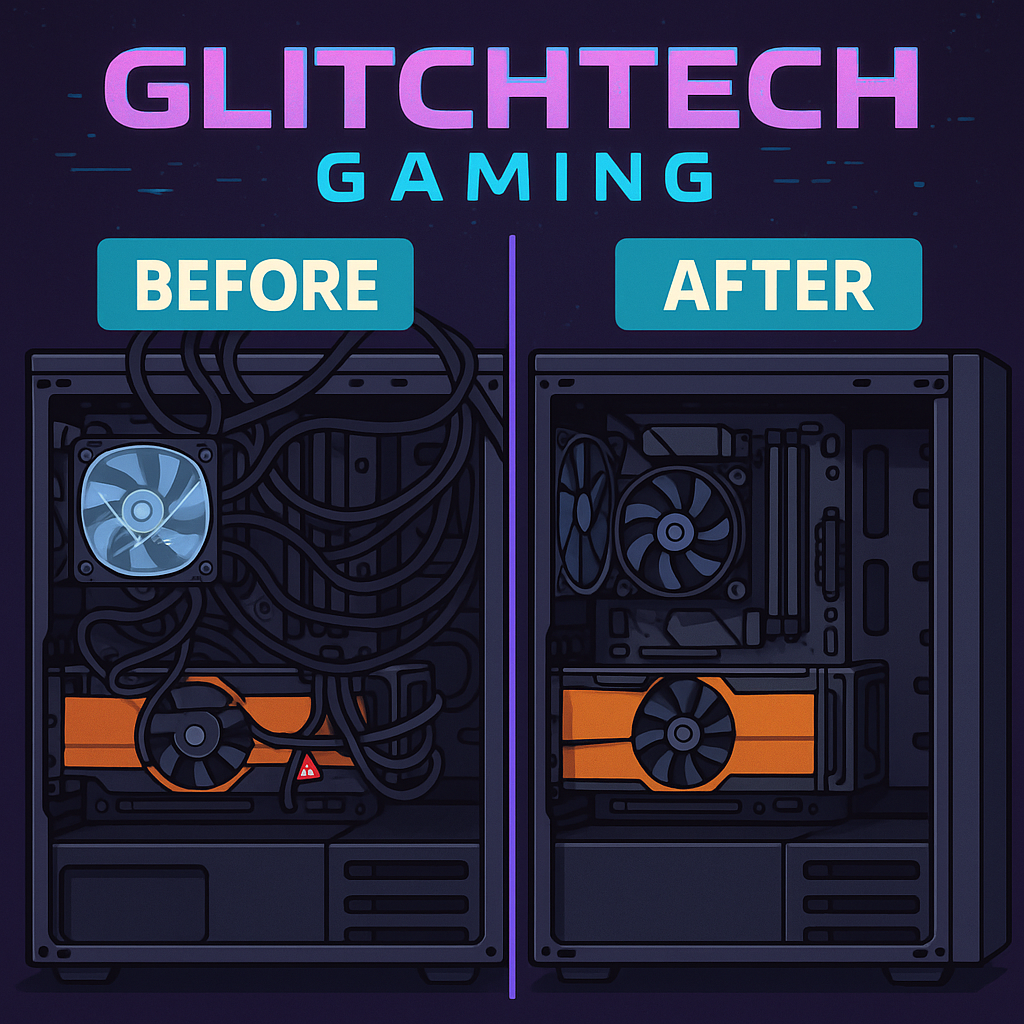
The most common gaming PC 2025 mistake is forgetting to remove protective plastic films from CPU coolers before installation, which leads to overheating and potential damage since plastic isn’t known for its thermal conductivity. Always peel off any protective films from heatsink bases, check that thermal paste is properly applied (pre-applied paste on most coolers works fine, don’t add more unless replacing), and ensure cooler mounting pressure is adequate but not excessive. Your CPU should idle at 30-40°C – if temperatures immediately hit 80°C+ at idle, you forgot the plastic film or improperly mounted the cooler.
Cable management in your gaming PC 2025 seems purely aesthetic until you realize cables blocking fans or interfering with moving parts can cause real problems beyond just looking messy. Route cables through the back of your case when possible, use velcro straps to bundle cables together, and ensure nothing blocks fan blades or creates airflow restrictions. Check that front panel headers are correctly connected (consult your motherboard manual religiously) because reversing polarity on some headers can damage components or prevent boot.
Component seating issues plague many gaming PC 2025 first-time builds, with RAM and GPUs being the usual suspects for not being fully inserted despite appearing installed. RAM requires firm pressure and you must hear clicks from both retention clips before accepting it’s properly seated – half-seated RAM either won’t boot or causes instability. GPUs need similar confidence during installation, being firmly pressed into the PCIe slot until the retention clip engages with an audible click. If your system won’t POST, reseat both RAM and GPU before panicking.
BIOS configuration mistakes can hamstring your gaming PC 2025 performance if you forget critical settings after initial assembly. Enable XMP/DOCP profiles for RAM to run at rated speeds rather than conservative defaults, verify boot order prioritizes your NVMe drive, and check that all fans are detected and running at appropriate speeds. If your system seems unstable after BIOS changes, you can always load default settings and start over – modern BIOS includes fail-safes that prevent permanent damage from configuration mistakes.
Smart component selection for your gaming PC 2025 means identifying where spending more provides meaningful benefits versus paying premiums for negligible improvements. Previous-generation GPUs often provide 80-90% of current-gen performance at 60-70% of the cost once new models release – an RTX 4070 at $450 delivers better value than an RTX 5070 at $650 if the performance difference is only 15%. Similarly, last-gen CPUs on clearance can offer incredible value for gaming since most games don’t fully utilize cutting-edge processors anyway.
Timing your gaming PC 2025 purchases around major sales events (Black Friday, Prime Day, back-to-school sales) can save hundreds without compromising component quality. Sign up for price tracking tools like CamelCamelCamel or use browser extensions to monitor historical pricing and receive alerts when components hit your target prices. Join PC building communities on Reddit or Discord where members share deals and provide advice on whether specific sales represent genuine value versus inflated “discounts” on overpriced components.
Brand selection impacts your gaming PC 2025 budget more than many builders realize, with premium brands charging substantial premiums for marginally better components. Store-brand RAM from reputable retailers often performs identically to name-brand memory at 20-30% lower cost since most RAM uses the same underlying chips from Samsung, SK Hynix, or Micron. Similarly, budget motherboard models from major manufacturers (ASUS, MSI, Gigabyte) include all essential features without the premium tax for RGB lighting, fancy heatsinks, and marketing buzzwords you don’t need.
Component priorities ensure your gaming PC 2025 delivers maximum gaming performance for your budget by allocating money where it matters most. Invest heavily in GPU and CPU, choose a quality PSU that will last multiple builds, then be strategic about everything else. You don’t need premium RGB RAM, the fastest NVMe drive available, or an expensive case with tempered glass panels and RGB everything. A functional case with good airflow costs $60-80 and performs identically to $200 showcase models – save that money for components that actually impact gaming.
The intimidation factor of building your first gaming PC 2025 is mostly psychological rather than technical, as modern components are designed for user-friendly assembly with clear labeling and foolproof connectors. Thousands of first-time builders successfully assemble systems every day without prior experience, guided by instruction manuals and the wealth of YouTube tutorials available for every component and build process. If you can follow LEGO instructions and resist the urge to force things that don’t fit, you possess the fundamental skills needed for PC building.
Component compatibility is less scary for your gaming PC 2025 than it initially appears, with resources like PCPartPicker automatically checking compatibility and warning about potential issues before you buy anything. Modern platforms limit compatibility concerns since components within the same generation typically work together seamlessly. The main compatibility checks are CPU socket matching motherboard, RAM type matching motherboard (DDR5 vs DDR4), and case size accommodating motherboard form factor (ATX, microATX, etc).
Mistakes happen during every gaming PC 2025 build, and most are easily fixable without causing permanent damage because components include various protections against common errors. Reversed fan headers don’t damage anything, they just make fans spin backwards. Improperly seated components simply won’t work rather than immediately exploding. The PC building community is incredibly supportive of newcomers, with forums and Discord servers full of experienced builders ready to help troubleshoot issues and provide reassurance when things don’t go according to plan.
The satisfaction of completing your gaming PC 2025 and seeing it successfully boot for the first time is genuinely difficult to describe to people who’ve never experienced it. You’ve created a powerful machine with your own hands, gained valuable technical knowledge that will serve you for years, and saved hundreds compared to buying prebuilt systems. Every gaming session becomes slightly more enjoyable knowing you’re playing on hardware you personally selected and assembled, and you’ll have the skills and confidence to upgrade, troubleshoot, and maintain your system throughout its lifespan.
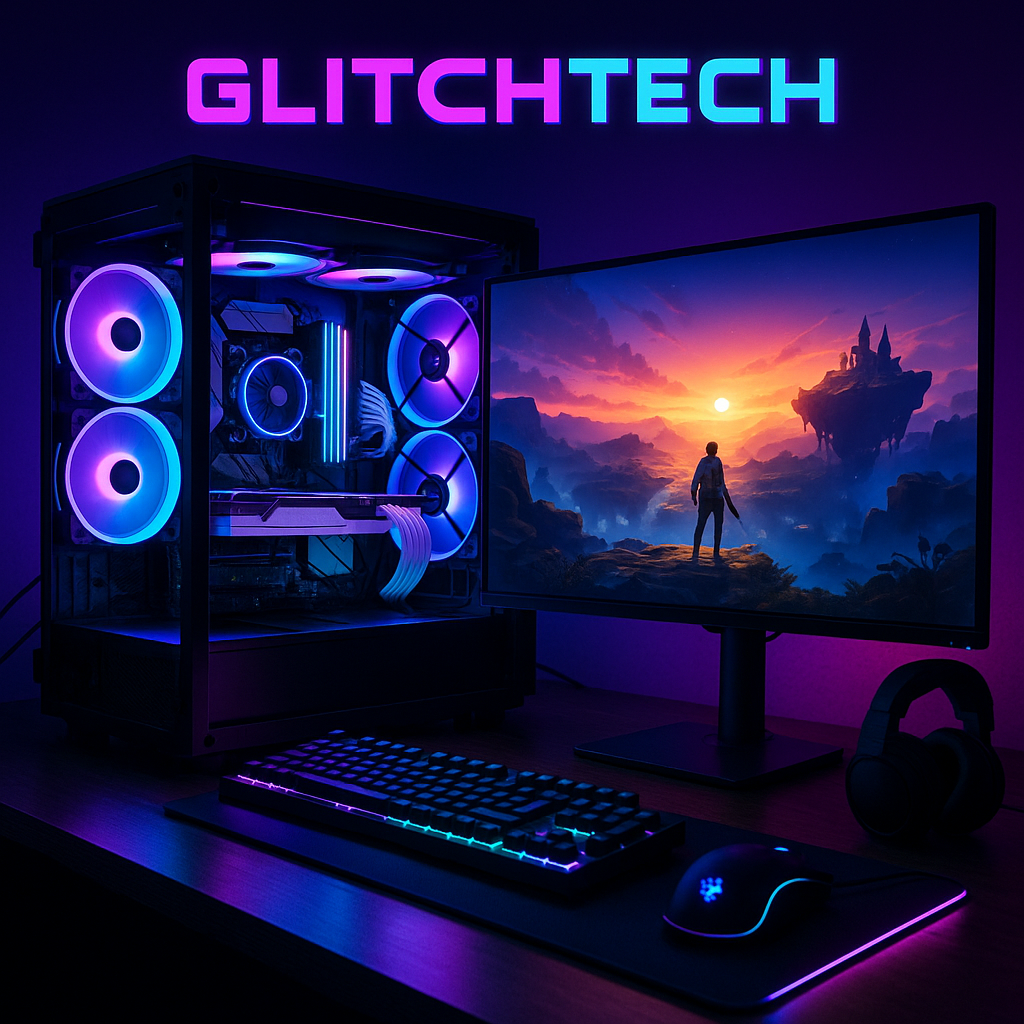
Building your own gaming PC 2025 represents one of the most rewarding projects you can undertake in the tech world, combining practical skills with creative expression and delivering tangible results you’ll enjoy for years. This guide has covered everything from budget planning and component selection to assembly techniques and troubleshooting, providing the knowledge foundation you need to confidently approach your first build without fear or confusion.
The gaming PC 2025 landscape offers incredible opportunities for builders at every budget level, with component options ranging from capable budget builds to absolute monster systems that handle any game at maximum settings. Understanding that the “best” build depends entirely on your specific needs, budget, and gaming preferences frees you from the pressure of creating some objective perfect system. Your perfect gaming PC 2025 is the one that plays your favorite games at settings you find satisfying within a budget you can afford.
Remember that your gaming PC 2025 is never truly finished – it’s a platform that evolves with your needs and gaming habits through upgrades and modifications over time. Starting with a solid foundation of compatible components and room for growth ensures your initial investment continues delivering value for years. The skills you’ve developed during this first build will serve you through future upgrades, troubleshooting sessions, and potentially helping friends with their builds.
The community surrounding gaming PC 2025 building is one of tech’s most welcoming and helpful, always ready to assist newcomers with advice, troubleshooting help, and enthusiastic celebration of successful builds. Don’t hesitate to ask questions in forums, Discord servers, or Reddit communities – everyone started as a beginner, and experienced builders genuinely enjoy helping newcomers avoid the mistakes they made during their first builds.
Your journey to completing a gaming PC 2025 might have moments of frustration when components don’t cooperate or troubleshooting takes longer than expected, but the satisfaction of overcoming these challenges and successfully building your own system makes every difficult moment worthwhile. You’re not just assembling hardware – you’re developing valuable technical skills, gaining confidence in your abilities, and joining a community of enthusiasts who share your passion for gaming and technology.
Take your time during assembly, consult your manuals frequently, don’t be afraid to double-check connections before powering on, and remember that almost every problem has a solution that doesn’t involve buying replacement components. The first boot might not succeed immediately, and that’s completely normal – troubleshooting is part of the learning experience that makes you a better builder and more knowledgeable PC owner.
Looking forward, your gaming PC 2025 will provide countless hours of entertainment, support your gaming hobby and creative pursuits, and serve as a platform for continuous learning about computer hardware and technology. The initial investment of time learning about components and assembly techniques pays dividends throughout the system’s lifespan and beyond, as these skills transfer to future builds and upgrades.
The decision to build your own gaming PC 2025 rather than buying prebuilt is ultimately about taking control of your gaming experience, maximizing value for your budget, and gaining the knowledge to maintain and upgrade your system independently. You’re no longer dependent on manufacturers’ component choices or paying premiums for convenience – you’ve become empowered to make informed decisions about your gaming hardware.
So gather your components, clear your workspace, queue up some build guide videos for reference, and begin your gaming PC 2025 building adventure with confidence. Thousands of builders have successfully completed this journey before you, and with the knowledge from this guide, you’re well-prepared to join their ranks. The gaming experiences awaiting you on your custom-built system will make every moment of the building process worthwhile.
Ready to dive deeper into the gaming hardware world? Check out our latest gaming news for updates on new component releases, gaming trends, and industry insights that will help you stay informed about the evolving landscape of PC gaming. Your gaming PC 2025 adventure starts now – make it legendary!