The Ultimate Gaming PC Upgrade Guide (2026) — Boost FPS, Load Games Faster & Future-Proof Your Setup
Thinking about upgrading your gaming PC but not sure where to start? Whether you’re a teenager trying to squeeze more FPS out of Fortnite, a parent buying a first gaming PC, or someone who just wants games to stop lagging every five minutes — this guide will walk you through everything in plain English.
From graphics cards and RAM to cooling systems and bottlenecks, we’ll explain exactly what matters, what doesn’t, and how to get the best gaming performance for your money.
What You’ll Learn From This Gaming PC Upgrade Guide
By the end of this gaming PC upgrade guide, you’ll understand exactly which upgrades actually improve gaming performance — and which ones are mostly marketing hype.
We’ll explain the difference between GPUs, CPUs, RAM, SSDs and cooling systems in simple terms, making it easier for beginners, teenagers and parents to confidently choose the best PC upgrades for gaming without overspending.
You’ll also learn:
how to identify what’s slowing down your current gaming PC,
whether AMD or NVIDIA is better for your setup,
the real difference between DDR4 and DDR5 RAM,
why SSD and M.2 upgrades matter so much,
how cooling affects gaming performance,
and what a gaming PC bottleneck actually means.
Most importantly, this guide will help you build a smarter gaming PC upgrade path for you, whether you’re upgrading an older setup or buying your very first gaming rig.
Why Upgrade Your Gaming PC Instead of Buying a New One?
One of the biggest myths in PC gaming is that you need to replace your entire setup every few years. In reality, most gaming PCs can be massively improved with just one or two smart upgrades.
Maybe your games are stuttering. Maybe new releases are struggling to hit decent FPS. Or maybe your PC sounds like it’s preparing for takeoff every time you open Call of Duty.
The good news? You usually don’t need a completely new machine.
A proper gaming PC upgrade can:
improve FPS,
reduce loading times,
make your system quieter,
improve graphics quality,
future-proof your setup,
and make your whole PC feel faster.
For most gamers, upgrading specific parts is far cheaper than starting from scratch.
What Should You Change First in a Gaming PC Upgrade?
This is the most common question people ask — and honestly, there’s no universal answer.
The “best” gaming PC upgrade depends on what your current PC is struggling with.
If your games look blurry or run at low FPS, your graphics card is probably the issue. If your PC takes longer to boot than a microwave meal, your storage drive could be the problem. If everything freezes while multitasking, you may need more RAM.
That said, for most gamers, the graphics card (GPU) is usually the biggest performance upgrade.
Think of the GPU as the engine responsible for drawing everything you see in-game — explosions, textures, shadows, lighting, all of it.
If you upgrade nothing else, upgrading your GPU will usually give the biggest boost in gaming performance.
GPU Upgrades Explained — AMD or NVIDIA?
If you’ve spent even five minutes researching gaming PCs online, you’ve probably seen endless arguments about AMD vs NVIDIA.
It’s basically the PlayStation vs Xbox debate of the PC world.
The truth? Both make excellent graphics cards.
NVIDIA cards are known for their powerful ray tracing technology, DLSS upscaling, and strong streaming performance. Ray tracing is basically fancy lighting effects that make games look more realistic. DLSS is smart AI technology that boosts FPS without making games look worse.
AMD graphics cards are usually better value for money. You often get more raw gaming performance and more VRAM (video memory) for the same price.
For teenagers playing esports titles like Fortnite, Valorant, Minecraft or Rocket League, AMD cards are fantastic value. For players wanting ultra graphics settings, ray tracing, or content creation features, NVIDIA is often the stronger option.
A GPU upgrade is usually the best PC upgrade for gaming because it directly affects:
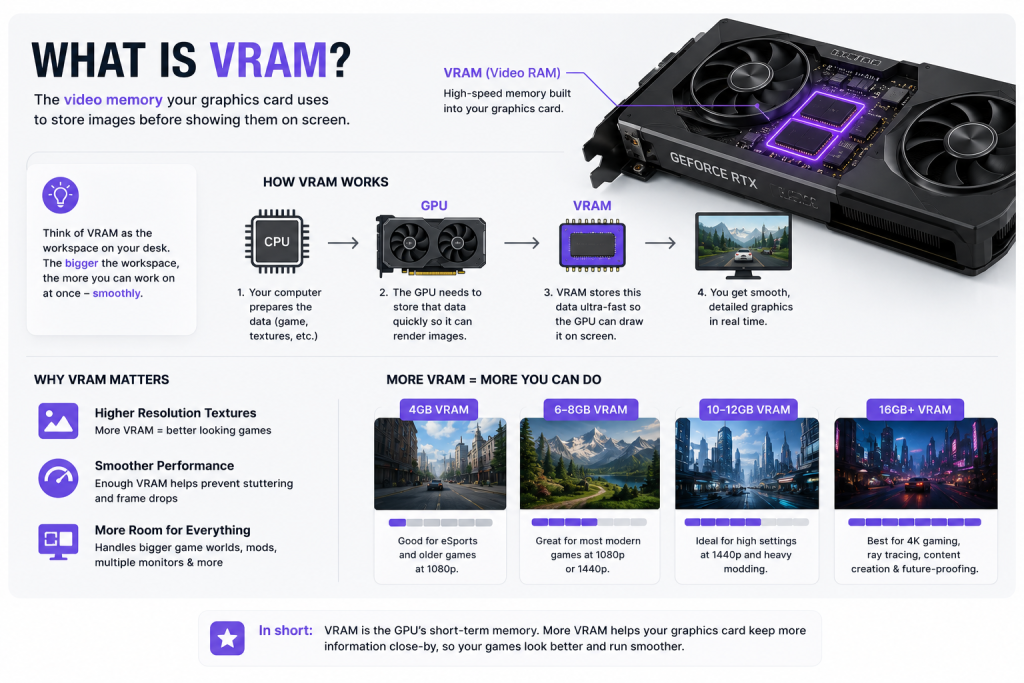
What Is VRAM and Why Does Everyone Suddenly Care About It?
VRAM stands for Video Random Access Memory.
Sounds complicated, but it’s actually simple.
VRAM is memory specifically used by your graphics card. Games use it to store textures, lighting information, and graphical data.
Modern games are getting huge. Some AAA titles now use over 12GB of VRAM at high settings.
If your GPU runs out of VRAM, games can stutter badly, textures load slowly, and performance drops.
That’s why gamers are paying more attention to VRAM in 2026 than ever before.
For 1080p gaming, 8GB is still okay. For 1440p gaming, 12GB is becoming the sweet spot. For 4K gaming, more VRAM is usually better.
RAM Upgrades — DDR4 vs DDR5 Explained Simply
RAM is one of the most misunderstood parts of a gaming PC upgrade.
People often think “more RAM = more FPS.”
Not exactly.
RAM mainly helps your system multitask smoothly. It allows your PC to quickly access information while gaming, streaming, browsing, or chatting on Discord.
If you don’t have enough RAM, your PC starts slowing down dramatically.
Right now, most gamers should aim for:
16GB minimum,
32GB ideal.
DDR4 and DDR5 are simply different generations of RAM.
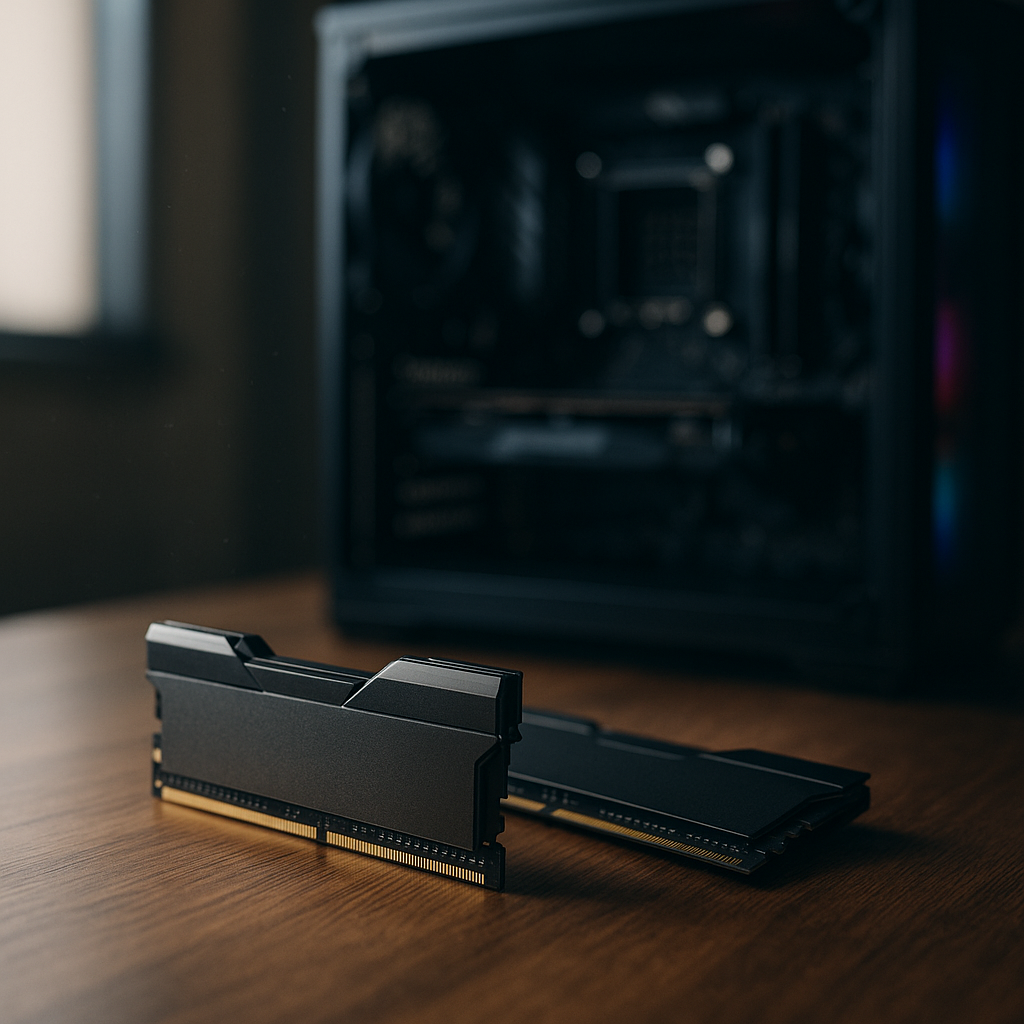
DDR5 is newer, faster, and more future-proof. DDR4 is older but still perfectly fine for gaming.
If you already own a DDR4 gaming PC, upgrading to DDR5 usually isn’t worth replacing your whole motherboard unless you’re building a new system anyway.
For first-time gaming PC buyers, DDR5 makes sense because it gives better long-term upgrade potential.
H2: How Much RAM Do You Actually Need for Gaming?
This is easily one of the biggest areas where people overspend when following a gaming PC upgrade guide.
A lot of gaming PC companies, influencers and flashy YouTube builds make beginners think they need ridiculous amounts of RAM just to play modern games smoothly. You’ll regularly see systems advertised with 64GB or even 128GB of RAM as if it’s essential for gaming performance.
For the vast majority of gamers, it simply isn’t.
In reality:
16GB is still perfectly usable for most games,
32GB is the ideal sweet spot for modern gaming,
and 64GB+ is mainly designed for professional workloads like 4K video editing, 3D rendering, virtual machines or workstation tasks.
If you’re mainly playing Fortnite, Minecraft, Roblox, GTA, Call of Duty, FIFA or other popular online games, 32GB is already more than enough for an excellent gaming experience.
This is especially important for parents buying a first gaming PC for teenagers, because RAM is one of the easiest ways companies artificially inflate the price of gaming PCs without delivering meaningful gaming performance improvements.
More RAM does not automatically mean more FPS.
Once your system already has enough RAM available, adding even more often results in little to no noticeable improvement in games. This is why a balanced gaming PC upgrade guide should always focus on real-world gaming performance rather than flashy specs that look impressive on marketing pages.
The same thing applies to RAM speed.
Modern DDR5 RAM is incredibly fast, but many gamers are now spending huge amounts of money chasing ultra-high clock speeds that simply aren’t necessary for gaming. Right now, DDR5 RAM around 5600MHz–6000MHz is widely considered the sweet spot for gaming PCs in terms of performance, stability and value.
Anything beyond 6000MHz often starts entering diminishing returns territory.
That basically means you spend a lot more money for very small FPS improvements that most players would never even notice during gameplay. Some high-end DDR5 kits running at 7200MHz, 7600MHz or higher can cost dramatically more than standard gaming RAM, despite offering only tiny real-world differences in performance.
In many situations, that extra money would be far better spent on:
a stronger GPU upgrade,
a larger NVMe SSD,
better cooling,
or a higher-quality PSU.
Those upgrades usually have a much bigger impact on gaming performance than ultra-fast RAM ever will.
RAM prices are also still relatively high at the moment, especially for premium DDR5 kits with aggressive RGB lighting, flashy heatsinks and extreme factory overclocks. While these kits can look amazing inside a modern gaming PC build, they’re not always the smartest purchase if you’re trying to maximise value for money.
Another common mistake when people upgrade a gaming PC is mixing incompatible RAM kits together. Even if two kits look similar, combining different RAM speeds, brands or timings can sometimes cause instability, crashes or reduced performance. If possible, it’s always best to use a matched RAM kit designed to work together properly.
A good gaming PC upgrade guide should always prioritise balanced upgrades over unnecessary overspending.
For most gamers in 2026, 32GB of quality DDR5 RAM running around 6000MHz gives the best balance of gaming performance, future-proofing and value without wasting money on unnecessary specs that provide minimal real-world benefits.
SSD vs M.2 — What’s the Difference?
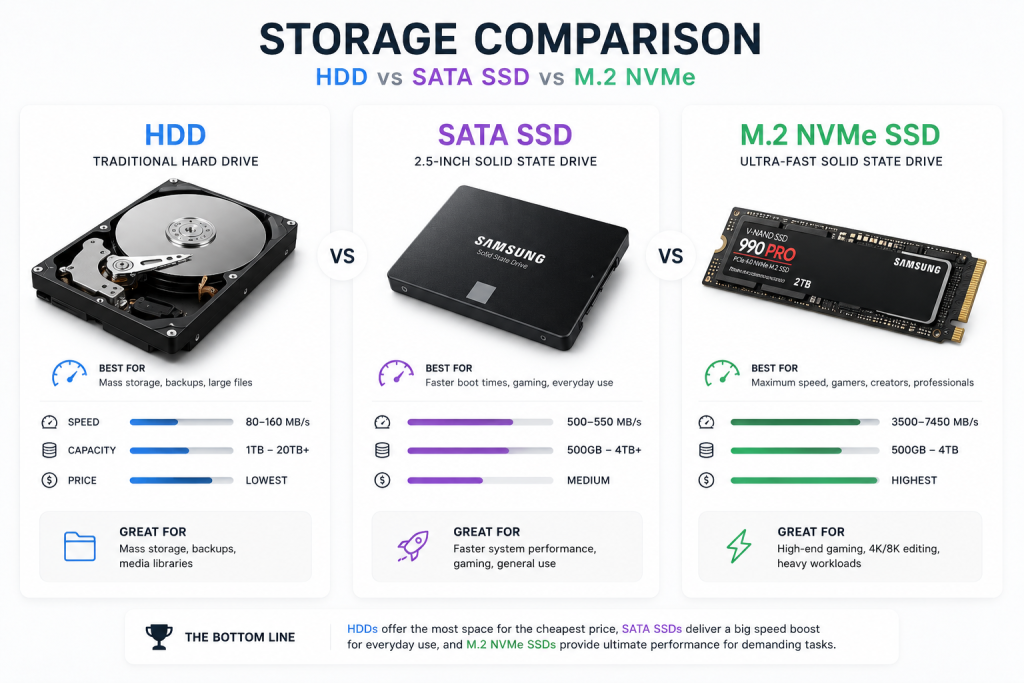
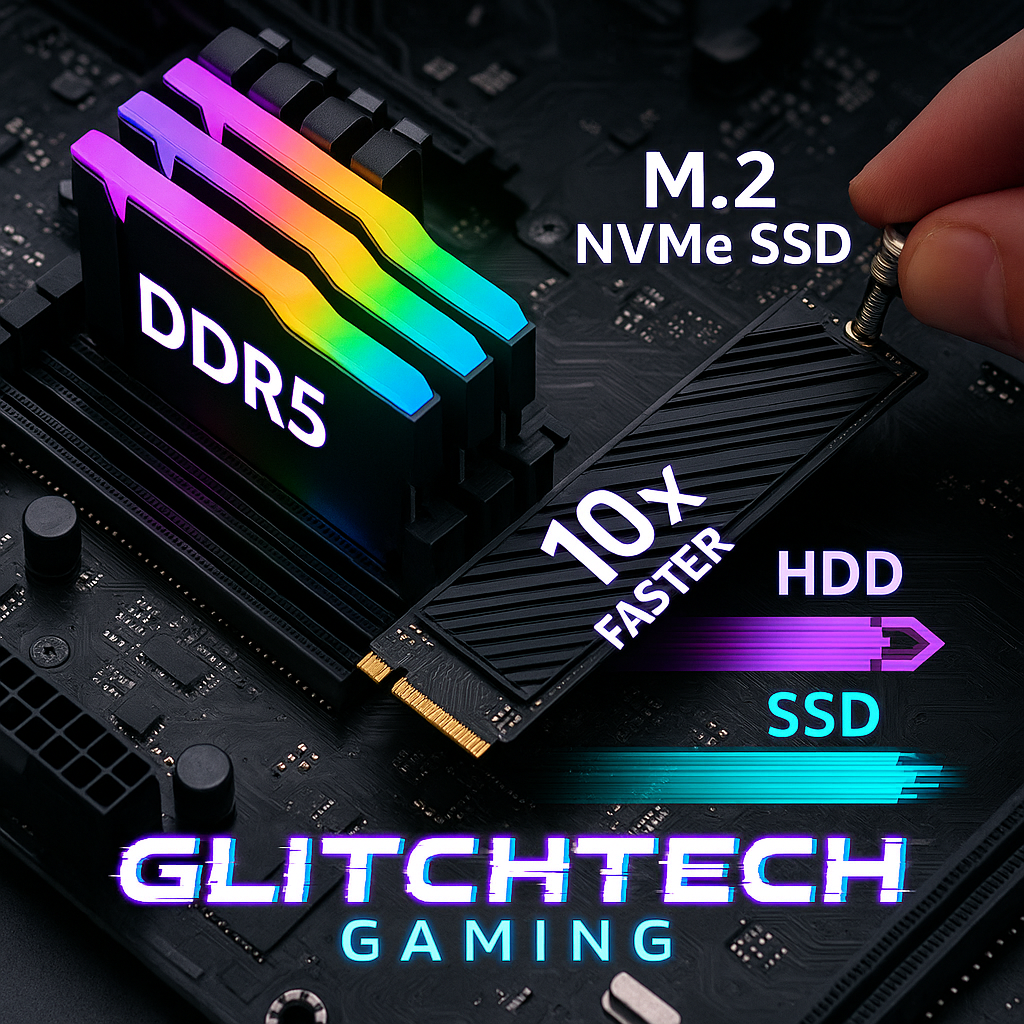
If your current PC still uses an old hard drive (HDD), upgrading to an SSD will make your computer feel completely different.
Seriously.
Games load faster. Windows starts faster. Everything becomes smoother.
A traditional hard drive stores data on spinning discs — like old-school technology from another era.
An SSD (Solid State Drive) has no moving parts, making it dramatically faster.
Then we have M.2 NVMe drives.
These are basically SSDs on steroids.
They plug directly into the motherboard and offer incredibly fast read/write speeds.
For gaming, this means:
faster loading screens,
quicker Windows boot times,
smoother texture streaming,
less waiting around.
Some open-world games now actually recommend SSDs because traditional hard drives struggle to load assets quickly enough.
Will an SSD Increase FPS?
This is one of the biggest misconceptions in PC gaming.
An SSD usually won’t massively increase FPS directly.
What it will do is improve:
loading times,
texture streaming,
game responsiveness,
Windows speed,
overall smoothness.
Games simply feel better on SSDs.
And honestly, once you switch to an NVMe drive, going back to an HDD feels painful.
Gaming PC Cooling — Air Cooling vs Water Cooling
Cooling is where gaming PCs start looking properly futuristic.
You’ve probably seen those insane RGB liquid-cooled PCs online that look like alien technology.
But do you actually need water cooling?
Not always.
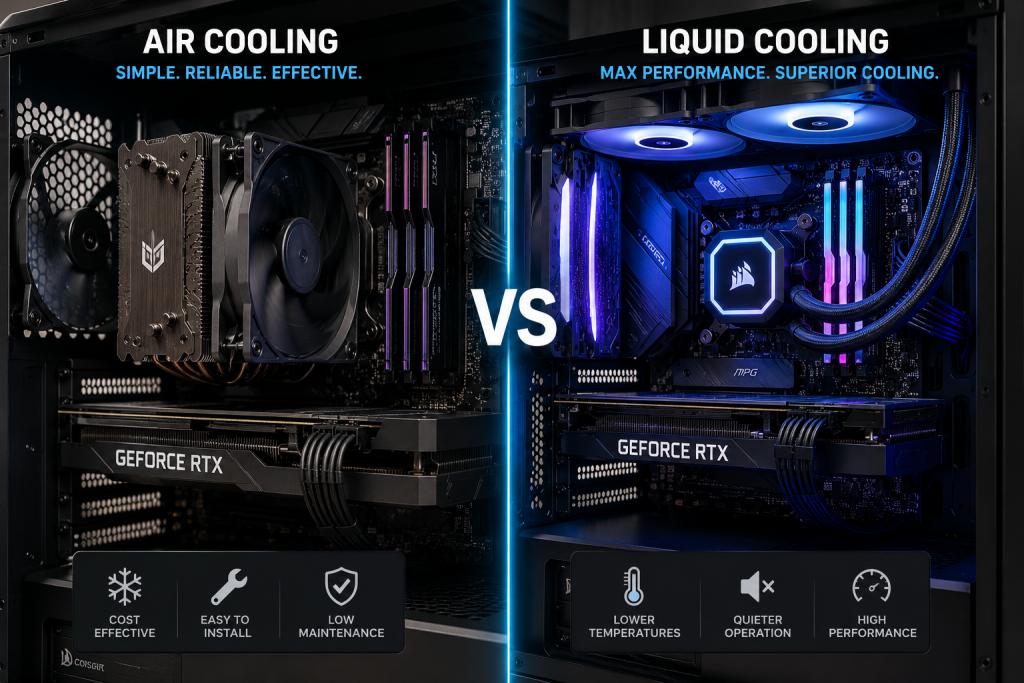
Air coolers are still excellent in 2026. In fact, many high-end air coolers compete with liquid cooling performance.
Air cooling is:
cheaper,
reliable,
easier to maintain,
and usually quieter than cheap liquid coolers.
Water cooling (usually called AIO cooling) uses liquid to transfer heat away from the CPU.
It’s great for:
powerful CPUs,
overclocking,
quieter high-performance systems,
premium aesthetics.
If you’re building your first gaming PC, a quality air cooler is often the smartest choice.
Why Is My Gaming PC So Loud?
If your PC sounds like a jet engine, it’s usually caused by:
overheating,
poor airflow,
cheap fans,
dust buildup,
or old thermal paste.
A clean, well-cooled gaming PC should be relatively quiet, even during gaming.
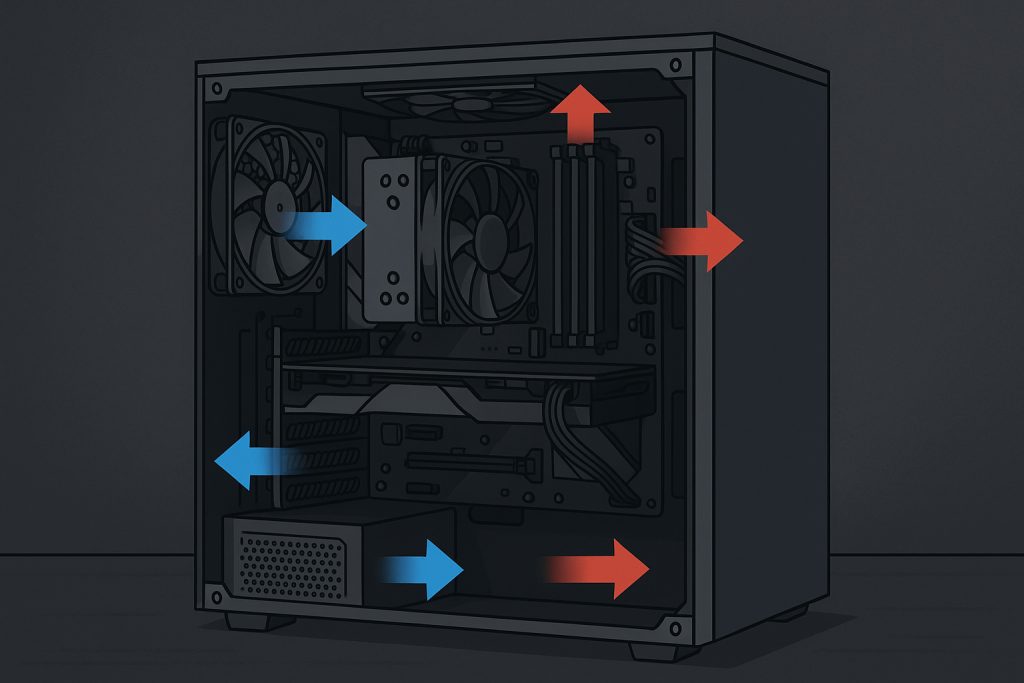
This is why airflow matters so much.
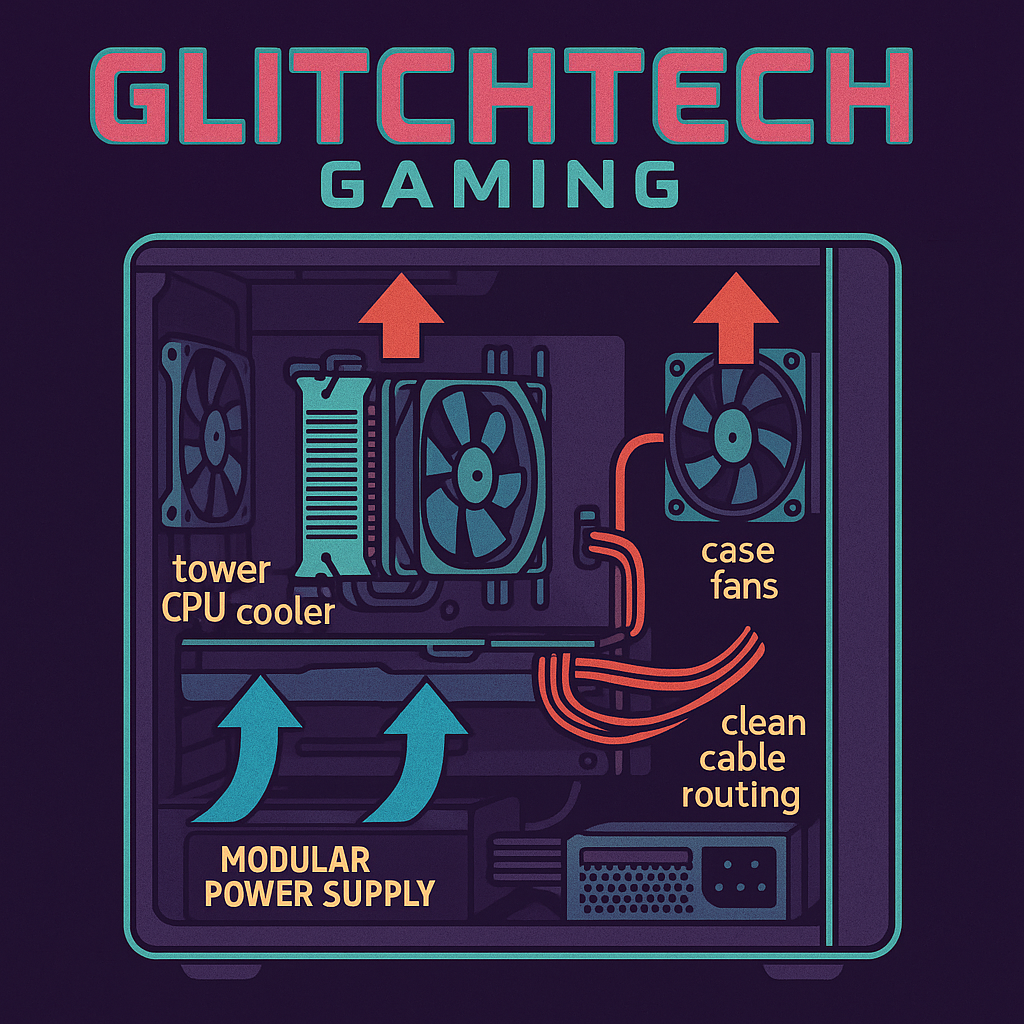
Good airflow means cool air enters the case while hot air exits efficiently.
Bad airflow basically traps heat inside your PC like an oven.
PSU Explained — What Power Supply Do You Need?
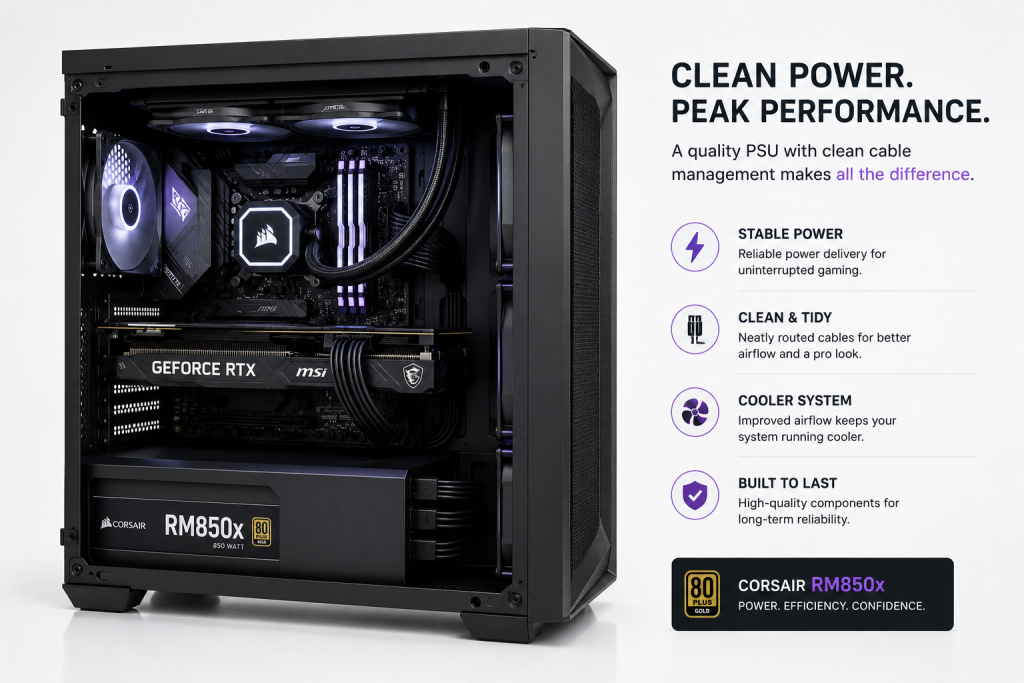
The PSU (Power Supply Unit) is one of the least exciting parts of a gaming PC upgrade.
It’s also one of the most important.
Your PSU powers every single component in your system.
Cheap power supplies can cause:
crashes,
instability,
random shutdowns,
and even hardware damage.
A good PSU protects your investment.
Most gaming PCs in 2026 should ideally use:
650W minimum for mid-range systems,
750W+ for high-end GPUs,
850W+ for enthusiast builds.
You’ll also see ratings like:
Bronze,
Gold,
Platinum.
These refer to power efficiency.
80+ Gold is usually the sweet spot for gaming PCs.
What Is a Bottleneck in a Gaming PC?
“Bottleneck” is one of the scariest words beginners hear in PC gaming.
In reality, it’s not that complicated.
A bottleneck simply means one component is holding another back.
Imagine putting a tiny engine inside a Ferrari.
That’s basically what happens when a weak CPU is paired with an ultra-powerful GPU.
For example:
an old Ryzen 5 paired with an RTX 5080,
or a weak CPU with a high-end graphics card.
The GPU can’t reach full performance because the CPU can’t keep up.
The opposite can happen too.
If you pair an incredibly powerful CPU with an older GPU, the graphics card becomes the bottleneck.
Some bottlenecking is completely normal. Every PC has one somewhere.
The goal is balance.
Signs Your Gaming PC Has a Bottleneck
A gaming PC bottleneck can cause:
stuttering,
inconsistent FPS,
low GPU usage,
frame drops,
poor performance in CPU-heavy games.
If your CPU is constantly sitting at 100% usage while gaming, there’s a good chance it’s limiting performance.
This is why balanced gaming PC upgrades matter.
Upgrading randomly without checking compatibility can waste money.
Should You Upgrade Your CPU or GPU First?
For most gamers:
GPU first,
CPU second.
A graphics card upgrade almost always improves gaming performance more dramatically.
However, if your processor is very old, your CPU may be limiting your graphics card.
That’s why bottleneck calculators are useful.
They help identify whether your current setup is balanced. If your unsure wether your GPU is bottlenecking the go check out our Bottleneck Calculator.
How Often Should You Consider a Gaming PC Upgrade?
A well-built gaming PC can easily last 5–7 years with sensible upgrades.
Most gamers upgrade:
GPU every 3–5 years,
storage when needed,
RAM occasionally,
CPU less frequently.
The beauty of PC gaming is flexibility.
You don’t need to replace everything at once.
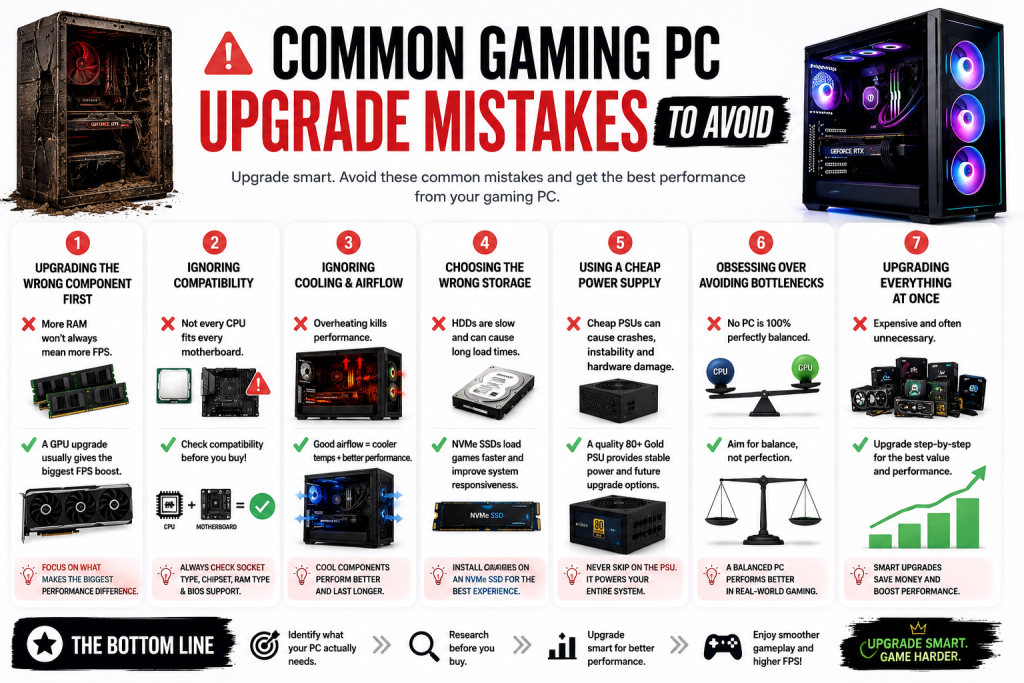
Common Gaming PC Upgrade Mistakes to Avoid
One of the biggest mistakes people make when following a gaming PC upgrade guide is upgrading the wrong component first.
A lot of beginners immediately buy more RAM because they’ve heard “more RAM means more FPS,” but in many cases, the real issue is actually an outdated graphics card. For most gamers, a GPU upgrade will improve gaming performance far more than adding unnecessary amounts of memory.
Another common mistake when people upgrade a gaming PC is ignoring compatibility. Not every CPU works with every motherboard, and not every power supply can safely handle newer graphics cards. This is why researching gaming PC upgrades properly is so important before spending money.
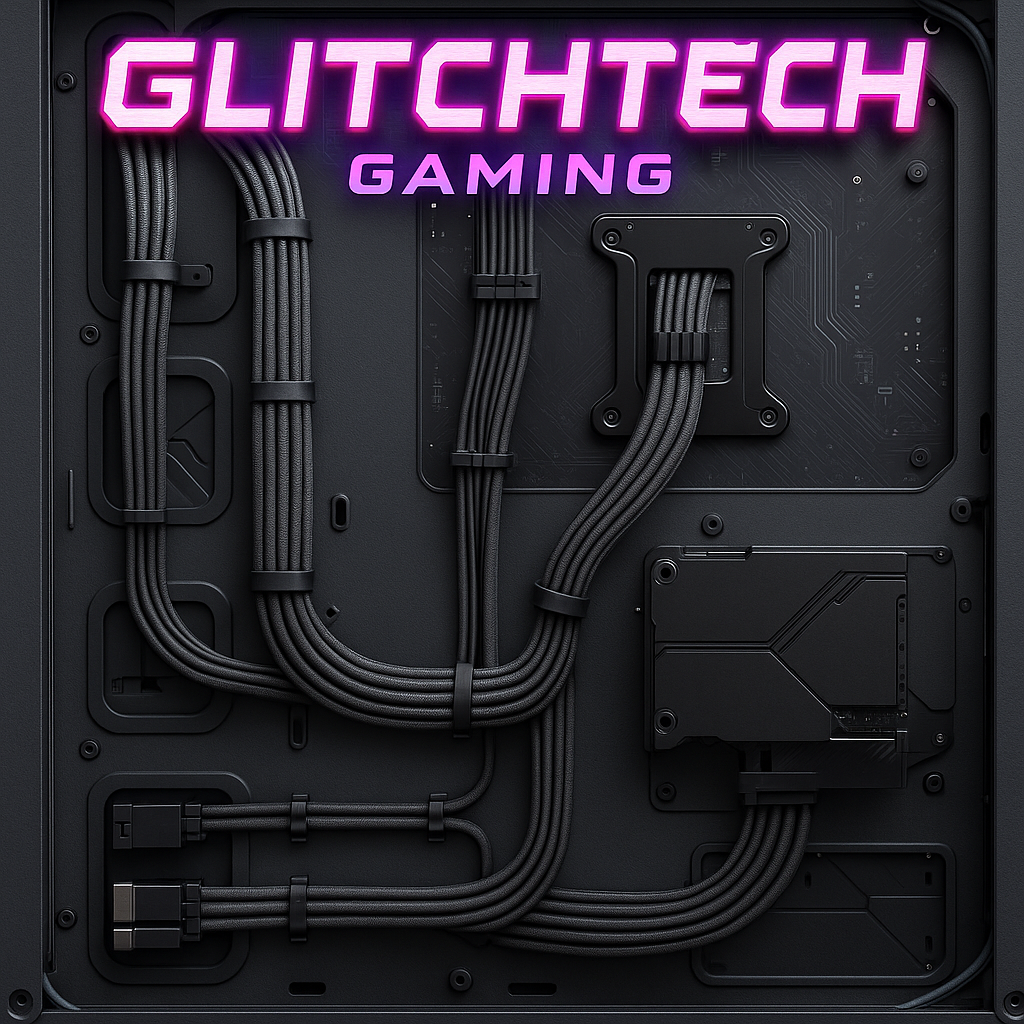
Cooling is another area where many first-time builders struggle. Some gamers spend huge amounts on expensive hardware but completely ignore airflow. Even the best PC upgrades for gaming can perform badly if your system is overheating. Good airflow, clean cable management and proper cooling can make a massive difference to gaming performance and system lifespan.
Storage mistakes are incredibly common too. In 2026, installing modern games on an old hard drive can seriously slow down loading times and texture streaming. Upgrading to an NVMe SSD is one of the smartest gaming PC upgrades for beginners because it improves the overall responsiveness of the entire system.
Power supplies are probably the most overlooked component in any gaming PC upgrade guide. Cheap PSUs can cause crashes, instability and upgrade limitations later on. A reliable 80+ Gold PSU gives your gaming PC stable power delivery and future upgrade flexibility.
Finally, many gamers become obsessed with avoiding bottlenecks entirely. The truth is every gaming PC has some form of bottleneck — the goal is balance, not perfection. A balanced gaming PC upgrade path will always perform better than randomly buying the most expensive parts available.
The best approach is upgrading your gaming PC step-by-step, focusing on the components that will actually improve your gaming experience the most.
Final Thoughts — The Best Gaming PC Upgrade for Most People
Upgrading your gaming PC shouldn’t feel confusing or intimidating.
Most performance issues can be solved with a few smart upgrades rather than buying a completely new machine.
For the majority of gamers, the best Gaming PC upgrade order is:
graphics card,
SSD/NVMe storage,
RAM,
CPU,
cooling,
PSU.
Whether you’re a teenager building your first gaming setup or a parent trying to understand what half these weird PC terms mean, the key thing to remember is this:
You do not need the most expensive parts to enjoy gaming.
Balanced upgrades matter far more than flashy marketing.
And if you’re unsure where to start, Glitchtechgaming.co.uk specialises in gaming PC upgrades, custom builds, modifications, and beginner-friendly advice to help gamers get the best performance possible without wasting money.
? Gaming News 2026: Biggest Updates, Releases, and Trends Shaping the Future
Table of Contents
If you’re searching for the latest gaming news in 2026, you’re in the right place. The gaming industry is moving faster than ever — with major console updates, blockbuster game releases, esports expansions, subscription service changes, and industry-shaping acquisitions happening almost weekly.
In this in-depth report, we’ll break down the biggest gaming news stories of early 2026, analyze what they mean for players and developers, and explore the key gaming trends dominating the year.
Whether you’re a casual player, competitive gamer, content creator, or game developer, this complete 2026 gaming update covers everything you need to know.
? Major Gaming News and Game Releases in Early 2026
The start of 2026 has already delivered several high-profile launches across PlayStation, Xbox, PC, and Nintendo platforms. Developers are leaning heavily into both innovation and nostalgia — a defining theme this year.
? God of War: Sons of Sparta
Sony surprised fans with God of War: Sons of Sparta, a bold reimagining of the franchise in a Metroidvania-style format. Instead of traditional cinematic linear progression, this new title introduces:
Non-linear world exploration
Expanded mythological lore
Skill-based combat customization
Puzzle-driven level design
This release signals Sony’s willingness to experiment with established IP while maintaining its core fanbase.
? Mario Tennis Fever on Switch 2
Nintendo continues its momentum with Mario Tennis Fever, a dynamic sports title blending arcade mechanics with story-driven progression.
One of the biggest gaming news moments of February 2026 came from Sony Interactive Entertainment, as its latest State of Play broadcast delivered major reveals, surprise announcements, and a clear look at the company’s roadmap for the year ahead. What was once a simple digital presentation has now evolved into a global gaming news event, drawing millions of viewers and setting the tone for upcoming releases.
Major Highlights from State of Play
The showcase opened with a huge announcement: a God of War Trilogy remake, bringing the original saga to modern hardware with enhanced visuals, upgraded performance, and rebuilt combat systems. The reveal instantly dominated gaming news headlines, signaling Sony’s continued investment in prestige franchise revivals.
Horror fans also had plenty to celebrate. New entries set within the Silent Hill universe were unveiled, expanding the psychological horror legacy with fresh narratives and next-gen immersion. The franchise’s revival continues to generate strong engagement across the gaming news cycle, reflecting the growing popularity of horror experiences.
Beyond blockbuster titles, the event also highlighted indie spotlight collaborations. Sony showcased partnerships with smaller studios, emphasizing creativity, unique art styles, and experimental gameplay. This focus demonstrates how gaming news is no longer just about AAA spectacles — independent developers are playing an increasingly vital role in shaping industry innovation.
Another key reveal involved performance enhancements tied to the PlayStation 5 Pro. Developers are implementing optimization updates to take advantage of improved hardware capabilities, including higher frame rates, enhanced ray tracing, and smoother open-world rendering. This confirms Sony’s commitment to extending the lifecycle of the PlayStation ecosystem through incremental hardware evolution.
State of Play as a Mini-E3
In recent years, State of Play events have effectively transformed into mini-E3 showcases. With the decline of traditional large-scale expos, digital broadcasts now serve as primary gaming news platforms. These events generate viral social media reactions, immediate pre-order surges, and industry-wide discussions within hours.
The February 2026 presentation reinforced Sony’s strategy: combine nostalgia-driven remakes, franchise expansions, indie innovation, and hardware optimization into one tightly produced showcase. The result is a modern marketing formula that keeps the brand consistently present in global gaming news conversations.
As digital events continue replacing traditional conventions, State of Play stands as proof that gaming news in 2026 moves faster, reaches wider audiences, and shapes player expectations in real time.
Competitive gaming is rapidly approaching mainstream sports parity.
? Gaming News: Major Gaming Industry Acquisition
The business side of the industry is making major gaming news in 2026, as large-scale acquisitions continue reshaping the competitive landscape. While blockbuster releases often dominate headlines, financial power moves behind the scenes are just as influential. One of the biggest pieces of gaming news this year is a billion-dollar deal that highlights the growing dominance of mobile gaming and the globalization of development studios.
Scopely Acquires Loom Games
Mobile gaming giant Scopely has officially acquired Turkish developer Loom Games in a high-profile acquisition that is sending shockwaves across the industry. This gaming news underscores how valuable mobile studios have become in today’s market, where smartphone titles generate billions annually and reach audiences far beyond traditional console and PC platforms.
Scopely, known for publishing highly successful mobile titles and live-service experiences, continues to expand its global footprint. By acquiring Loom Games, the company strengthens its development pipeline while gaining access to emerging markets and regional expertise. Turkey has rapidly grown into a key hub for mobile game development, producing studios that combine strong technical talent with scalable production models. This gaming news signals confidence in that region’s long-term potential.
Industry analysts view this acquisition as part of a larger consolidation trend dominating recent gaming news cycles. Major publishers are aggressively securing intellectual property, development talent, and regional studios to remain competitive in a crowded market. Strategic IP consolidation ensures companies maintain control over franchises, monetization systems, and live-service ecosystems that can generate revenue for years.
This deal also reflects continued mobile gaming dominance. While console and PC releases generate massive excitement, mobile gaming remains the largest revenue segment globally. That reality shapes gaming news narratives, investment strategies, and publisher priorities. Companies are increasingly prioritizing cross-platform ecosystems, allowing mobile titles to connect with broader entertainment brands and global audiences.
Another key factor behind this gaming news story is international capital influence. Investments are no longer concentrated in North America and Japan. Instead, global funding networks are targeting high-growth regions such as Turkey, Eastern Europe, Southeast Asia, and Latin America. Acquisitions like this highlight how gaming has become a truly borderless industry.
For developers, this gaming news represents both opportunity and change. On one hand, acquisitions can provide financial stability, expanded resources, and larger distribution networks. On the other, consolidation can reduce independence and shift creative direction. For players, these business decisions may shape which genres receive funding, how aggressively monetization is implemented, and which markets see faster innovation.
Ultimately, this major gaming news story demonstrates that the future of the industry is being shaped not only by creative vision but also by strategic investment. As mergers and acquisitions accelerate, financial strategy is becoming just as critical as gameplay design. In 2026, gaming news isn’t just about what we play — it’s about who owns, funds, and builds the worlds we explore.
Financial moves like this shape what games get funded and which markets grow fastest.
? Upcoming Games to Watch in 2026
Several anticipated titles are right around the corner.
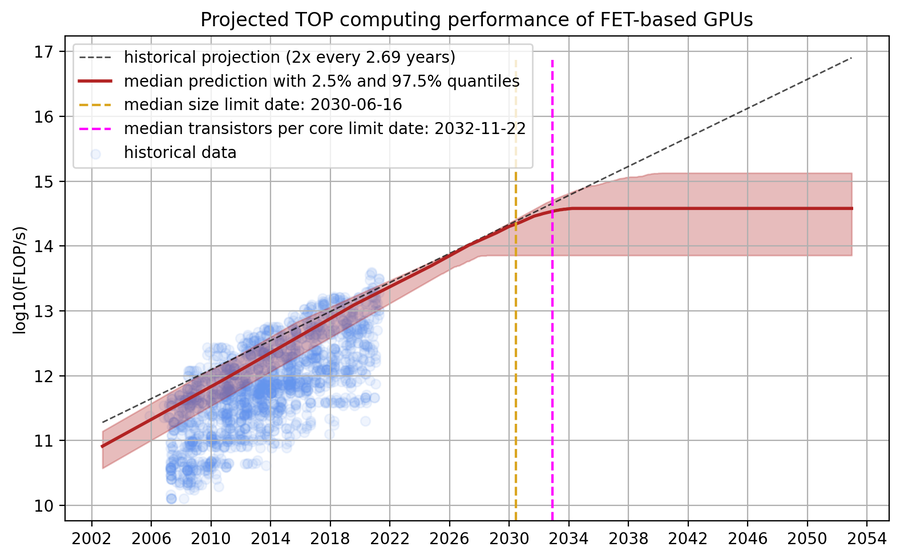
Ceiling for GPU Performance: 9 Hard Limits Killing GPU Gains
Ceiling for GPU Performance is a question more gamers, builders, and parents are quietly asking — even if they don’t realise it yet. Every year, new graphics cards launch with bigger numbers, higher prices, and louder promises. But when many people upgrade, the difference doesn’t always feel as big as it used to.
So what’s going on?
Are graphics cards still getting faster in a meaningful way, or are we starting to hit a real ceiling for GPU performance?
This guide breaks it all down in a simple, clear way. You don’t need to be a hardware expert. If you can understand why a car eventually can’t go faster without falling apart, you can understand what’s happening with GPUs.
Table of Contents
What Does “Ceiling for GPU Performance” Actually Mean?
Let’s start simple.
A ceiling for GPU performance means there may be a point where:
Each new GPU generation gives smaller real-world gains
Power usage increases faster than performance
Heat becomes harder to control
Prices rise faster than value
In other words, graphics cards can still get faster — but not in ways that feel dramatic to most users.
Years ago, upgrading your GPU could double your performance overnight. Today, many upgrades feel like small steps rather than giant leaps.
Why GPU Performance Used to Improve So Fast
To understand the ceiling for GPU performance, we need to look backwards.
Early GPU generations benefited from:
Rapid transistor shrinking
Huge architectural changes
Games that weren’t GPU-heavy yet
Lower resolutions and simpler graphics
Each generation could:
Add more cores
Increase clocks easily
Use more power without issues
Stay cool with basic cooling
Performance gains of 50–100% per generation were common.
That era is gone.
The Physical Limits GPUs Are Facing
This is where the ceiling for GPU performance becomes unavoidable.
Transistors Can’t Shrink Forever
Modern GPUs are already built on extremely small manufacturing processes. As transistors get smaller:
Consoles shape PC gaming more than most people realise.
Games are designed to:
Run on fixed hardware
Maintain performance targets
Avoid extreme requirements
This indirectly enforces a ceiling for GPU performance in real-world gaming.
What GPU Makers Are Doing Instead of Raw Speed
Since raw performance is harder to improve, companies focus on:
Software features
AI tools
Upscaling
Encoding and streaming
Creator workloads
These are valuable — but they don’t always help raw gaming FPS.
Are We Truly at the Ceiling for GPU Performance?
Not completely.
But we are very close to:
Slower generational gains
Higher costs for smaller improvements
Efficiency mattering more than brute force
The future is about smarter performance, not just faster hardware.
What This Means for Gamers Right Now
It means:
You don’t need to upgrade every generation
Chasing the top-end has poor value
Mid-range GPUs make more sense than ever
Optimisation matters more than raw power
Understanding the ceiling for GPU performance helps you make smarter buying decisions.
The Future of GPU Design After the Ceiling for GPU Performance
When people talk about the ceiling for GPU performance, they often imagine a hard stop — like GPUs suddenly can’t get better. That’s not quite true. What is changing is how performance improves.
Instead of making one giant chip faster and hotter, GPU makers are being forced to rethink everything.
The future is less about brute force and more about efficiency, clever design, and smarter software.
Chiplet Designs: A New Way Forward
One of the biggest ideas helping push past the ceiling for GPU performance is chiplet design, and while it doesn’t sound exciting at first, it’s one of the most important shifts happening in graphics hardware today.
For many years, GPUs were built as one massive chip. Everything — cores, memory controllers, caches — lived on a single piece of silicon. This worked well when chips were smaller, cooler, and easier to manufacture. But as GPUs grew larger and more complex, this approach started to break down.
Big chips come with big problems.
The Problem With One Massive GPU Chip
When a GPU is made as one huge piece of silicon:
Manufacturing defects are more likely
A single flaw can ruin the entire chip
Costs rise sharply as chip size increases
Heat becomes harder to spread evenly
As GPUs got faster, they also got:
Hotter
More power-hungry
More expensive to produce
This is a major reason we started approaching the ceiling for GPU performance using traditional designs.
How Chiplet Design Changes Everything
Instead of building one enormous GPU chip, manufacturers are moving toward:
Multiple smaller chips working together as one GPU
These smaller chips — called chiplets — each handle part of the workload. When combined, they behave like a single, powerful graphics processor.
This idea isn’t new. CPUs went through the same transition years ago when increasing single-core speed became difficult.
The results were:
More cores
Better efficiency
Lower costs
Longer-term scalability
GPUs are now following that same path.
Why Chiplets Help With the Ceiling for GPU Performance
Chiplet design directly addresses several limits GPUs are hitting.
This approach:
Improves manufacturing success rates Smaller chips are easier to produce correctly, meaning fewer failed units
Reduces waste If one chiplet fails, it doesn’t ruin the entire GPU
Allows better scaling Manufacturers can add more chiplets instead of making one chip dangerously large
Lowers costs over time Better yields mean less silicon thrown away
All of this helps GPU makers continue improving performance without pushing power and heat to unsafe levels.
Heat and Power: The Hidden Benefits of Chiplets
One of the biggest advantages of chiplet design is thermal control.
With a single large chip:
Heat concentrates in one area
Cooling becomes less efficient
Boost clocks drop faster
With multiple chiplets:
Heat spreads more evenly
Cooling systems work more effectively
Power delivery becomes easier to manage
This doesn’t remove heat problems completely — but it helps avoid the worst thermal limits that contribute to the ceiling for GPU performance.
Why Chiplets Don’t Feel Like Instant Performance Wins
The ceiling for GPU performance doesn’t stop progress — it changes its shape.
What This Means for Buying a GPU in 2026 and Beyond
Here’s the practical takeaway.
You should:
Buy for your resolution and refresh rate
Ignore extreme benchmark chasing
Focus on value, not headlines
Skip generations without guilt
The fastest GPU isn’t always the smartest purchase anymore.
Simple Advice for Parents and Younger Gamers
For younger players especially, this is where the idea of the ceiling for GPU performance really matters.
You don’t need the newest GPU to enjoy games. Modern graphics cards — even ones that are several years old — are already incredibly capable. They can run today’s games with sharp visuals, smooth animation, and stable frame rates. The difference between a “good” GPU and the newest, most expensive one is often much smaller than it looks in marketing videos.
Games already look amazing. Textures are detailed. Lighting is realistic. Animations are smooth. Characters and worlds are more detailed than anything seen in the past. Turning settings from high to ultra usually adds very small visual changes that are hard to notice during actual gameplay.
What matters far more is smooth gameplay.
A game that runs consistently, without stutters or lag, will always feel better than one that looks slightly prettier but drops frames. Stable frame rates help with:
Better reactions
Less eye strain
More enjoyable long play sessions
Better performance in competitive games
This is where understanding the ceiling for GPU performance helps younger players avoid wasted money. Chasing the newest card often costs a lot while delivering very little extra enjoyment. That money can be better spent on games, accessories, or saving for future upgrades when the difference truly matters.
Final Thoughts on the Ceiling for GPU Performance
The idea of a ceiling for GPU performance isn’t about doom, stagnation, or the end of progress.
It’s about maturity.
Graphics cards have reached a point where they are no longer struggling to keep up. They are now:
Extremely powerful, capable of driving high resolutions and high refresh rates
Highly efficient, doing more work with less energy than ever before
Capable of amazing visuals, far beyond what most people actually need
Modern GPUs can already deliver experiences that look realistic, fluid, and immersive. The big difference is that progress today is quieter. Instead of huge leaps every generation, improvements come in smaller, smarter steps.
Performance continues to improve — just not in the explosive way it once did.
For gamers, that’s not bad news at all.
It means:
Smarter buying decisions
Hardware that stays relevant for longer
Less pressure to upgrade every year
Better value from mid-range components
Fewer forced upgrades driven by hype
Understanding the ceiling for GPU performance helps shift focus away from chasing numbers and toward what actually matters: enjoying games, having smooth performance, and building systems that make sense for real-world use.
In many ways, this is the best era gaming has ever had — not because GPUs are getting infinitely faster, but because they are finally good enough to let players stop worrying about hardware and start focusing on fun.
Prevention Tips: 10 Ways Malware Masquerading As Game Cracks or Free DLC Can Kill Your PC
Prevention Tips are one of the most important things every gamer needs to understand today. If you play games on PC, download mods, or search for free DLC, you are a prime target for malware creators. Many of them hide dangerous software inside fake game cracks, cheats, trainers, and “free DLC” downloads — and once installed, that malware can slowly destroy your PC without you realising.
This guide is written in a simple, easy-to-understand way, but it’s also built on real repair-shop experience. These aren’t scare stories. These are real systems that arrive dead, corrupted, or unrecoverable because someone clicked the wrong download link.
Table of Contents
What Does “Malware Disguised as Game Cracks” Mean?
Prevention Tips start with understanding the threat — because once you understand how malware works and why it targets gamers, it becomes much easier to avoid falling into the trap.
Malware is a broad term, but at its core, it simply means harmful software. It isn’t always loud or obvious. In fact, the most dangerous malware is quiet, patient, and designed to look useful. Its main goals usually include one or more of the following:
Steal data such as passwords, emails, saved browser sessions, game logins, and payment details
Damage your system by corrupting Windows files, drivers, or storage
Use your PC without permission, often for crypto-mining or bot activity
Lock your files for ransom, demanding money to restore access
On their own, these threats sound scary — but most people assume they would be easy to spot. A flashing warning. A sketchy popup. Something that clearly looks wrong.
That’s where the real problem starts.
When Malware Is Disguised as Something Gamers Want
Malware creators don’t label their files “virus.exe”. They disguise them as things gamers actively search for, especially things that normally cost money or take time to unlock.
Common disguises include:
Game cracks that claim to bypass copy protection
Free DLC unlockers for paid expansions or cosmetics
Cheats or trainers promising better performance or unfair advantages
“Performance boosters” claiming higher FPS or smoother gameplay
Mod installers that look like tools but secretly install extra software
When malware wears these disguises, it becomes far harder to spot. The file doesn’t look dangerous. It looks helpful. It looks like a shortcut. It looks like a solution.
To a gamer, the download looks like a win. To your PC, it looks like an unlocked door.
Once that door is open, the malware doesn’t need to ask permission again.
Why Gamers Are the Perfect Target
This is why Prevention Tips matter more for gamers than almost anyone else.
Gamers are not careless — but gaming culture encourages behaviours that malware relies on. Over time, these habits become normalised, even though they carry serious risk.
Gamers often:
Disable antivirus “just for the install” because the download tells them to
Run unknown .exe files as administrator to “make it work properly”
Trust community uploads without verifying the source
Download large files from random mirrors when official links are slow or unavailable
From a malware creator’s perspective, this is perfect.
They don’t need to break in. They don’t need to exploit complex vulnerabilities. They simply wait for someone to click.
Malware Creators Study Gamer Behaviour
This part is important: malware authors don’t guess. They study gamer habits.
They know what gamers want and how they talk. That’s why malicious files are designed to:
Pretend to bypass DRM and “unlock” games
Claim to unlock paid DLC with one click
Promise higher FPS without hardware upgrades
Claim to fix crashes, stutter, or lag instantly
They use familiar language. They copy the style of real tools. They include fake instructions that feel technical enough to sound legitimate.
Sometimes they even include real changes — so the game appears to work at first. That’s how trust is built.
But in the background, the damage has already started.
Why “It Worked Fine at First” Is So Common
Many gamers say the same thing after infection:
“It worked fine at first.”
That’s not an accident.
Modern malware is designed to:
Delay harmful actions
Avoid detection during installation
Activate after a reboot
Download extra components later
This delay gives a false sense of safety. By the time problems appear — crashes, slowdowns, missing files, failed updates — the malware has already embedded itself deep into the system.
Once clicked, the damage doesn’t always happen instantly. But once clicked, the damage does begin.
That’s exactly why strong Prevention Tips exist — because avoiding that first click is far easier than fixing what comes after.
How Fake Game Cracks Actually Kill PCs
Prevention Tips aren’t just about avoiding viruses — they’re about avoiding total system failure.
Here’s what we see most often in infected gaming PCs:
1. Hidden Background Processes
Malware installs quietly and runs in the background, using CPU and RAM constantly.
Symptoms:
Fans running loud at idle
Sudden FPS drops
Random stutters in games
2. Storage Destruction
Some malware constantly writes data to your SSD or HDD.
Over time:
SSD health drops rapidly
SMART errors appear
Windows fails to boot
Once an SSD controller is damaged, data recovery is often impossible.
3. Windows System File Corruption
Many fake cracks replace or modify Windows files.
Results:
Blue screens
Boot loops
“Preparing Automatic Repair” screens
Endless restarts
This is one of the most common reasons systems come into repair shops “completely dead”.
4. Stolen Accounts and Game Libraries
Prevention Tips also protect your accounts.
Malware can steal:
Steam accounts
Epic Games logins
Discord tokens
Email passwords
Once stolen, accounts are resold or stripped for items and skins.
Prevention Tips: Why Kids and Teens Are Most at Risk
Younger gamers are targeted heavily.
Reasons:
Less experience
High curiosity
Trust online instructions
Want skins and DLC badly
Prevention Tips for parents:
Use standard user accounts
Block unknown downloads
Talk about “free” scams openly
Encourage asking before installing
A simple rule:
“If it asks for admin, stop.”
Prevention Tips Checklist (Save This)
Here’s a simple checklist you can remember:
❌ No cracked games
❌ No free DLC tools
❌ No YouTube download links
❌ No Discord file clicks
✅ Official platforms only
✅ Keep security enabled
✅ Back up important files
These Prevention Tips prevent over 90% of gaming-related malware cases.
Why Repair Shops Can’t Always Save Infected PCs
This is important to understand.
By the time a PC reaches repair:
Storage may already be failing
Files may be encrypted
Windows may be unrecoverable
Sometimes the only fix is:
New drive
Fresh install
Lost data
That’s why Prevention Tips always beat repairs.
The Hard Truth About “Free”
In PC gaming, free usually costs something — it just doesn’t ask for payment up front.
Instead of charging money, malicious downloads charge you in other ways. Quiet ways. Expensive ways.
It might cost your data. Personal files, photos, documents, saved passwords — things you never planned on sharing. Malware doesn’t need to delete these files to hurt you. Simply copying them is enough. Once stolen, that data can be sold, reused, or used against you later without you ever knowing where the leak started.
It might cost your accounts. Game libraries, achievements, skins, items, progress — gone. Steam, Epic, Discord, email, even payment-linked accounts can be taken over in minutes. Many gamers only realise something is wrong when they’re locked out and recovery emails never arrive. By then, the account may already be stripped or resold.
It might cost your SSD. This is one of the least talked about consequences. Malware that runs in the background often writes data constantly. That wears storage down fast. SSDs don’t fail loudly — they fail suddenly. One day your system boots. The next day the drive isn’t detected at all. No warning. No recovery.
And sometimes, it costs your entire PC. Corrupted system files, broken boot records, damaged firmware, or hardware pushed beyond safe limits. At that stage, repairs become expensive, time-consuming, or simply impossible. What started as a “free download” ends as a full rebuild.
The most dangerous part?
Malware doesn’t always destroy things instantly — it waits.
It waits until you trust the system again. It waits until you log into your accounts. It waits until backups overwrite clean copies. It waits quietly in the background, doing damage a little at a time.
That’s why prevention matters more than reaction.
Final Prevention Tips Conclusion
Prevention Tips aren’t about fear. They’re about control.
They’re about choosing not to gamble your system for short-term convenience.
When you:
Stick to trusted platforms
Avoid shortcuts that promise “free” or “unlocked” content
Keep built-in security enabled instead of disabling it
Question offers that sound too good to be true
You don’t just reduce risk — you take control back.
Every safe habit you build acts like a shield. One habit alone helps. Multiple habits together make you a hard target.
Those habits protect:
Your games — installs that work, updates that apply, libraries that stay yours
Your saves — progress you don’t lose overnight
Your money — accounts and payment details that stay secure
Your PC — hardware that lasts, storage that survives, systems that stay stable
PC gaming is at its best when your system is reliable and your time is spent playing — not fixing, reinstalling, or recovering from something that never needed to happen in the first place.
Smart prevention doesn’t limit gaming.
It protects it.
CES 2026: The Future of Gaming PCs, Technology, and Innovation
Table of Contents
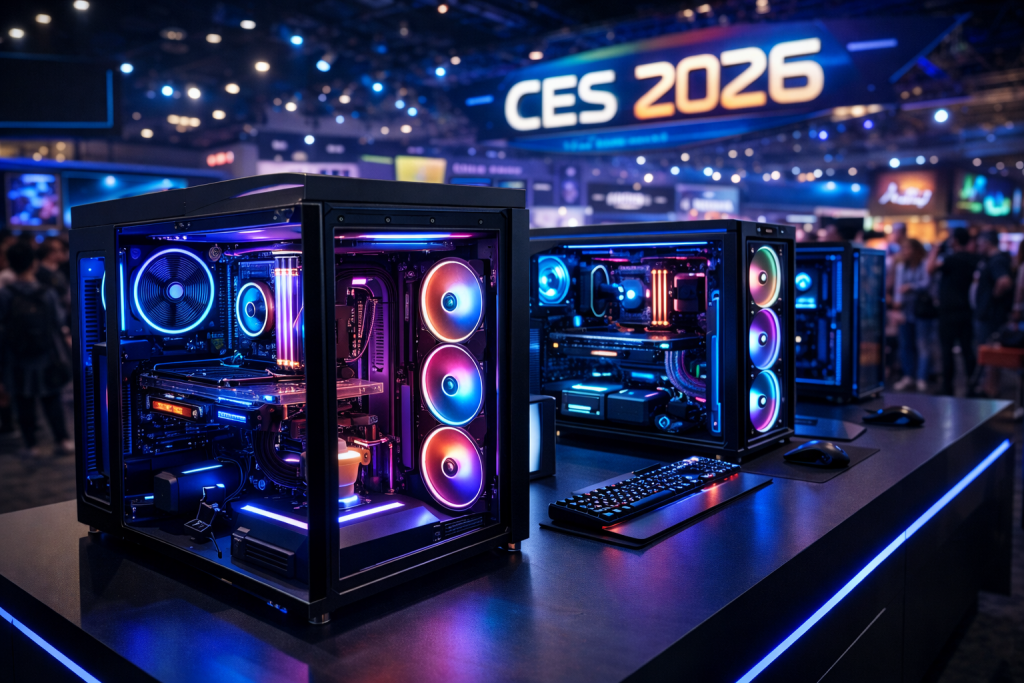
Every January, the global tech industry turns its eyes to Las Vegas for one reason: CES. But CES 2026 wasn’t just another technology expo—it was a defining moment for gamers, creators, and PC enthusiasts worldwide. At Glitchtech Gaming, where cutting-edge Gaming PCs meet a passion for the latest games and hardware, CES 2026 felt especially important. It wasn’t just about what’s new; it was about what’s next.
From revolutionary GPU architectures to AI-powered gaming experiences, CES delivered announcements that will shape the Gaming PC landscape for years to come. In this in-depth blog, we’ll break down everything that mattered, what it means for gamers, how it impacts Gaming PC builds, and why now is the most exciting time to be part of the PC gaming ecosystem.
Whether you’re a competitive esports player, a content creator, or someone planning their next high-performance Gaming PC, this CES 2026 deep dive is for you.
What Is CES and Why CES 2026 Matters for Gamers
CES 2026—the Consumer Electronics Show—is the world’s largest stage for innovation. It’s where manufacturers, developers, and visionaries reveal the technology that will soon find its way into our homes, desks, and gaming setups.
This year’s stood out because it marked a major transition year:
AI became deeply integrated into consumer hardware
Gaming PCs shifted toward smarter, more efficient performance
Graphics and display technologies crossed new visual boundaries
For gamers, CES has always been a crystal ball. The components revealed here often dictate Gaming PC trends for the next 12–24 months. At Glitchtech Gaming, we pay close attention because CES directly influences how we design, build, and optimize our custom Gaming PCs.
The State of Gaming PCs After CES 2026
Gaming PCs were front and center at this year’s event. Unlike previous years, where laptops or mobile tech dominated headlines, this year reaffirmed that desktop and high-end PC gaming is stronger than ever.
Manufacturers focused on three core pillars:
Raw Performance
AI-Assisted Optimization
Energy Efficiency Without Sacrificing Power
This aligns perfectly with Glitchtech Gaming’s mission: delivering Gaming PCs that balance extreme performance with reliability and longevity.
Next-Generation GPUs: A CES 2026 Highlight
Graphics cards once again stole the spotlight. While we won’t dive into unverified performance claims, the direction is clear: GPUs are becoming smarter, cooler, and more specialized for gaming workloads.
What CES 2026 GPUs Mean for Gamers
Advanced Ray Tracing: Lighting, shadows, and reflections are approaching cinematic realism
AI Upscaling Evolution: Higher frame rates at 4K and beyond
Better Thermals: Quieter, more efficient cooling designs
Companies like NVIDIA and AMD showcased technologies that directly impact how Glitchtech Gaming configures our Gaming PCs. These innovations allow us to push performance higher while maintaining system stability—critical for long gaming sessions and competitive play.
CPUs at CES 2026: Power Meets Intelligence
CES made one thing clear: CPUs are no longer just about clock speeds. They’re about intelligent workload distribution.
Modern processors now dynamically adapt to:
Gaming vs streaming workloads
Background AI tasks
Power efficiency in real time
Intel and AMD both emphasized hybrid architectures that combine high-performance cores with efficiency cores. For Gaming PCs, this means smoother gameplay, faster load times, and improved multitasking—perfect for gamers who stream, edit, or run multiple apps while gaming.
At Glitchtech Gaming, CES CPU trends help us future-proof our builds so customers don’t just get performance today, but for years ahead.
AI in Gaming: CES 2026 Changed the Rules
Artificial Intelligence was the defining theme of the event—and gaming was no exception.
How AI Is Transforming Gaming PCs
Smarter NPCs: More realistic and adaptive in-game behavior
AI Performance Tuning: Systems that optimize FPS automatically
Content Creation Boosts: Faster rendering and editing for streamers
Gaming PCs are evolving into intelligent systems that actively enhance the gaming experience. For Glitchtech Gaming customers, this means PCs that don’t just run games—they adapt to how you play.
Displays and Visual Tech: Gaming Looks Better Than Ever
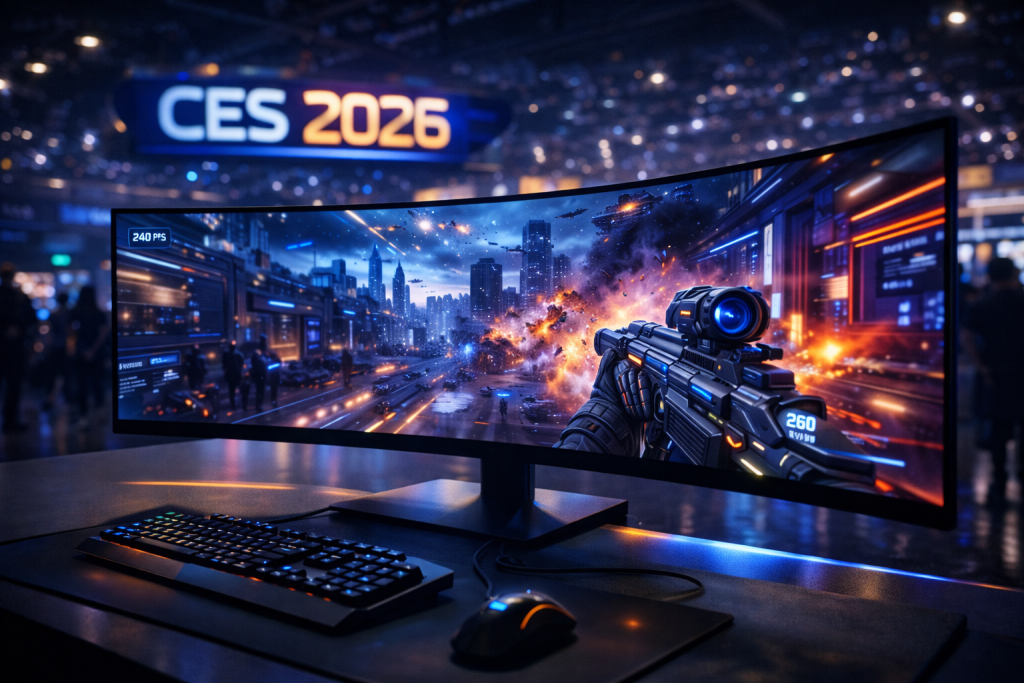
CES 2026 raised the bar for gaming displays. Monitors showcased higher refresh rates, lower response times, and richer colour accuracy than ever before.
Key Display Trends
240Hz+ refresh rates becoming mainstream
OLED and Mini-LED advancements
Wider adoption of ultra-wide and curved displays
For Gaming PCs, these displays demand serious horsepower. That’s where a well-balanced system—like those built by Glitchtech Gaming—becomes essential. There’s no point in owning a next-gen monitor if your PC can’t keep up.
Gaming Laptops vs Gaming PCs at CES 2026
While CES 2026 featured impressive gaming laptops, one truth remains unchanged: Gaming PCs still dominate in raw performance, upgradability, and value.
Why Gaming PCs Still Win
Better thermal performance
More powerful GPUs and CPUs
Easier upgrades and customization
At Glitchtech Gaming, we believe CES 2026 reinforced the idea that desktops remain the ultimate platform for serious gamers.
CES 2026 and the Future of PC Gaming
Beyond hardware, CES 2026 showcased the future of how games are developed and played. Studios demonstrated:
More immersive physics engines
AI-assisted game design
Deeper player personalization
These innovations place higher demands on Gaming PCs—which is why choosing the right system matters more than ever.
How CES 2026 Influences Glitchtech Gaming PCs
At Glitchtech Gaming, we don’t just watch CES—we act on it.
What CES 2026 Means for Our Customers
Future-ready component selection
Optimized cooling and airflow designs
Systems built for next-gen games
We design our Gaming PCs with CES insights in mind, ensuring that when new titles and technologies arrive, our customers are ready.
Why CES 2026 Is a Turning Point for Gamers
CES 2026 wasn’t about incremental upgrades—it was about transformation. Gaming is becoming more immersive, intelligent, and demanding. The right Gaming PC is no longer a luxury; it’s a gateway to experiencing games as they were meant to be played.
At Glitchtech Gaming, we’re excited because CES 2026 aligns perfectly with our vision: delivering powerful, reliable, and future-proof Gaming PCs for gamers who refuse to compromise.
CES 2026: More Than Computers — Innovation Across Every Industry
While CES 2026 is a massive event for Gaming PCs, graphics cards, and next-generation hardware, one of the reasons CES remains the world’s most influential tech showcase is its incredible diversity of innovation. CES 2026 proved once again that this event isn’t just about computers—it’s about how technology integrates into every part of our lives.
From smart homes and wearables to robotics, automotive tech, and even toys, CES highlighted how creativity and engineering continue to collide in unexpected ways.
Smart Tech Beyond the Desk
Walking the CES show floor, it was impossible to miss how far consumer electronics have evolved. Attendees experienced:
AI-powered home automation systems
Next-generation wearable health devices
Smart kitchen appliances with adaptive learning
Sustainable tech designed to reduce energy consumption
These technologies may not sit inside a Gaming PC, but they share the same DNA: powerful processors, intelligent software, and forward-thinking design. Many of the same AI and performance breakthroughs showcased for Gaming PCs are also driving innovation across these industries.
LEGO Smart Bricks: Creativity Meets Technology
One of the standout examples of CES 2026’s broader appeal was the showcase of smart toys, including innovations like LEGO’s intelligent building systems.
LEGO demonstrated how traditional play can merge with modern technology through Smart Bricks—enhanced LEGO components embedded with sensors, connectivity, and programmable elements. These smart bricks allow builders to:
Create interactive builds that respond to movement or touch
Integrate apps for real-time feedback and challenges
Learn basic coding and logic through hands-on play
This kind of innovation perfectly captures the spirit of CES: blending creativity, education, and technology. It also reflects the same mindset behind PC gaming—customization, experimentation, and pushing boundaries.
Why This Matters to Gamers and PC Enthusiasts
You might wonder: what do smart bricks and wearables have to do with Gaming PCs? The answer is simple—it’s all connected.
The technologies powering LEGO Smart Bricks, smart homes, and AI-driven gadgets are built on the same foundations showcased in high-end Gaming PCs:
Advanced processors
AI acceleration
Real-time data processing
CES demonstrated that gaming technology doesn’t exist in a vacuum. Innovations in one industry fuel progress in another. The same AI advancements improving in-game physics today could shape interactive toys, education tools, and creative platforms tomorrow.
At Glitchtech Gaming, we see this as further proof that investing in powerful, future-ready Gaming PCs means investing in a broader digital ecosystem—not just gaming alone.
CES 2026 as a Global Innovation Playground
This is what truly sets CES apart from other tech events. It’s not just a trade show—it’s a testing ground for ideas that will shape the future. Whether it’s:
Smart LEGO builds inspiring future engineers
AI-driven devices redefining everyday life
Or next-gen Gaming PCs delivering immersive worlds
CES shows us where technology is heading—and how it all connects.
For Glitchtech Gaming, this reinforces why we stay closely aligned with CES every year. Understanding innovation across industries helps us build better Gaming PCs, anticipate trends, and deliver systems that are ready for whatever the future holds.
Final Thoughts: CES 2026 and the Road Ahead
CES 2026 reminded us why PC gaming continues to thrive. Innovation is accelerating, hardware is smarter, and the gap between imagination and reality is shrinking.
If you’re planning your next Gaming PC—or upgrading an existing one—now is the time. The technologies unveiled at this year’s event will define gaming for the rest of the decade, and Glitchtech Gaming is here to help you experience every frame, every detail, and every victory.
Stay tuned for the latest gaming news, and expert insights into the world of Gaming PCs. The future of gaming has arrived—and it’s powered by Glitchtech Gaming. ??
Smart, Cheap Gaming PC Upgrades (UK): £50–£200 for Big Gains
Table of Contents
Turn your budget rig into a smooth, snappy, 1080p machine without blowing the bank. This is the Glitchtech Gaming playbook for maximum frames per pound.
Which Cheap Gaming PC Upgrades to Buy First
Go dual-channel 16 GB RAM (from 8 GB single stick) → biggest stutter fix for modern games.
Add/upgrade to a 1–2 TB NVMe SSD → instant load-time + system snappiness.
One front intake, one rear/top exhaust = simple, effective airflow.
Fan curve tune (free):
Gentle slope until 60 °C, then a smooth ramp; avoids “whoosh-stop-whoosh” cycling.
Glitchtech tip: Better airflow = quieter frames and fewer thermal throttles—especially in summer.
Up to £200: The smart GPU swap (when it makes sense)
Best for: 1080p high/ultra, higher refresh monitors, older cards struggling in new engines.
Before you buy:
PSU headroom (check the wattage + 8-pin/12-pin connectors).
Case length/height (measure!).
CPU pairing (avoid extreme GPU on an older 4-core CPU).
Why this works: A sensible, power-efficient GPU in the £120–£200 bracket can lift you from “low/medium @ 60 FPS” to “high @ 80–120 FPS” in many titles—if the CPU isn’t the limiting factor.
Glitchtech tip: Don’t chase the biggest model—pick the best value-per-watt that fits your PSU and case. We can advise based on your exact build.
Ask about installation—we can fit, test, and thermally profile your rig.
FAQs
Is 8 GB RAM still OK in 2025? Not really. Many modern titles and background apps push past 8 GB. 16 GB dual-channel is the practical minimum for smooth 1080p.
PCIe 4.0 vs 3.0 NVMe—does it matter for gaming? Barely. Capacity and consistency matter more. Choose a reliable 1–2 TB drive and keep free space.
Will a cooler/fans actually increase FPS? Indirectly. Better thermals hold higher boost clocks longer, reducing throttling. The result is steadier performance—and often less noise.
Do I need a new PSU for a GPU swap? Maybe. Check total wattage, quality, and required connectors. We’ll verify before you buy.
Next steps (pick one)
Use our Configurator to plot the cheapest route to your target FPS.
Shop Blade/Fear deals for ready-to-ship budget builds.
Message us your spec—we’ll prescribe the exact £50–£200 upgrades that make the biggest impact.
Welcome to the wonderful world of building your own gaming PC 2025, where you’ll experience the unique joy of spending thousands of dollars on components only to realize you forgot to buy thermal paste at 11 PM on a Sunday night. But don’t worry – building a PC is one of the most rewarding tech experiences you can have, assuming you don’t accidentally bend any CPU pins or forget to remove the plastic film from your cooler. This guide will walk you through everything you need to know to build your first gaming PC 2025 without having a complete mental breakdown in the process.
The beauty of building your own gaming PC 2025 is that you get total control over every component, you’ll save hundreds compared to pre-builts, and you’ll gain the sacred knowledge needed to troubleshoot problems instead of just turning it off and on again like some kind of caveman. Plus, there’s something deeply satisfying about playing games on a machine you built yourself, even if you spent six hours cable managing and nobody will ever see inside your case except you.
Before we dive into the technical details, let’s address the elephant in the room: yes, building a gaming PC 2025 can seem intimidating at first. There are compatibility concerns, technical specifications that look like alphabet soup, and enough RGB lighting options to blind a small army. But here’s the secret – if you can follow a LEGO instruction manual and resist the urge to force things that don’t fit, you can absolutely build your own PC. Modern components are designed to be surprisingly user-friendly, with clear labeling, foolproof connectors, and enough YouTube tutorials to guide you through any challenge.
This guide will cover everything from choosing your components to that magical moment when you press the power button and your gaming PC 2025 actually boots on the first try (spoiler alert: it probably won’t, but that’s part of the fun). We’ll discuss budget considerations, component selection, assembly techniques, and troubleshooting tips that will help you avoid the most common mistakes that plague first-time builders. By the end of this guide, you’ll have the knowledge and confidence to build a machine that will serve you well for years to come.
Understanding Your Gaming PC 2025 Budget: How Much Should You Actually Spend?
The first and most important decision for your gaming PC 2025 build is establishing a realistic budget that balances your gaming ambitions with your financial reality. The good news is that you can build a capable gaming PC 2025 at almost any price point, from budget builds around $800 that handle 1080p gaming admirably to absolute monsters that cost more than a used car and can render games at resolutions your eyeballs can’t even appreciate.
For most beginners entering the gaming PC 2025 ecosystem, a budget of $1000-1500 represents the sweet spot where you get excellent 1080p performance and decent 1440p capabilities without mortgaging your future. This budget allows for a modern mid-range CPU, a capable GPU that won’t cry when you enable ray tracing, enough RAM to keep Chrome’s tab addiction satisfied, and quality components that won’t explode after six months of use.
The $1500-2000 range is where your gaming PC 2025 starts feeling truly premium, offering silky-smooth 1440p gaming and entry-level 4K capabilities for less demanding titles. This budget tier gives you access to high-end CPUs that laugh at multitasking, GPUs that make games look like interactive movies, fast NVMe storage that makes loading screens feel like time travel, and enough headroom for future upgrades when your gaming standards inevitably inflate.
Beyond $2000, you’re entering enthusiast territory where your gaming PC 2025 becomes less about practical gaming and more about flexing on strangers in online forums. These builds feature top-tier components that deliver diminishing returns on investment but maximum bragging rights. They’re overkill for 99% of gamers, but if you’ve got the budget and want the absolute best, nobody’s going to judge you (they’ll just be jealous).
Understanding component price allocation for your gaming PC 2025 is crucial for building a balanced system. As a general rule, your GPU should consume 30-40% of your total budget since it’s the single most important component for gaming performance. The CPU takes another 15-20%, with the remaining budget distributed among motherboard, RAM, storage, power supply, case, and cooling. This allocation ensures you don’t end up with a $1000 CPU bottlenecked by a $200 GPU, which is the PC building equivalent of putting a racing engine in a golf cart.
Breaking Down Component Costs for Gaming PC 2025
The GPU represents the heart and soul of any gaming PC 2025, which explains why graphics cards now cost more than rent in some zip codes. For a mid-range build, expect to allocate $400-600 for a GPU that delivers solid 1440p performance. Cards like the RTX 4060 Ti or AMD’s RX 7700 XT provide excellent value, offering modern features like ray tracing and upscaling technologies that make games look prettier without murdering your frame rates.
CPU pricing for your gaming PC 2025 has become more reasonable thanks to intense competition between AMD and Intel, both of whom are desperately trying to convince you their silicon is superior. A mid-range CPU like the Ryzen 5 7600X or Intel Core i5-14600K costs $200-300 and provides more than enough processing power for gaming while leaving budget for other components. Unless you’re streaming, video editing, or running seventeen Chrome tabs while gaming, you don’t need the flagship processors that cost as much as the rest of your build combined.
Motherboards for your gaming PC 2025 range from $120 budget options that do the bare minimum to $500 enthusiast boards with enough RGB to be visible from space. For most builders, a $150-200 mid-range motherboard offers the perfect balance of features, connectivity, and upgradeability without paying for bells and whistles you’ll never use. Make sure it supports your chosen CPU, has enough fan headers to keep things cool, and includes the connectivity options you actually need.
RAM, storage, and power supply round out your gaming PC 2025 component budget, typically consuming $300-400 combined. 16GB of DDR5 RAM ($80-120) is the minimum for modern gaming, though 32GB ($150-200) future-proofs your build and prevents awkward moments when games demand more memory than you have. A 1TB NVMe SSD ($80-120) provides ample space for your operating system and favorite games, while a quality 650-750W power supply ($90-130) ensures everything receives clean, stable power without exploding in a shower of sparks and regret.
Future-Proofing Your Gaming PC 2025 Investment
Future-proofing your gaming PC 2025 requires strategic component selection that balances current performance with upgrade potential. The key is identifying which components will remain relevant longest and which will need replacement as games become more demanding. Spoiler alert: your GPU will become obsolete faster than milk left on a summer dashboard, while your power supply might outlive your gaming career.
Investing in a quality power supply for your gaming PC 2025 is the ultimate future-proofing move, since a good 80+ Gold rated PSU can serve multiple builds over 7-10 years. Spending an extra $30-50 for higher wattage (750W instead of 650W) and better efficiency gives you headroom for GPU upgrades without needing to replace your PSU. Plus, quality PSUs include longer warranties, better voltage regulation, and lower chances of spectacular failure that takes other components with them.
Case selection for your gaming PC 2025 is another long-term investment that transcends individual builds. A well-designed case with good airflow, cable management, and build quality will house multiple component generations. Spending $100-150 on a case that doesn’t fight you during assembly and keeps components properly cooled is infinitely better than saving $30 on a budget chassis that makes you question all your life choices every time you need to install something.
Motherboard choice impacts your gaming PC 2025 upgrade path more than you might think. Selecting a board with the latest chipset and good VRM design means you can potentially upgrade to future CPUs without replacing the motherboard. However, be realistic – motherboards typically serve 3-5 years before new CPU socket changes force replacement anyway. Focus on getting features you need now rather than overspending on theoretical future compatibility.
Storage upgradability ensures your gaming PC 2025 can grow with your game library without requiring surgery. Choose a motherboard with multiple M.2 slots for fast NVMe drives, and consider starting with a smaller primary drive that you can complement with additional storage later. This approach spreads costs over time while ensuring you’re never uninstalling games to make room for new ones like some kind of digital hoarder playing storage Tetris.
Essential Components: Building Blocks of Your Gaming PC 2025
The CPU (Central Processing Unit) serves as the brain of your gaming PC 2025, handling game logic, physics calculations, and everything your GPU doesn’t want to deal with. Modern CPUs pack billions of transistors into packages smaller than a Post-It note, performing calculations at speeds that would make 1990s supercomputers weep with envy. For gaming, you want a CPU with strong single-core performance and enough cores to handle background tasks without stuttering when Discord decides to update mid-game.
AMD’s Ryzen 7000 series and Intel’s 14th generation processors dominate the gaming PC 2025 landscape, offering excellent performance at various price points. The Ryzen 5 7600X and Intel Core i5-14600K represent the sweet spot for most gamers, providing 6-14 cores that handle modern games easily while leaving headroom for streaming, recording, or running the seventeen browser tabs you definitely need open. Higher-end options like the Ryzen 7 7800X3D offer even better gaming performance but cost significantly more for often marginal improvements.
The GPU (Graphics Processing Unit) is the single most important component for your gaming PC 2025, responsible for rendering those gorgeous graphics that make games look less like abstract pixel art and more like interactive movies. Your GPU choice determines what resolution and frame rates you can achieve, with modern cards ranging from budget options that handle 1080p admirably to absolute monsters that render 4K like it’s nothing. This is where you should spend the most money, because pretty games make brain chemicals go brrrr.
Current GPU options for your gaming PC 2025 span from AMD’s RX 7600 and Nvidia’s RTX 4060 at the budget end ($250-350) to flagship cards like the RTX 4090 that cost more than some people’s monthly rent but can probably calculate the meaning of life while rendering Cyberpunk 2077 at 4K. For most builders, mid-range cards like the RTX 4060 Ti, RTX 4070, or AMD RX 7700 XT ($400-600) provide the best balance of performance and value, delivering smooth 1440p gaming without requiring a second mortgage.
The motherboard connects everything in your gaming PC 2025, serving as the central hub where components communicate and occasionally argue about who gets priority on the PCIe lanes. Modern motherboards support the latest connectivity standards, offer extensive customization through BIOS, and include enough RGB headers to light up your room like a rave. Choose a motherboard that matches your CPU socket (AM5 for AMD Ryzen 7000, LGA1700 for Intel 12th-14th gen), supports the RAM speeds you want, and includes features you’ll actually use.
Memory and Storage: The Speed Demons of Gaming PC 2025
RAM (Random Access Memory) serves as your gaming PC 2025‘s short-term memory, storing data that needs quick access while you game, stream, browse, and pretend to work. Modern games are RAM hungry beasts that consume memory like teenagers eat pizza, with 16GB being the absolute minimum for comfortable gaming and 32GB becoming increasingly recommended for future-proofing. DDR5 RAM has become the standard for new builds, offering faster speeds and better efficiency than DDR4, though you’ll pay a premium for cutting-edge memory technology.
When selecting RAM for your gaming PC 2025, speed and capacity matter more than RGB lighting despite what the marketing materials suggest. Look for DDR5 RAM rated at 5600MHz or higher, as faster RAM provides measurable benefits in modern games, particularly with AMD Ryzen CPUs that love fast memory. Buy RAM in matched pairs (2x8GB or 2x16GB) to enable dual-channel mode, which doubles memory bandwidth and provides better performance than single sticks. And yes, you can buy RGB RAM if it makes you happy – just remember that performance matters more than pretty lights.
NVMe SSDs have revolutionized storage for your gaming PC 2025, offering read speeds that make old SATA drives look like they’re powered by hamsters running in wheels. A quality 1TB NVMe SSD costs $80-120 and provides enough space for your operating system, essential programs, and a healthy game library while loading games faster than you can say “remember when we had to wait for things to load?” PCIe 4.0 drives offer excellent performance for most users, while PCIe 5.0 drives provide unnecessary speed for 95% of gamers at significantly higher prices.
Storage strategy for your gaming PC 2025 should prioritize a fast NVMe drive for your OS and frequently played games, with options to expand later as your library grows. Don’t fall into the trap of buying the fastest, most expensive SSD available – the difference between a good PCIe 4.0 drive and a cutting-edge PCIe 5.0 drive in actual gaming scenarios is negligible despite the dramatic benchmark differences. Save that money for better components that actually impact gaming performance, like a stronger GPU or additional RAM.
Power Supply and Cooling: Keeping Your Gaming PC 2025 Alive
The power supply (PSU) for your gaming PC 2025 is the unsung hero that converts wall electricity into stable power your components can use without exploding into spectacular fireworks. A quality 80+ Gold rated PSU with appropriate wattage (650-750W for most builds) ensures clean power delivery, better efficiency, and lower electricity costs over the PSU’s lifespan. Never cheap out on your PSU – a failing power supply can take other expensive components with it, turning a $80 savings into a $800 disaster.
Modular PSUs make building your gaming PC 2025 significantly easier by letting you attach only the cables you need, reducing clutter and improving airflow. Fully modular units cost slightly more but provide maximum flexibility, while semi-modular options (essential cables attached, optional ones modular) offer good value for budget-conscious builders. The cleaner cable management possible with modular PSUs not only looks better but also improves airflow, which helps with temperatures and component longevity.
CPU cooling is critical for your gaming PC 2025, as processors generate enough heat to potentially damage themselves if not properly cooled. Stock coolers included with some CPUs work adequately for basic use but struggle under load, leading to higher temperatures and thermal throttling that reduces performance. Aftermarket coolers range from budget tower coolers ($30-50) that provide solid cooling quietly to expensive AIO liquid coolers ($100-200) that offer maximum cooling performance with added complexity and potential failure points.
Case cooling for your gaming PC 2025 creates the airflow ecosystem that keeps all your components happy and prevents heat from building up like a sauna. A good case comes with 2-3 fans pre-installed and mounting points for additional fans if needed. The basic airflow principle is simple: cool air enters from the front/bottom, warm air exits from the rear/top, and you don’t create weird pressure situations by installing too many exhaust fans without enough intake. Additional case fans cost $10-30 each and can significantly improve temperatures if your case runs hot.
The Assembly Process: Building Your Gaming PC 2025 Step by Step
Preparing your workspace for gaming PC 2025 assembly requires a clean, static-free area with good lighting and enough space to lay out components without accidentally knocking something off the table. An anti-static wrist strap provides peace of mind though regularly touching your case grounds you adequately. Have your motherboard manual handy – it contains essential information about header locations, RAM slot configurations, and connection details that you’ll reference constantly during assembly.
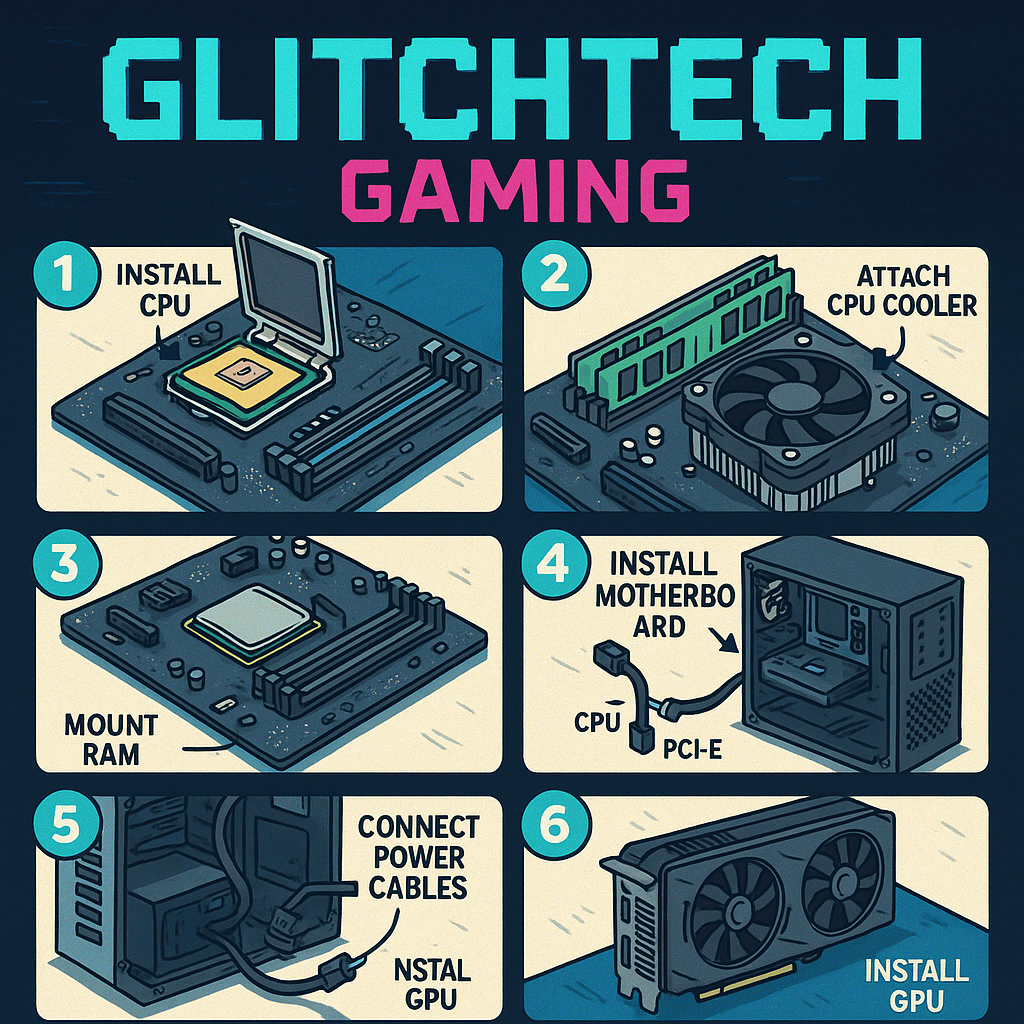
Installing the CPU into your gaming PC 2025 motherboard is the most nerve-wracking step because you’re handling expensive silicon that can be damaged by poor technique. For AMD CPUs, align the gold triangle on the CPU with the triangle on the socket, gently place the CPU (no pressure needed!), and secure the retention arm. Intel CPUs require opening the retention bracket, carefully lowering the CPU into place (again, no pressure), and closing the bracket which requires more force than seems reasonable but is normal. Triple-check alignment before securing anything – bent pins are expensive mistakes that void warranties faster than you can say “oops.”
RAM installation in your gaming PC 2025 is straightforward but requires consulting your motherboard manual to identify which slots provide optimal performance. Most boards recommend using slots 2 and 4 (counting from the CPU) for dual-channel configuration with two RAM sticks. Align the notch in the RAM stick with the notch in the slot, apply even pressure to both ends until you hear satisfying clicks as the retention clips engage. If you’re using significant force or the clips won’t close, something’s wrong – remove and try again before you break something expensive.
Motherboard installation into your gaming PC 2025 case requires patience and attention to detail to avoid shorts and ensure proper grounding. Install the I/O shield first (that metal plate that goes in the back of your case), then install motherboard standoffs that match your board’s mounting holes. Carefully lower the motherboard into position, align all mounting holes, and secure with screws – finger-tight plus a quarter turn is plenty, don’t over-tighten. Connect the front panel headers (power switch, reset, LEDs) according to your motherboard manual, because these tiny connectors are the devil’s work and will test your patience.
Connecting Power and Installing Components in Your Gaming PC 2025
PSU installation in your gaming PC 2025 typically goes in the bottom of your case with the fan facing down (if your case has ventilation) or facing up (if it sits on carpet). Secure the PSU with four screws, ensuring the power socket faces the rear I/O cutout for easy access. With modular PSUs, attach only the cables you need: 24-pin ATX for motherboard, 4+4 pin EPS for CPU, PCIe cables for GPU, and SATA power for storage drives. Leave cable management for later – focus on getting everything connected and working first.
GPU installation is the final major component for your gaming PC 2025, and also the most satisfying since you’re finally installing the expensive part that actually makes games pretty. Remove the appropriate number of PCIe slot covers from your case (most GPUs use 2-3 slots), carefully align the GPU with the top PCIe x16 slot on your motherboard, and firmly press down until you hear the retention clip click. Secure the GPU to your case with screws, then connect the required PCIe power cables from your PSU – modern GPUs typically need one or two 8-pin connectors, and the card won’t work without them.
Storage installation in your gaming PC 2025 varies based on drive type but is generally straightforward. M.2 NVMe drives install directly onto the motherboard – find the M.2 slot (consult your manual), remove the tiny screw and standoff, insert the drive at a 30-degree angle, press down gently, and secure with the screw. For SATA SSDs or HDDs, mount them in drive bays using screws or tool-less trays, then connect SATA data cables to the motherboard and SATA power from your PSU. Remember, NVMe drives don’t need power cables – they draw power through the motherboard.
Cable management transforms your gaming PC 2025 from a bird’s nest of wires into a clean, professional-looking machine that doesn’t embarrass you when friends peek through the side panel. Route cables behind the motherboard tray when possible, use the included velcro straps or zip ties to bundle cables together, and aim for a “good enough” result rather than perfection. Proper cable management improves airflow, makes future upgrades easier, and provides psychological satisfaction that’s hard to quantify but deeply satisfying.
First Boot and BIOS Configuration for Gaming PC 2025
Before powering on your gaming PC 2025 for the first time, perform a final check of all connections: 24-pin ATX power to motherboard, 4+4 pin EPS to CPU, PCIe power to GPU, RAM firmly seated with clips engaged, and all case fans connected to headers. Double-check that the PSU switch is off before plugging in the power cable, because it’s better to be safe than to experience immediate regret. Connect your monitor to the GPU (not the motherboard) via DisplayPort or HDMI, plug in your keyboard, and pray to the PC building gods that everything works first try.
The moment of truth for your gaming PC 2025 arrives when you press the power button and watch for signs of life. Fans should spin up, RGB components should light up like a Christmas tree (if you went that route), and you should hear a single beep indicating successful POST (Power-On Self Test). If nothing happens, don’t panic – check that the PSU is switched on, power cables are properly connected, and RAM is fully seated. If you get stuck in a boot loop or see error lights on the motherboard, consult your manual to decode what’s wrong before assuming you broke something expensive.
Entering BIOS/UEFI on your gaming PC 2025 typically requires pressing Delete, F2, or F12 during initial boot (your motherboard manual specifies which key). The BIOS is where you configure critical settings before installing Windows, including boot order, RAM profiles, and fan curves. Modern BIOS interfaces are surprisingly user-friendly with mouse support and clear labeling, so don’t be intimidated by the technical appearance. Take time to familiarize yourself with the layout – this is where you’ll troubleshoot future issues and optimize performance.
Enabling XMP (Intel) or DOCP (AMD) profiles activates your RAM’s rated speeds for your gaming PC 2025, since RAM runs at conservative speeds by default for stability. Navigate to the memory settings in BIOS, enable the XMP/DOCP profile, save changes, and reboot. This simple step provides noticeable performance improvements in games, particularly with AMD systems that benefit greatly from faster RAM. If your system becomes unstable after enabling XMP, you can always return to BIOS and disable it, though this rarely causes issues with quality RAM and compatible motherboards.
Software Setup and Optimization for Gaming PC 2025
Windows 11 installation transforms your gaming PC 2025 from an expensive pile of hardware into an actual functional computer. Create a Windows 11 installation USB using Microsoft’s Media Creation Tool on another computer, boot from the USB (select it in BIOS boot menu), and follow the installation wizard that’s designed to be foolproof for people who absolutely don’t read instructions. Choose the custom installation option, select your NVMe drive as the installation target, and let Windows do its thing for 20-30 minutes while you contemplate your life choices and refresh hardware monitoring forums.
Driver installation is critical for your gaming PC 2025 to function at peak performance, starting with GPU drivers that make your graphics card actually work properly. Download the latest drivers directly from Nvidia or AMD’s website rather than using the outdated versions Windows Update provides – the difference in gaming performance can be substantial. Install chipset drivers from your motherboard manufacturer’s website to ensure proper communication between components, and update network drivers if you experience connectivity issues. Sound drivers usually work fine with Windows defaults unless you have specialized audio equipment.
Windows optimization helps your gaming PC 2025 perform better by disabling unnecessary bloat and configuring settings for gaming performance. Enable Game Mode in Windows Settings > Gaming to prioritize system resources for games, disable background apps you don’t need, and consider disabling Windows Search indexing on your game drive to prevent stuttering during gameplay. Adjust power settings to High Performance mode to prevent CPU throttling, and disable any aggressive RGB software that consumes more resources than the pretty lights justify.
Essential software for your gaming PC 2025 includes game launchers (Steam, Epic, GOG), communication tools (Discord), hardware monitoring software (HWMonitor, MSI Afterburner), and GPU overclocking utilities if you’re brave enough. Install antivirus software or stick with Windows Defender which is surprisingly competent these days, and consider using browser extensions to block ads and trackers that slow down your browsing experience. Keep a clean system by only installing software you’ll actually use – every background process consumes resources that could go toward gaming performance.
Performance Testing and Benchmarking Your Gaming PC 2025
Benchmarking your gaming PC 2025 provides baseline performance metrics that help identify problems and track system health over time. Run 3DMark (free basic version available on Steam) to stress test your GPU and compare scores against similar systems – if your scores are significantly lower, something might be misconfigured. Use Cinebench R23 to test CPU performance under sustained load, which also helps verify your cooling solution can handle extended workloads without thermal throttling.
Temperature monitoring is essential for your gaming PC 2025 to ensure components aren’t overheating and potentially reducing their lifespan. Use HWMonitor or HWiNFO during gaming sessions to track CPU and GPU temperatures – modern CPUs can safely reach 80-90°C under load while GPUs can comfortably run at 70-80°C depending on the model. If temperatures consistently exceed these ranges, check that all fans are running, verify CPU cooler is properly mounted with fresh thermal paste, and ensure your case has adequate airflow.
Game-specific testing reveals how your gaming PC 2025 performs in actual gaming scenarios rather than synthetic benchmarks. Install a demanding recent title (Cyberpunk 2077, Starfield, or similar), enable in-game FPS counters or use MSI Afterburner‘s overlay, and test at various graphics settings to find the sweet spot between visual quality and performance. Aim for consistent frame rates above your monitor’s refresh rate for smooth gameplay – 60 FPS minimum for 60Hz monitors, 144 FPS for 144Hz displays, and so on.
Overclocking your gaming PC 2025 components can extract additional performance but requires careful testing and monitoring to avoid instability. GPU overclocking using MSI Afterburner is relatively safe and can provide 5-15% performance improvements by increasing core and memory clocks gradually while monitoring temperatures and stability. CPU overclocking requires more expertise and better cooling but can provide similar gains for workloads that benefit from higher clock speeds. Only overclock if you understand the risks and have adequate cooling – a stable system beats a slightly faster unstable one every time.
Troubleshooting Common Gaming PC 2025 Issues
No POST (Power-On Self-Test) is the most common gaming PC 2025 problem where the system powers on but doesn’t display anything or beep. Start with the easiest solutions: reseat RAM firmly in the correct slots, verify GPU is fully inserted with power cables connected, check that CPU power (4+4 pin EPS) is properly connected, and ensure all cables click into place. If problems persist, try booting with one RAM stick at a time to identify faulty memory, remove the GPU to test with integrated graphics (if available), and verify the CPU is correctly installed without bent pins.
Boot loops plague gaming PC 2025 builds when systems power on briefly then restart repeatedly without reaching BIOS. Common causes include incorrect RAM configuration (wrong slots or incompatible speeds), insufficient or faulty PSU, or incompatible components. Try clearing CMOS by removing the motherboard battery for 30 seconds to reset BIOS to defaults, disconnect all non-essential components (extra drives, RGB controllers) to isolate problems, and verify your PSU has adequate wattage for your components with all power connectors properly seated.
Random crashes and instability in your gaming PC 2025 during gaming or heavy workloads often indicate cooling, power, or driver issues rather than defective hardware. Monitor temperatures during gaming to identify thermal throttling, stress test RAM with MemTest86 to verify stability, and use DDU (Display Driver Uninstaller) to cleanly remove and reinstall GPU drivers. Check Windows Event Viewer for error messages that provide clues about crash causes, and ensure your PSU can deliver adequate power under full load – underpowered systems experience crashes during demanding scenes.
Performance issues where your gaming PC 2025 runs slower than expected require systematic diagnosis to identify bottlenecks. Verify GPU drivers are current and game-ready, enable XMP/DOCP profiles in BIOS for rated RAM speeds, check that games are using the discrete GPU rather than integrated graphics, and monitor temperatures for thermal throttling. Compare your benchmark scores against similar systems to identify outliers, ensure Windows Game Mode is enabled, and verify no background software is consuming excessive resources during gaming.
Maintenance and Upgrades for Your Gaming PC 2025
Regular maintenance keeps your gaming PC 2025 running optimally and extends component lifespan beyond their already impressive longevity. Clean dust filters every 1-2 months using compressed air or vacuum, as accumulated dust restricts airflow and increases temperatures. Perform internal cleaning every 3-6 months by powering off completely, removing side panels, and using compressed air to blow dust from heatsinks, fans, and components while holding fans stationary to prevent overspin damage.
Software maintenance for your gaming PC 2025 includes keeping drivers updated, running occasional malware scans, and performing disk cleanup to remove temporary files and bloatware. Update GPU drivers when major game releases arrive or stability/performance improvements are significant, but don’t feel pressured to install every driver update immediately – if your system works well, the “don’t fix what ain’t broke” philosophy applies. Perform Windows Updates regularly to receive security patches and system improvements, though you can defer feature updates if you prefer stability over new features.
Upgrade planning for your gaming PC 2025 should focus on components that provide meaningful performance improvements for your specific use case. The GPU typically becomes the first upgrade priority 2-3 years after building, as games’ graphics demands outpace other system requirements. RAM upgrades from 16GB to 32GB benefit content creators and heavy multitaskers more than pure gamers, though future games may justify additional memory. Storage expansion is the easiest upgrade, simply adding another NVMe drive when your library outgrows current capacity.
Component longevity varies significantly in your gaming PC 2025, with some parts lasting through multiple upgrade cycles while others require replacement sooner. Quality PSUs, cases, and cooling solutions can serve 7-10 years across multiple builds, making them worthwhile investments. CPUs and motherboards typically remain relevant for 4-6 years before platform limitations necessitate replacement. RAM rarely fails but may need upgrading for capacity rather than speed. GPUs have the shortest effective lifespan of 3-5 years as games’ graphics demands continuously increase, though they remain functional long after they stop delivering cutting-edge performance.
Final Tips and Common Mistakes to Avoid with Gaming PC 2025
The most common gaming PC 2025 mistake is forgetting to remove protective plastic films from CPU coolers before installation, which leads to overheating and potential damage since plastic isn’t known for its thermal conductivity. Always peel off any protective films from heatsink bases, check that thermal paste is properly applied (pre-applied paste on most coolers works fine, don’t add more unless replacing), and ensure cooler mounting pressure is adequate but not excessive. Your CPU should idle at 30-40°C – if temperatures immediately hit 80°C+ at idle, you forgot the plastic film or improperly mounted the cooler.
Cable management in your gaming PC 2025 seems purely aesthetic until you realize cables blocking fans or interfering with moving parts can cause real problems beyond just looking messy. Route cables through the back of your case when possible, use velcro straps to bundle cables together, and ensure nothing blocks fan blades or creates airflow restrictions. Check that front panel headers are correctly connected (consult your motherboard manual religiously) because reversing polarity on some headers can damage components or prevent boot.
Component seating issues plague many gaming PC 2025 first-time builds, with RAM and GPUs being the usual suspects for not being fully inserted despite appearing installed. RAM requires firm pressure and you must hear clicks from both retention clips before accepting it’s properly seated – half-seated RAM either won’t boot or causes instability. GPUs need similar confidence during installation, being firmly pressed into the PCIe slot until the retention clip engages with an audible click. If your system won’t POST, reseat both RAM and GPU before panicking.
BIOS configuration mistakes can hamstring your gaming PC 2025 performance if you forget critical settings after initial assembly. Enable XMP/DOCP profiles for RAM to run at rated speeds rather than conservative defaults, verify boot order prioritizes your NVMe drive, and check that all fans are detected and running at appropriate speeds. If your system seems unstable after BIOS changes, you can always load default settings and start over – modern BIOS includes fail-safes that prevent permanent damage from configuration mistakes.
Cost-Saving Tips That Don’t Compromise Your Gaming PC 2025
Smart component selection for your gaming PC 2025 means identifying where spending more provides meaningful benefits versus paying premiums for negligible improvements. Previous-generation GPUs often provide 80-90% of current-gen performance at 60-70% of the cost once new models release – an RTX 4070 at $450 delivers better value than an RTX 5070 at $650 if the performance difference is only 15%. Similarly, last-gen CPUs on clearance can offer incredible value for gaming since most games don’t fully utilize cutting-edge processors anyway.
Timing your gaming PC 2025 purchases around major sales events (Black Friday, Prime Day, back-to-school sales) can save hundreds without compromising component quality. Sign up for price tracking tools like CamelCamelCamel or use browser extensions to monitor historical pricing and receive alerts when components hit your target prices. Join PC building communities on Reddit or Discord where members share deals and provide advice on whether specific sales represent genuine value versus inflated “discounts” on overpriced components.
Brand selection impacts your gaming PC 2025 budget more than many builders realize, with premium brands charging substantial premiums for marginally better components. Store-brand RAM from reputable retailers often performs identically to name-brand memory at 20-30% lower cost since most RAM uses the same underlying chips from Samsung, SK Hynix, or Micron. Similarly, budget motherboard models from major manufacturers (ASUS, MSI, Gigabyte) include all essential features without the premium tax for RGB lighting, fancy heatsinks, and marketing buzzwords you don’t need.
Component priorities ensure your gaming PC 2025 delivers maximum gaming performance for your budget by allocating money where it matters most. Invest heavily in GPU and CPU, choose a quality PSU that will last multiple builds, then be strategic about everything else. You don’t need premium RGB RAM, the fastest NVMe drive available, or an expensive case with tempered glass panels and RGB everything. A functional case with good airflow costs $60-80 and performs identically to $200 showcase models – save that money for components that actually impact gaming.
Building Confidence: You Can Actually Do This
The intimidation factor of building your first gaming PC 2025 is mostly psychological rather than technical, as modern components are designed for user-friendly assembly with clear labeling and foolproof connectors. Thousands of first-time builders successfully assemble systems every day without prior experience, guided by instruction manuals and the wealth of YouTube tutorials available for every component and build process. If you can follow LEGO instructions and resist the urge to force things that don’t fit, you possess the fundamental skills needed for PC building.
Component compatibility is less scary for your gaming PC 2025 than it initially appears, with resources like PCPartPicker automatically checking compatibility and warning about potential issues before you buy anything. Modern platforms limit compatibility concerns since components within the same generation typically work together seamlessly. The main compatibility checks are CPU socket matching motherboard, RAM type matching motherboard (DDR5 vs DDR4), and case size accommodating motherboard form factor (ATX, microATX, etc).
Mistakes happen during every gaming PC 2025 build, and most are easily fixable without causing permanent damage because components include various protections against common errors. Reversed fan headers don’t damage anything, they just make fans spin backwards. Improperly seated components simply won’t work rather than immediately exploding. The PC building community is incredibly supportive of newcomers, with forums and Discord servers full of experienced builders ready to help troubleshoot issues and provide reassurance when things don’t go according to plan.
The satisfaction of completing your gaming PC 2025 and seeing it successfully boot for the first time is genuinely difficult to describe to people who’ve never experienced it. You’ve created a powerful machine with your own hands, gained valuable technical knowledge that will serve you for years, and saved hundreds compared to buying prebuilt systems. Every gaming session becomes slightly more enjoyable knowing you’re playing on hardware you personally selected and assembled, and you’ll have the skills and confidence to upgrade, troubleshoot, and maintain your system throughout its lifespan.
Your Gaming PC 2025 Journey Begins Now
Building your own gaming PC 2025 represents one of the most rewarding projects you can undertake in the tech world, combining practical skills with creative expression and delivering tangible results you’ll enjoy for years. This guide has covered everything from budget planning and component selection to assembly techniques and troubleshooting, providing the knowledge foundation you need to confidently approach your first build without fear or confusion.
The gaming PC 2025 landscape offers incredible opportunities for builders at every budget level, with component options ranging from capable budget builds to absolute monster systems that handle any game at maximum settings. Understanding that the “best” build depends entirely on your specific needs, budget, and gaming preferences frees you from the pressure of creating some objective perfect system. Your perfect gaming PC 2025 is the one that plays your favorite games at settings you find satisfying within a budget you can afford.
Remember that your gaming PC 2025 is never truly finished – it’s a platform that evolves with your needs and gaming habits through upgrades and modifications over time. Starting with a solid foundation of compatible components and room for growth ensures your initial investment continues delivering value for years. The skills you’ve developed during this first build will serve you through future upgrades, troubleshooting sessions, and potentially helping friends with their builds.
The community surrounding gaming PC 2025 building is one of tech’s most welcoming and helpful, always ready to assist newcomers with advice, troubleshooting help, and enthusiastic celebration of successful builds. Don’t hesitate to ask questions in forums, Discord servers, or Reddit communities – everyone started as a beginner, and experienced builders genuinely enjoy helping newcomers avoid the mistakes they made during their first builds.
Your journey to completing a gaming PC 2025 might have moments of frustration when components don’t cooperate or troubleshooting takes longer than expected, but the satisfaction of overcoming these challenges and successfully building your own system makes every difficult moment worthwhile. You’re not just assembling hardware – you’re developing valuable technical skills, gaining confidence in your abilities, and joining a community of enthusiasts who share your passion for gaming and technology.
Take your time during assembly, consult your manuals frequently, don’t be afraid to double-check connections before powering on, and remember that almost every problem has a solution that doesn’t involve buying replacement components. The first boot might not succeed immediately, and that’s completely normal – troubleshooting is part of the learning experience that makes you a better builder and more knowledgeable PC owner.
Looking forward, your gaming PC 2025 will provide countless hours of entertainment, support your gaming hobby and creative pursuits, and serve as a platform for continuous learning about computer hardware and technology. The initial investment of time learning about components and assembly techniques pays dividends throughout the system’s lifespan and beyond, as these skills transfer to future builds and upgrades.
The decision to build your own gaming PC 2025 rather than buying prebuilt is ultimately about taking control of your gaming experience, maximizing value for your budget, and gaining the knowledge to maintain and upgrade your system independently. You’re no longer dependent on manufacturers’ component choices or paying premiums for convenience – you’ve become empowered to make informed decisions about your gaming hardware.
So gather your components, clear your workspace, queue up some build guide videos for reference, and begin your gaming PC 2025 building adventure with confidence. Thousands of builders have successfully completed this journey before you, and with the knowledge from this guide, you’re well-prepared to join their ranks. The gaming experiences awaiting you on your custom-built system will make every moment of the building process worthwhile.
Ready to dive deeper into the gaming hardware world? Check out our latest gaming news for updates on new component releases, gaming trends, and industry insights that will help you stay informed about the evolving landscape of PC gaming. Your gaming PC 2025 adventure starts now – make it legendary!
Bug Court: Metal Gear Solid Δ — Launch Bugs, Patch Tracker & Should You Play Now or Wait?
Table of Contents
Welcome to Bug Court, where we put the latest gaming releases on trial for their technical crimes against humanity. Today’s defendant: Metal Gear Solid Δ (Delta): Snake Eater, Konami’s highly anticipated remake that launched into early access on August 26th and officially released on August 28th, 2025. The charges? Multiple counts of crocodile-related crashes, aggravated floating character syndrome, and conspiracy to make players question their sanity when their tactical espionage action gets interrupted by a survival knife tantrum.
Metal Gear Solid Δ arrived with the kind of fanfare you’d expect from one of gaming’s most beloved franchises making its grand return. Players were ready to relive Snake’s jungle adventure with modern graphics, updated gameplay mechanics, and all the tactical espionage action they could handle. What they got was that, plus a bonus helping of bugs so bizarre they could star in their own nature documentary. Who knew that removing a crocodile cap could crash an entire game? Apparently not Konami’s QA team.
The evidence before this court is both damning and hilariously specific. We’re dealing with a game that can handle complex stealth sequences, intricate boss battles, and emotional story beats, but absolutely loses its mind when you try to take off a hat or get too close to a hungry digital reptile. It’s like watching a professional surgeon who can perform heart transplants but faints at the sight of a paper cut.
But before we pass judgment on whether Metal Gear Solid Δ deserves immediate execution or a suspended sentence with community service patches, let’s examine the evidence, track the ongoing legal proceedings (aka patch releases), and help you decide whether to jump into this tactical espionage adventure now or wait for the appeals process to finish.
The Case Against Metal Gear Solid Δ: A Catalog of Launch Day Disasters
The prosecution’s case against Metal Gear Solid Δ is built on a foundation of documented crashes, floating protagonists, and what can only be described as the most crocodile-specific technical issues in gaming history. The launch day problems weren’t just your standard “textures loading incorrectly” or “frame rate drops during intense scenes” – these were bugs with the kind of specificity that suggests either incredible attention to detail in breaking things or a QA process that somehow missed the most obvious scenarios.
Let’s start with the crown jewel of Metal Gear Solid Δ’s bug collection: the infamous crocodile crashes. Not one, but TWO separate crocodile-related issues made it into the final release. The first occurs when players remove the Crocodile Cap from the Survival Viewer while it’s equipped – apparently, the game takes this fashion faux pas so seriously that it just gives up entirely and crashes. The second happens when collecting food near a hungry crocodile, as if the digital reptile gets so offended by your snack-snatching that it breaks the fourth wall and crashes your PlayStation.
The survival knife attacks present another category of technical rebellion. Performing consecutive survival knife attacks to secure food can trigger crashes “under certain conditions” – a phrase that’s become Konami’s diplomatic way of saying “we’re not entirely sure why this happens, but it definitely does.” It’s particularly ironic that a series known for its attention to realistic military tactics would have trouble with something as basic as using a knife to cut food.
Metal Gear Solid Δ also introduced players to the phenomenon of floating Snake, which sounds like either a philosophical concept or a particularly abstract piece of performance art. Transitioning from a roll into a crawl can cause Snake to hover mysteriously above the ground, defying both gravity and the serious tone of the stealth action. This isn’t the kind of levitation that helps with espionage – it’s the kind that makes you wonder if Snake has been experimenting with substances more exotic than the usual codec conversations.
The Radio Window crashes represent perhaps the most gameplay-disrupting issue, considering how frequently players use radio communications in Metal Gear Solid games. Having your game crash while trying to save or receive crucial story information transforms what should be routine gameplay into a high-stakes gamble where every codec call could be your last.
The Intrusion View Movement Restriction Mystery
Among the various technical infractions committed by Metal Gear Solid Δ, the Intrusion View movement restriction bug stands out for its mysterious nature and potential gameplay impact. When the camera switches to Intrusion View – a feature designed to provide tactical advantages during certain sequences – character movement can become restricted under unspecified conditions, essentially trapping players in areas where mobility should be enhanced rather than limited.
This particular issue demonstrates how Metal Gear Solid Δ’s bugs aren’t just cosmetic annoyances or minor inconveniences – they actively interfere with core gameplay mechanics. Intrusion View is meant to give players better situational awareness and tactical options, but when movement becomes restricted, it transforms from a helpful tool into a digital prison. Players report feeling like they’re controlling Snake through molasses while enemies continue to move normally.
The sporadic nature of this bug makes it particularly frustrating because players can’t predict when it will occur or develop reliable workarounds. Some players have reported the issue resolving itself after waiting several seconds, while others have been forced to restart entire sections. The unpredictability adds an element of Russian roulette to sequences that should showcase Metal Gear Solid Δ’s improved tactical gameplay.
Konami’s acknowledgment of this issue without providing specific reproduction steps suggests that even the development team isn’t entirely sure what triggers the movement restriction. This type of intermittent bug is often the most challenging to fix because it requires identifying specific combinations of player actions, system states, and environmental factors that create the perfect storm for malfunction.
The fact that this issue specifically affects Intrusion View sequences also raises questions about the integration between Metal Gear Solid Δ’s classic gameplay systems and its modern technical implementations. It’s possible that the bug represents a conflict between legacy code expectations and contemporary engine requirements, creating situations where old and new systems don’t communicate effectively.
The Great Floating Snake Phenomenon
Perhaps no single bug captures the surreal nature of Metal Gear Solid Δ’s technical issues quite like the floating Snake phenomenon. The specific trigger – transitioning from a roll into a crawl – seems almost designed to break the game’s physics simulation in the most visually spectacular way possible. It’s as if the game’s animation system gets confused about which way is up and decides that the safest option is to just suspend Snake in mid-air until someone figures it out.
The floating bug transforms serious stealth sequences into unintentional comedy gold. Picture this: you’re carefully approaching an enemy patrol, execute a perfect tactical roll to reach cover, transition into a crawl to maintain stealth, and suddenly Snake is hovering three feet off the ground like he’s auditioning for a magic show. The cognitive dissonance between Metal Gear Solid‘s realistic military setting and its protagonist defying gravity creates moments that are simultaneously frustrating and hilarious.
What makes this bug particularly problematic is that rolling and crawling are fundamental movement mechanics in Metal Gear Solid games. These aren’t obscure techniques that only speedrunners would discover – they’re basic stealth maneuvers that every player will use repeatedly throughout the game. Having a bug tied to such common actions means that virtually every player will eventually encounter Snake’s impromptu flight demonstrations.
The technical explanation for floating characters usually involves conflicts between animation states and physics calculations. When Metal Gear Solid Δ attempts to transition Snake from one movement state to another, something goes wrong in the collision detection or position updating systems, leaving the character model suspended in space while the game continues around him. It’s like watching a magician’s levitation trick where everyone can see the wires but nobody knows how to cut them.
Players have developed various unofficial workarounds for the floating bug, including waiting for the effect to wear off naturally, attempting additional movement commands to reset Snake’s position, or reloading from checkpoints when the situation becomes untenable. However, the need for players to develop their own solutions to basic movement problems highlights the severity of Metal Gear Solid Δ’s technical issues.
The Defense’s Argument: Why Metal Gear Solid Δ Deserves Consideration
While the prosecution has presented compelling evidence of Metal Gear Solid Δ’s technical shortcomings, the defense argues that these issues don’t negate the game’s substantial achievements and overall quality. The core Metal Gear Solid experience that players came for – the tactical stealth gameplay, emotional storytelling, and faithful recreation of a beloved classic – remains intact and impressive despite the technical hiccups.
The defense’s first argument centers on the fact that Metal Gear Solid Δ successfully delivers the fundamental experience that fans expected. The game’s stealth mechanics work as intended, the boss battles provide the epic encounters that define the series, and the emotional story beats land with the same impact as the original. For many players, the bugs represent minor annoyances rather than game-breaking obstacles, particularly if they can be avoided through careful play or worked around when encountered.
Statistical evidence supports the defense’s position: Metal Gear Solid Δ achieved over one million sales within its first week and maintains a “Mostly Positive” rating on Steam despite the well-documented technical issues. These numbers suggest that the majority of players are finding enough value in the game to overlook its problems, or that the bugs affect a smaller percentage of players than the vocal reports might suggest.
The defense also points to the speed and transparency of Konami’s response to the reported issues. Rather than ignoring problems or downplaying their significance, the developer quickly acknowledged the bugs, provided detailed descriptions of the issues, and began releasing patches within days of the early access launch. This proactive approach demonstrates a commitment to addressing problems and improving the player experience.
Metal Gear Solid Δ’s technical achievements in areas unaffected by the bugs deserve recognition as well. The visual upgrade from the original game is substantial, the performance is generally stable outside of the specific crash scenarios, and the modernized controls and interface improvements enhance the overall experience. The game succeeds in bringing a classic experience to contemporary hardware while maintaining the essential character that made the original special.
The Rapid Response Patch Protocol
The defense’s strongest argument lies in Konami’s remarkably quick response to Metal Gear Solid Δ’s launch issues. The company released version 1.1.2 just two days after early access began, addressing the most critical crash bugs and the floating Snake phenomenon. This turnaround time is exceptionally fast for game patches, suggesting that Konami had already identified these issues and was working on solutions before the public release.
The patch notes for version 1.1.2 demonstrate comprehensive attention to the reported problems: survival knife crashes, crocodile cap issues, food collection crashes, radio window problems, and the floating character bug all received specific fixes. Rather than applying band-aid solutions, the patch addresses the root causes of these issues, suggesting that Konami took the time to properly diagnose and resolve the underlying problems.
Version 1.1.3, released on September 8th, continued the improvement trend by adding requested features like inverted horizontal camera controls while fixing additional crashes and updating textures and models in various scenes. The patch also resolved the GA-KO collection reward bug, ensuring that completionist players receive proper recognition for their thoroughness. This ongoing support demonstrates Metal Gear Solid Δ’s commitment to long-term quality improvement.
Konami’s transparency about future development priorities also works in the game’s favor. The company has publicly committed to investigating ultrawide display support, PS5 Pro optimization, and general stability improvements. This roadmap gives players confidence that Metal Gear Solid Δ will continue to evolve and improve over time rather than being abandoned after the initial sales rush.
The rapid patch deployment suggests that many of Metal Gear Solid Δ’s issues were known internally but didn’t make it into the day-one patch due to timing constraints rather than ignorance or negligence. This interpretation frames the bugs as temporary technical debt rather than fundamental design flaws, making the game’s long-term prospects much more optimistic.
Community Reception and Player Testimony
Player testimony provides a more nuanced view of Metal Gear Solid Δ’s technical issues than bug reports alone might suggest. While the documented problems are real and frustrating when encountered, many players report completing the entire game multiple times without experiencing the major crashes or movement bugs. This suggests that the issues, while serious, may not affect all players equally or consistently.
The Metal Gear Solid community’s response has been characterized by a mixture of frustration with the technical problems and appreciation for the core experience. Longtime fans particularly praise the faithful recreation of the original game’s atmosphere, the improved visuals that enhance rather than replace the classic art direction, and the way the modernized controls make the game more accessible without fundamentally changing its character.
Player reviews consistently highlight Metal Gear Solid Δ’s success in capturing the emotional impact of key story moments, suggesting that the technical issues don’t significantly interfere with the narrative experience. The game’s most important sequences – the emotional confrontations, dramatic reveals, and climactic battles – apparently work as intended, preserving the elements that made the original game a classic.
The speedrunning and completionist communities have also embraced Metal Gear Solid Δ despite its bugs, developing strategies for avoiding problematic scenarios while exploring the game’s mechanical depths. These dedicated players often serve as early indicators of a game’s long-term viability, and their continued engagement suggests confidence in Metal Gear Solid Δ’s underlying quality.
Community-generated content, including guides, tips, and workarounds for the known issues, demonstrates the player base’s investment in making Metal Gear Solid Δ successful. When players are willing to put effort into helping each other navigate technical problems, it usually indicates that they believe the underlying experience is worth preserving and improving.
Patch Tracker: The Road to Redemption
The post-launch support for Metal Gear Solid Δ reads like a case study in effective damage control and ongoing improvement. Konami’s patch release strategy demonstrates both urgency in addressing critical issues and thoughtfulness in implementing long-term solutions. The company has established a clear communication pattern, acknowledging problems quickly, providing detailed fix information, and outlining future development priorities.
Version 1.1.2, released on August 28th (Steam) and August 29th (consoles), addressed the most prominent crash issues and the floating character bug. The patch’s comprehensive nature – fixing six distinct categories of problems – suggests that Konami had been tracking these issues during development and had solutions ready for rapid deployment. This proactive approach contrasts favorably with publishers who wait for extensive user reports before acknowledging problems.
The September 8th release of version 1.1.3 shifted focus from critical bug fixes to quality-of-life improvements and feature additions. The inclusion of inverted horizontal camera controls responds directly to player feedback, while the texture and model updates demonstrate ongoing attention to visual polish. The patch’s resolution of “most issues that could cause the game to crash” suggests that Metal Gear Solid Δ has moved past its initial stability problems.
Konami’s public development roadmap provides transparency about future improvements while managing player expectations about timeline and scope. The commitment to investigating ultrawide display support acknowledges PC gaming community preferences, while the mention of PS5 Pro optimization shows awareness of console hardware evolution. This forward-looking approach suggests that Metal Gear Solid Δ will continue receiving meaningful updates beyond simple bug fixes.
The patch release schedule also demonstrates learning from the initial launch experience. Instead of rushing fixes that might introduce new problems, Konami appears to be taking time to properly test solutions and bundle related improvements together. This more measured approach should result in higher-quality updates that genuinely improve the overall experience.
Current Status: September 2025 Update
As of September 2025, Metal Gear Solid Δ has evolved significantly from its troubled launch state. The major crash issues that dominated early player reports have been largely resolved, and the floating character phenomenon has been relegated to occasional Reddit posts rather than widespread gameplay disruption. Players can now safely remove crocodile caps, perform survival knife attacks, and collect food near hungry digital reptiles without fear of system crashes.
The current version (1.1.3) represents a stable platform for most players to enjoy Metal Gear Solid Δ as intended. The core stealth gameplay functions reliably, boss encounters work without technical interference, and the story progression proceeds smoothly from beginning to end. Players report being able to complete full playthroughs, achieve 100% completion, and explore optional content without encountering game-breaking issues.
Ongoing development priorities focus on platform-specific optimizations and feature requests rather than critical bug fixes. The investigation into ultrawide display support addresses a key PC gaming community concern, while PS5 Pro optimization work ensures that Metal Gear Solid Δ can take advantage of the latest console hardware capabilities. These improvements target enhanced experiences rather than basic functionality.
Performance stability has improved markedly since launch, with fewer reports of unexpected crashes or system instability. The game’s resource usage appears more consistent, and the various optimization patches have reduced the likelihood of memory-related problems that might have contributed to the initial crash issues. Players with lower-end hardware report better experiences than during the early access period.
The community sentiment has shifted from frustrated bug reporting to discussions about gameplay strategies, speedrunning techniques, and anticipation for upcoming content like the Fox Hunt multiplayer mode. This transition indicates that Metal Gear Solid Δ has successfully moved past its technical growing pains and established itself as a legitimate entry in the franchise worthy of serious engagement.
Future Roadmap: What’s Coming Next
Konami’s public commitments for Metal Gear Solid Δ’s future development extend well beyond simple bug fixes, indicating a long-term investment in the game’s evolution and improvement. The most significant upcoming addition is Fox Hunt, a multiplayer hide-and-seek mode scheduled for Fall 2025 that will add entirely new gameplay dimensions to the Metal Gear Solid experience.
The Fox Hunt mode represents an ambitious expansion of Metal Gear Solid Δ’s scope, transforming the single-player stealth experience into competitive multiplayer gameplay. While details remain limited, the mode’s hide-and-seek concept aligns perfectly with the series’ emphasis on stealth, camouflage, and tactical awareness. This addition could significantly extend the game’s lifespan and appeal to players who have exhausted the single-player content.
Platform-specific improvements continue to receive development attention, with ultrawide display support for PC players representing a significant quality-of-life enhancement. The investigation into 21:9 aspect ratio compatibility demonstrates Konami’s awareness of diverse PC gaming setups and commitment to providing optimal experiences across different hardware configurations.
PS5 Pro optimization work ensures that Metal Gear Solid Δ will take full advantage of Sony’s enhanced console hardware when it becomes available. This forward-looking development approach suggests that Konami views the game as a long-term platform rather than a simple remake project with limited post-launch support expectations.
General stability improvements remain an ongoing priority, indicating that Konami isn’t satisfied with merely fixing the most obvious problems. The commitment to continued optimization suggests that Metal Gear Solid Δ will become increasingly polished and reliable over time, potentially evolving into one of the most technically sound entries in the franchise.
The Verdict: Should You Play Metal Gear Solid Δ Now or Wait?
After examining all the evidence, conducting a thorough investigation of Metal Gear Solid Δ’s technical crimes, and tracking the ongoing rehabilitation efforts, this court is ready to render its verdict. The game stands accused of launching with significant technical issues, but the evidence also shows rapid improvement, genuine commitment to resolution, and underlying quality that shines through the temporary problems.
For players who prioritize stability and polish above all else, the recommendation is clear: Metal Gear Solid Δ has crossed the threshold from “broken mess” to “functional game with minor issues.” The major crashes have been fixed, the floating Snake phenomenon has been tamed, and the core gameplay experience now works as intended. You can safely dive into the jungle without fear of crocodile-induced system failures.
However, different players have different tolerance levels for technical imperfection, and the decision ultimately depends on your personal priorities and gaming preferences. If you’re the type of player who wants every feature fully optimized and every possible bug eliminated before beginning your adventure, waiting for the Fox Hunt update and complete stability improvements might be the wisest choice.
The Metal Gear Solid franchise has always been about patience, careful planning, and choosing the right moment to strike. These same principles apply to deciding when to play Metal Gear Solid Δ. The game is currently in a state where most players can enjoy the complete experience without major interruptions, but future updates will undoubtedly enhance that experience further.
For series veterans who understand Metal Gear Solid‘s gameplay systems and can work around minor technical hiccups, the current version provides immediate access to a faithfully recreated classic with impressive modern improvements. The emotional payoff of revisiting Snake’s story with contemporary presentation values outweighs the occasional technical stumble.
New players to the Metal Gear Solid series might benefit from waiting until the experience is completely polished, as their first impression of this iconic story shouldn’t be colored by technical distractions. However, the current state of the game is stable enough that newcomers can still appreciate why this series has maintained its legendary status for decades.
The “Play Now” Case
The argument for playing Metal Gear Solid Δ immediately is compelling for several categories of players. The game has moved beyond its early technical difficulties to provide a stable, enjoyable experience that captures the essence of what made the original special while adding meaningful modern improvements. Most of the launch issues have been resolved, and the remaining problems are minor enough that they don’t significantly impact the overall experience.
Players who have been waiting years for Metal Gear Solid Δ shouldn’t feel obligated to wait even longer for hypothetical future perfection. The game you can play today delivers the emotional story beats, tactical gameplay challenges, and atmospheric immersion that fans have been anticipating. Every day spent waiting for additional patches is a day not spent experiencing one of gaming’s greatest stories.
The current version offers excellent value for the investment, providing dozens of hours of high-quality stealth action gaming without the frustration of game-breaking bugs. Players report being able to complete multiple playthroughs, pursue 100% completion, and explore all of the game’s optional content without encountering significant technical barriers.
Metal Gear Solid Δ’s improved accessibility features and modernized controls make it an ideal entry point for players who found the original game’s interface dated or cumbersome. These quality-of-life improvements are already implemented and working properly, providing immediate benefits that enhance rather than compromise the classic experience.
The active player community provides additional value for immediate adoption. Online discussions, strategy guides, and shared discoveries are happening now, and joining that conversation while it’s vibrant adds social dimensions to the gaming experience that might not be as robust if you wait several more months.
The “Wait for Complete Edition” Case
The counterargument for delayed gratification has merit for players who prioritize experiencing games in their most complete and polished state. While Metal Gear Solid Δ is currently playable and enjoyable, waiting for the Fox Hunt multiplayer mode and complete optimization suite will provide a more comprehensive package that justifies the additional patience required.
Players with ultrawide monitors or PS5 Pro consoles have specific reasons to wait for platform optimizations that will enhance their particular gaming setups. These improvements aren’t just minor polish – they represent fundamental enhancements to the visual and performance experience that could significantly impact enjoyment for players with compatible hardware.
The Fox Hunt multiplayer mode represents a substantial content addition that will fundamentally change Metal Gear Solid Δ’s value proposition. Players who enjoy competitive gaming or want to experience the series’ stealth mechanics in new contexts might find that waiting for this feature provides a more complete and varied gaming experience.
Budget-conscious players benefit from waiting as prices typically decrease over time while the quality of the experience increases through patches and optimizations. Waiting until Fall 2025 or early 2026 could provide both cost savings and a superior technical experience, making patience financially as well as experientially rewarding.
Players with large gaming backlogs might find that Metal Gear Solid Δ represents a better investment of limited gaming time if experienced after all improvements are complete. Given the wealth of excellent games currently available, there’s no shortage of entertainment while waiting for Metal Gear Solid Δ to reach its full potential.
Final Judgment: The Court’s Official Ruling
After careful consideration of all evidence, witness testimony, and mitigating circumstances, this court finds Metal Gear Solid Δ guilty of launching with significant technical issues but sentences it to time served with immediate parole based on rapid rehabilitation and genuine commitment to improvement. The game has successfully transformed from a technical liability into a stable, enjoyable experience that honors its legacy while embracing modern gaming standards.
The prosecution’s case was compelling – the launch bugs were real, significant, and should not have made it into the final release. However, the defense’s arguments about rapid response, transparent communication, and underlying quality proved equally convincing. Metal Gear Solid Δ represents a successful example of how technical problems can be addressed through dedicated post-launch support when the fundamental product is sound.
The court’s official recommendation varies based on player profile and preferences. For Metal Gear Solid veterans and players comfortable with minor technical imperfections, immediate play is recommended. The current experience captures the essential magic of the original while providing modern improvements that enhance rather than replace the classic formula.
For new players, perfectionists, or those waiting for specific platform optimizations, a brief additional wait until the Fox Hunt update or complete feature implementation is reasonable. However, this wait should be measured in months rather than years, as the game has already achieved a stable state suitable for most players.
The gaming industry can learn valuable lessons from Metal Gear Solid Δ’s post-launch journey. Rapid response to technical issues, transparent communication about problems and solutions, and ongoing commitment to improvement can transform potentially damaging launch problems into demonstrations of developer dedication and competence.
Metal Gear Solid Δ ultimately succeeds because it never loses sight of what made the original game special while embracing the technical capabilities needed to bring that experience to modern audiences. The temporary technical setbacks represent growing pains rather than fundamental flaws, and the game’s trajectory clearly points toward long-term success and player satisfaction.
This court hereby declares Metal Gear Solid Δ: Snake Eater technically rehabilitated and suitable for immediate consumer enjoyment, with the expectation that continued improvements will make it even better over time. Case dismissed – now get out there and experience some tactical espionage action, preferably without any crocodile-related crashes.
Ready to dive into more gaming legal proceedings? Check out our gaming news section for coverage of other recent releases and their technical track records. Don’t miss our upcoming reviews and analysis of the fall gaming season – because sometimes the best way to avoid buyer’s remorse is to let someone else test the digital waters first.
Is It Finally Time to Try a Gaming Handheld in 2025?
Table of Contents
Let’s address the elephant in the room: you’ve been eyeing those shiny Gaming Handheld devices for months now, haven’t you? Every tech reviewer seems to be gushing over them, your friends won’t shut up about playing AAA games on the toilet, and you’re starting to wonder if you’re missing out on the portable gaming revolution. Well, grab a coffee and settle in, because we’re about to dive deep into whether 2025 is finally the year you should take the plunge into handheld gaming paradise.
The Gaming Handheld market has exploded faster than a poorly-handled grenade in a Call of Duty match. What started as Valve’s ambitious Steam Deck experiment has turned into a full-blown arms race between tech giants trying to cram desktop-level performance into something you can hold without requiring a gym membership. We’ve got ASUS dropping the ROG Ally X like it’s the hottest new mixtape, Lenovo throwing their hat in the ring with the Legion Go, and even Microsoft getting cozy with the idea of Xbox-branded portables.
But here’s the million-dollar question that’s probably keeping you up at night: are these Gaming Handheld systems actually worth your hard-earned cash, or are they just expensive paperweights that’ll end up collecting dust next to your abandoned fitness tracker? The answer, like most things in tech, is delightfully complicated and depends heavily on your gaming habits, lifestyle, and tolerance for technical shenanigans.
Gaming Handheld devices in 2025 have reached a maturity level that would make previous generations weep with envy. We’re talking about portable systems that can run Cyberpunk 2077 at decent frame rates, emulate practically every classic console known to humanity, and still have enough juice left over to stream your favorite shows during those awkward family gatherings. The technology has finally caught up to the promises, and the results are genuinely impressive for anyone who remembers trying to play games on those early handheld disasters that lasted about as long as a snowball in hell.
The Golden Age of Gaming Handheld Technology
We’re living through what historians will probably call the golden age of Gaming Handheld technology, assuming they have nothing better to write about. The leap in performance from just three years ago is absolutely staggering – we’ve gone from “wow, this can run indie games pretty well” to “holy crap, is that actually Baldur’s Gate 3 running at 60fps on a device I can fit in my backpack?” The AMD Ryzen Z1 Extreme processors powering today’s top-tier handhelds are basically desktop chips that somebody shrunk down using what I can only assume is some kind of silicon witchcraft.
The Gaming Handheld scene has benefited enormously from the smartphone industry’s relentless pursuit of thinner, faster, and more power-efficient components. OLED screens that were once reserved for premium flagship phones are now standard issue on handheld gaming devices, delivering colors so vibrant they’ll make your eyes water tears of pure joy. Battery technology has improved to the point where you can actually finish a gaming session before the device dies, which is a minor miracle considering how power-hungry these things used to be.
What’s really impressive about modern Gaming Handheld systems is how they’ve solved the age-old problem of “looks great docked, runs like garbage portable.” The Steam Deck OLED can maintain consistent performance whether you’re playing at your desk or hiding in the bathroom during a conference call, while the ASUS ROG Ally X pushes frame rates that would have been unthinkable in portable form factors just a few years ago. These aren’t compromised gaming experiences – they’re legitimate alternatives to desktop gaming that happen to fit in your hands.
The software ecosystem supporting Gaming Handheld devices has matured alongside the hardware, creating an environment where your entire Steam library is genuinely playable on the go. Valve’s Proton compatibility layer has turned Linux gaming from a masochistic hobby into a surprisingly smooth experience, while Windows-based handhelds give you access to every launcher and storefront under the sun. You’re no longer limited to whatever scraps the mobile gaming industry throws your way – you’ve got access to decades of PC gaming history in portable form.
Performance That Actually Matters
The performance revolution in Gaming Handheld gaming isn’t just about bigger numbers – it’s about crossing the threshold where portable gaming stops feeling like a compromise and starts feeling like a legitimate choice. The ASUS ROG Ally X with its AMD Ryzen Z1 Extreme can push AAA games at settings that would have required a mid-range desktop just a few years ago. We’re talking about 1080p gaming at medium to high settings with frame rates that don’t make you question your life choices.
Gaming Handheld thermal management has become an art form that involves more engineering wizardry than NASA missions. Modern devices like the Steam Deck OLED and ROG Ally X feature cooling systems that would make gaming laptops jealous, with dual fans, vapor chambers, and heat dissipation designs that keep your device from turning into a hand-held space heater. You can actually play intensive games for extended periods without needing oven mitts or a fire extinguisher.
The real game-changer for Gaming Handheld performance is intelligent scaling technology that automatically adjusts settings based on power profiles and thermal constraints. Instead of manually tweaking dozens of graphics settings, these systems figure out optimal configurations that balance visual quality with performance and battery life. It’s like having a personal gaming technician who actually knows what they’re doing, which is more than can be said for most PC gaming experiences.
Battery life has improved from “approximately seventeen minutes” to “you might actually finish a level before it dies.” The Steam Deck OLED pushes 6-8 hours on lighter games, while even power-hungry devices like the ROG Ally X manage 2-3 hours of AAA gaming. That might not sound impressive compared to your smartphone, but remember that these things are running full PC games, not Candy Crush clones designed by committees of psychological warfare experts.
The Software Ecosystem Revolution
The software ecosystem surrounding Gaming Handheld devices has transformed from a confusing mess of compatibility layers and community patches into something that resembles actual user-friendly experiences. SteamOS has evolved into a genuinely competent gaming operating system that handles most games without requiring a computer science degree to configure. The days of spending hours tweaking config files just to get basic functionality are mostly behind us, though you’ll still occasionally encounter games that require the digital equivalent of a blood sacrifice to run properly.
Windows-based Gaming Handheld systems offer the ultimate in compatibility at the cost of user interface sanity. Running Windows 11 on a handheld device is like trying to operate a freight train with bicycle handlebars – it technically works, but the experience leaves you questioning the fundamental nature of existence. ASUS has tried to solve this with their Armoury Crate software, which creates a console-like interface that mostly succeeds in hiding Windows from view until you need to dig into system settings.
Gaming Handheld emulation has reached levels of sophistication that would make retro gaming enthusiasts weep with joy. These devices can emulate everything from classic arcade games to relatively recent console systems with accuracy that often surpasses the original hardware. You can carry the entire history of gaming in your pocket, assuming you don’t mind the legal gray areas that surround ROM acquisition and the philosophical questions about digital preservation.
Cloud gaming integration has turned Gaming Handheld devices into portals to virtually unlimited game libraries. Xbox Game Pass streaming, GeForce Now, and other services mean you can play games that would otherwise melt your handheld into a puddle of regret. The experience depends heavily on your internet connection, but when it works, it’s genuinely magical to play cutting-edge games on hardware that shouldn’t be able to handle them.
The Nintendo Switch 2 Factor: Competition Breeds Excellence
The arrival of the Nintendo Switch 2 has sent shockwaves through the Gaming Handheld ecosystem like a dropped controller in a quiet library. Nintendo’s latest portable powerhouse brings legitimate 4K gaming capabilities when docked and enough horsepower to make PC handhelds nervous about their market positioning. This isn’t just an incremental upgrade – it’s a generational leap that proves Nintendo hasn’t been sitting idle while everyone else fought over the scraps of the portable PC gaming market.
Gaming Handheld manufacturers suddenly find themselves competing not just with each other, but with Nintendo’s legendary game development expertise and ecosystem lock-in strategies. The Switch 2’s exclusive access to Mario, Zelda, and Pokemon games creates a moat around Nintendo’s platform that pure hardware specs can’t bridge. It’s one thing to offer better performance, but it’s another thing entirely to compete with decades of beloved franchises and the kind of polish that Nintendo brings to first-party software development.
The competitive pressure from the Switch 2 has pushed Gaming Handheld developers to differentiate through features that Nintendo simply can’t or won’t match. Open platforms, backwards compatibility with decades of PC games, modding support, and the ability to run multiple storefronts are advantages that appeal to specific segments of the gaming market. These devices offer freedom and flexibility at the cost of the streamlined, “just works” experience that Nintendo has perfected over decades.
Gaming Handheld pricing strategies have become increasingly competitive as manufacturers try to position their devices as viable alternatives to the Switch 2. The Steam Deck’s aggressive pricing forced everyone else to reconsider their premium pricing strategies, while the Switch 2’s mainstream appeal has created pressure to offer better value propositions. The result is a market where consumers actually have meaningful choices rather than being forced to accept whatever overpriced hardware happens to be available.
The Switch 2’s impact on Gaming Handheld development extends beyond mere competition – it’s validated the entire concept of high-performance portable gaming. Nintendo’s embrace of modern hardware capabilities in portable form factors has given other manufacturers permission to push boundaries and experiment with features that might have seemed too niche just a few years ago. The rising tide of Nintendo’s success has lifted all boats in the handheld gaming harbor.
The Exclusive Games Dilemma
The exclusive games situation creates the most compelling argument for Gaming Handheld diversity in 2025. Nintendo’s first-party lineup remains unmatched in terms of consistent quality and system-selling appeal, but PC handhelds offer access to gaming libraries that dwarf anything available on traditional consoles. You’re not just getting access to Steam’s massive catalog – you’re getting decades of PC gaming history, emulated console libraries, and the kind of weird indie experiments that never make it to mainstream platforms.
Gaming Handheld systems excel at preserving gaming history in ways that traditional consoles simply can’t match. While Nintendo occasionally graces us with limited-time releases of classic games at premium prices, PC handhelds can run virtually every retro game ever created through emulation. This isn’t just about nostalgia – it’s about accessing decades of gaming innovation and creativity that would otherwise be lost to the whims of corporate licensing agreements and digital storefront politics.
The modding community support for Gaming Handheld devices creates gaming experiences that go far beyond what developers originally intended. Skyrim with 200 mods running on a handheld device isn’t just technically impressive – it’s a completely different game than what Bethesda released over a decade ago. PC handhelds turn you into a gaming curator rather than a passive consumer, assuming you have the patience to deal with the inevitable compatibility issues and community drama.
Gaming Handheld systems also excel at day-one releases for multiplatform games, something that Nintendo platforms often miss due to technical limitations or publisher politics. When a major AAA game launches, PC handhelds can usually run it immediately (or at least after a few compatibility patches), while Switch owners might wait months or years for a compromised port that runs at half the frame rate with a quarter of the visual effects.
Battery Life: The Eternal Struggle
Battery life remains the Achilles’ heel of Gaming Handheld gaming, despite significant improvements in recent generations. Even the most efficient devices struggle to maintain AAA gaming performance for more than a few hours, turning every gaming session into a race against the inevitable power drain. The Steam Deck OLED manages respectable battery life on lighter games, but fire up something like Cyberpunk 2077 and you’ll be lucky to get two hours before the device starts begging for mercy.
Gaming Handheld manufacturers have gotten creative with power management solutions, offering multiple performance profiles that trade raw performance for extended battery life. The ASUS ROG Ally X includes silent, performance, and turbo modes that can dramatically affect both gaming experience and battery longevity. Learning to balance these settings becomes part of the handheld gaming experience, adding a strategic element to what used to be simple plug-and-play entertainment.
The portable battery pack ecosystem has exploded alongside Gaming Handheld adoption, creating a cottage industry of external power solutions. High-capacity USB-C power banks can extend gaming sessions significantly, though they add weight and bulk that somewhat defeats the portability advantage. Some dedicated gamers have turned portable gaming into elaborate logistics operations involving multiple battery packs, charging schedules, and power management apps.
Gaming Handheld battery degradation becomes a real concern for heavy users, as intensive gaming sessions generate heat and drain cycles that can significantly impact long-term battery health. Unlike smartphones that most people replace every few years, handheld gaming devices represent more significant investments that users expect to last longer. The replacement battery market and repair services for these devices are still developing, creating potential long-term ownership concerns.
Making the Financial Case: Gaming Handheld Value in 2025
The financial mathematics of Gaming Handheld ownership have become increasingly compelling as prices have stabilized and feature sets have matured. The Steam Deck starts at a price point that’s competitive with traditional consoles while offering access to a game library that’s orders of magnitude larger. When you factor in the backwards compatibility with decades of PC games and the ability to run emulated retro libraries, the value proposition starts looking genuinely attractive for budget-conscious gamers.
Gaming Handheld systems eliminate many of the hidden costs associated with console gaming. No subscription fees for online play, no premium pricing on digital games, access to frequent Steam sales, and the ability to use existing PC game libraries means the ongoing costs can be significantly lower than traditional console ownership. The savings on game purchases alone can offset the higher upfront hardware costs for many users, especially those who regularly buy new releases.
The multipurpose nature of Gaming Handheld devices adds value that pure gaming consoles can’t match. These are fully functional computers that can handle productivity tasks, media consumption, and general computing needs in addition to gaming. For users with limited space or budget for multiple devices, a high-end gaming handheld can serve as both primary computer and gaming device, though the ergonomics of using Windows on a handheld screen will test your patience and sanity.
Gaming Handheld resale values have remained surprisingly strong as the market has matured, partly due to ongoing supply constraints and the rapid pace of technological improvement. Early Steam Deck adopters have found that their devices retain significant value even as newer models launch, creating upgrade paths that don’t require complete financial commitment. This stands in stark contrast to traditional consoles, which typically depreciate rapidly after launch and have limited resale markets.
The Hidden Costs Nobody Talks About
Gaming Handheld ownership comes with a constellation of additional costs that aren’t immediately obvious when you’re seduced by those attractive base prices. High-quality carrying cases, screen protectors, additional storage, portable batteries, and docking stations can easily double your initial investment. These aren’t frivolous accessories – they’re practically essential for anyone who plans to actually use their handheld gaming device outside their home.
Storage expansion represents one of the most significant hidden costs for Gaming Handheld users. Modern games are enormous, and the base storage options on most handheld devices fill up faster than a college student’s laundry basket. High-speed NVMe SSDs compatible with handheld systems command premium prices, and the installation process ranges from straightforward to “requires a steady hand and the patience of a saint” depending on your device of choice.
Gaming Handheld dock and accessory ecosystems vary dramatically between manufacturers, creating potential lock-in costs that rival the original device purchase. The Steam Deck’s official dock costs nearly as much as some entire gaming handhelds, while third-party alternatives offer varying degrees of compatibility and reliability. Choosing the wrong accessories can turn your portable gaming paradise into an expensive collection of incompatible gadgets.
The software and game compatibility costs for Gaming Handheld systems can catch new users off guard. While most games run fine, some require specific versions or additional software purchases to function properly on Linux-based systems like the Steam Deck. Windows handhelds avoid some compatibility issues but may require additional software licenses or subscriptions to access certain features or game libraries, adding ongoing costs to the ownership experience.
Long-term Investment Perspective
Gaming Handheld systems represent long-term investments in portable gaming that extend far beyond the initial purchase price. Unlike smartphones that become obsolete within a few years, quality handheld gaming devices can provide entertainment value for many years, especially as software optimization and community support continue to improve performance on older hardware. The Steam Deck from 2022 remains competitive in 2025 thanks to ongoing software improvements and community development.
The upgrade cycle for Gaming Handheld devices appears to be settling into a 3-4 year pattern similar to gaming laptops rather than the annual refresh cycle of smartphones. This longer lifespan makes the higher upfront costs more palatable when amortized over the device’s useful life. A $600 gaming handheld that provides four years of entertainment represents a better value proposition than a $400 console that becomes obsolete when the next generation launches.
Gaming Handheld backward compatibility ensures that your game library investment remains valuable across hardware upgrades. Unlike console generations that create artificial barriers between game libraries, PC-based handhelds maintain access to decades of gaming history regardless of which specific device you own. This library portability creates long-term value that transcends individual hardware purchases.
The community-driven nature of Gaming Handheld development means that older devices often receive performance improvements and feature additions long after manufacturers have moved on to newer models. Community firmware, optimization guides, and compatibility improvements can extend the useful life of handheld gaming devices well beyond their official support periods, maximizing the return on investment for users willing to engage with community resources.
The Verdict: Your Personal Gaming Revolution Awaits
After diving deep into the Gaming Handheld ecosystem of 2025, the conclusion is clear: this is absolutely the year to make the jump if you’ve been sitting on the fence. The technology has matured to the point where portable gaming is no longer a compromise – it’s a genuine alternative to traditional gaming setups that offers unique advantages you can’t get anywhere else. The performance is there, the game libraries are extensive, and the overall experience has reached a level of polish that makes early adoption risks largely obsolete.
Gaming Handheld systems have solved most of the fundamental problems that plagued early devices. Battery life is reasonable, performance is impressive, compatibility is extensive, and the user experience has been refined to the point where you can actually focus on playing games rather than troubleshooting hardware issues. The learning curve still exists, but it’s no steeper than mastering any other gaming platform, and the rewards far outweigh the initial setup frustrations.
The diversity of Gaming Handheld options in 2025 means there’s genuinely something for everyone. Budget-conscious gamers can find excellent value in the base Steam Deck, performance enthusiasts can go all-out with the ROG Ally X, and traditionalists can stick with Nintendo’s refined Switch 2 experience. The market has matured to the point where you’re choosing between good options rather than trying to find the least problematic compromise.
The timing couldn’t be better for Gaming Handheld adoption. The first wave of early adopter issues has been resolved, the software ecosystem has stabilized, and prices have reached reasonable levels without sacrificing essential features. You’re not beta testing unfinished hardware – you’re buying into a mature platform with a proven track record and extensive community support.
Gaming Handheld gaming represents the future of how we’ll consume interactive entertainment. The flexibility to play AAA games during commutes, casual indie titles in bed, and classic emulated games anywhere you want creates gaming opportunities that traditional setups simply can’t match. You’re not just buying a gaming device – you’re investing in a lifestyle change that makes gaming a more integrated part of your daily routine rather than an activity confined to specific times and places.
The social aspects of Gaming Handheld gaming create opportunities for shared experiences that traditional gaming setups discourage. Playing co-op games on the couch, showing friends interesting indie discoveries, and gaming in social spaces becomes natural rather than requiring elaborate setup procedures. These devices turn gaming from a solitary activity into something that can enhance social interactions rather than replace them.
Looking forward, the Gaming Handheld ecosystem is only going to get better. Competition between manufacturers is driving innovation and keeping prices reasonable, while software optimization continues to improve performance on existing hardware. Getting in now means you’ll benefit from years of improvements and updates while enjoying the current generation’s capabilities.
The question isn’t whether Gaming Handheld systems are worth buying in 2025 – it’s which one best fits your specific needs and budget. Whether you prioritize maximum compatibility, best performance, longest battery life, or most polished user experience, there’s a handheld gaming device that can deliver exactly what you’re looking for. The portable gaming revolution is here, it’s mature, and it’s time to join the party.
Ready to dive deeper into the world of portable gaming? Check out our comprehensive reviews and buying guides in our gaming section to find the perfect Gaming Handheld for your needs. Don’t miss our detailed comparisons of the latest devices and expert recommendations for getting the most out of your handheld gaming experience – because the future of gaming fits in your hands.
Hollow Knight Silksong Release Date, Gameplay, and Everything You Need to Know
Hollow Knight Silksong Release Date, Gameplay, and Everything You Need to Know
Table of Contents
After what feels like approximately seventeen centuries of waiting, Hollow Knight Silksong finally has a confirmed release date that isn’t just “when it’s ready” or “soon™” – Team Cherry has officially announced that the most anticipated Metroidvania sequel since sliced bread will launch on September 4, 2025. Yes, you read that correctly. This isn’t another fever dream or elaborate fan theory involving cake photos and mysterious Discord messages. We’re actually getting concrete information about Hollow Knight Silksong, and frankly, it’s about time.
The gaming community has been collectively holding its breath for this sequel since its initial announcement back in 2019, when dinosaurs still roamed the earth and we all thought a global pandemic was something that only happened in movies. Hollow Knight Silksong has achieved legendary status as the most wished-for game on Steam, with over 5.2 million users desperately clicking that “Add to Wishlist” button like it’s some kind of magic ritual that might summon the game into existence faster.
What makes this release date announcement particularly sweet is that Team Cherry has finally pulled back the curtain on what they’ve been cooking in their Australian development cave. Hollow Knight Silksong isn’t just a simple expansion or reskin – it’s a full-fledged sequel that puts players in control of Hornet, the needle-wielding princess-protector who’s arguably one of the most badass characters in indie gaming. This time, instead of exploring the familiar depths of Hallownest, we’re heading to the mysterious kingdom of Pharloom, where silk and song rule supreme and everything looks absolutely gorgeous in that distinctly Team Cherry way.
The wait for Hollow Knight Silksong has been so long that it’s spawned its own internet culture, complete with clown memes, daily news channels reporting no news, and enough fan theories to fill a small library. But now that we have an actual release date, it’s time to dive into everything we know about this magnificent obsession that’s been consuming the gaming world for the better part of a decade.
The Epic Journey to Release: How Hollow Knight Silksong Became Gaming’s Most Wanted
The story of Hollow Knight Silksong‘s development reads like a masterclass in both game development patience and community dedication. What started as planned downloadable content for the original Hollow Knight grew into something so ambitious that Team Cherry made the decision to transform it into a full sequel. This choice, while ultimately the right one for the scope and quality of the final product, also meant that fans would be waiting significantly longer than anyone initially anticipated.
Team Cherry’s approach to communication during Hollow Knight Silksong‘s development has been… let’s call it “minimalist.” The small Australian studio made a conscious decision to limit updates about the game’s progress, choosing instead to focus their energy on actually making the game rather than constantly managing public expectations. This radio silence, while understandable from a development perspective, created a perfect storm of anticipation and speculation that turned every minor update into front-page gaming news.
The community response to Hollow Knight Silksong‘s extended development cycle became a phenomenon in itself. Fans created elaborate tracking systems, with channels like Daily Silksong News posting daily updates (usually “no news today”) for over 1,600 consecutive days. The famous clown meme emerged from fans acknowledging their own hope as irrational, turning disappointment into shared humor. This collective waiting experience created a bond among fans that’s rare in gaming communities.
Hollow Knight Silksong appeared at various gaming showcases over the years, usually generating massive excitement followed by the realization that no release date was forthcoming. Each appearance raised hopes and each subsequent silence deepened the meme culture surrounding the game. The cycle became so predictable that gaming personalities like Geoff Keighley began referencing the clown memes directly during major events.
The breakthrough finally came at Gamescom 2025, where Team Cherry ended years of speculation with a definitive announcement trailer confirming the September 4, 2025 release date. The reaction was immediate and overwhelming, with the gaming community collectively losing its mind in the best possible way. After years of “surely it can’t be much longer,” fans finally had something concrete to count down to, and the relief was palpable across social media platforms.
From DLC to Full Sequel: The Scope Evolution
The transformation of Hollow Knight Silksong from downloadable content to full sequel represents one of the most significant scope expansions in indie game development history. According to Team Cherry co-founders Ari Gibson and William Pellen, their original vision involved a smaller world than Hollow Knight, with a quest system designed to encourage revisiting areas. However, as development progressed, they found themselves continuously expanding the game’s map and adding new features that pushed the project far beyond its initial boundaries.
This organic growth approach to Hollow Knight Silksong development reflects Team Cherry’s commitment to quality over arbitrary deadlines. Rather than forcing the game to fit predetermined constraints, they allowed their creative vision to evolve naturally, even when it meant significantly extending the development timeline. This philosophy prioritizes the final player experience over meeting external expectations, though it certainly tested the patience of eager fans.
The decision to expand Hollow Knight Silksong into a full sequel also allowed Team Cherry to explore narrative and mechanical concepts that wouldn’t have fit within a DLC framework. Hornet’s story as the protagonist required careful development to distinguish her abilities and personality from the Knight while maintaining the core Hollow Knight gameplay feel. This character-focused approach necessitated new combat systems, traversal mechanics, and world design philosophies that justified the expanded scope.
The quest system mentioned by the developers represents a significant addition to the Hollow Knight Silksong experience. Unlike the original game’s more exploratory approach, Silksong incorporates structured objectives that guide players through the world while still encouraging the discovery and backtracking that define great Metroidvania games. This addition suggests a more directed experience that maintains player agency while providing clearer progression goals.
The expanded scope of Hollow Knight Silksong also meant that Team Cherry needed to develop new technical and artistic capabilities. The visual improvements evident in recent trailers showcase enhanced lighting systems, more detailed environments, and smoother animation that wouldn’t have been possible within the original DLC framework. This technical evolution ensures that Silksong feels like a proper sequel rather than an extended epilogue.
The Community That Never Gave Up
The Hollow Knight Silksong community deserves recognition as one of gaming’s most dedicated and patient fanbases. Their collective journey through years of uncertainty created a unique culture of shared anticipation, mutual support, and creative expression that sustained interest in the game long after initial announcement hype typically fades. This community became a case study in how passionate fans can maintain enthusiasm for a project even during extended periods of developer silence.
The Daily Silksong News phenomenon perfectly encapsulates the community’s dedication to Hollow Knight Silksong. For over 1,600 days, content creator Araraura posted daily videos tracking any news about the game, with the vast majority consisting of “there has been no news to report for Silksong today.” This commitment to documenting the absence of information became a form of performance art that highlighted both the community’s persistence and the game’s extended development cycle.
Fan-created content around Hollow Knight Silksong evolved into its own artistic ecosystem. The subreddit developed elaborate cultures of fake posts called “Silkposts,” designed to trick readers into thinking news had finally arrived. These creative exercises in disappointment became a form of community bonding, with participants competing to create the most convincing fake announcements. The meta-humor of creating content about the absence of content demonstrated the community’s ability to find entertainment in their shared waiting experience.
The clown meme culture surrounding Hollow Knight Silksong transformed potential frustration into collective humor. Fans began using clown imagery to acknowledge their own hope as irrational while maintaining their enthusiasm for the game. This self-aware approach to disappointment prevented the community from turning toxic during the extended wait, instead creating a supportive environment where shared anticipation strengthened rather than divided the fanbase.
The community’s impact on Hollow Knight Silksong‘s success became evident in measurable ways. The game’s position as Steam’s most-wishlisted title with over 5.2 million entries demonstrates sustained interest that typically diminishes over time. This unprecedented level of maintained enthusiasm created a marketing environment where Team Cherry didn’t need to spend resources on promotion – the community generated buzz organically through their dedication and creative expression.
Hornet’s World: Exploring Pharloom and New Gameplay Mechanics
Hollow Knight Silksong transports players from the familiar underground depths of Hallownest to the mysterious ascending kingdom of Pharloom, where every environmental detail reflects the game’s central themes of silk and song. This new setting represents more than just a change of scenery – it’s a complete reimagining of how Metroidvania worlds can be structured, with vertical progression and interconnected regions that encourage exploration while maintaining clear navigational logic.
The kingdom of Pharloom in Hollow Knight Silksong features diverse biomes that each contribute unique gameplay challenges and aesthetic experiences. From the organic curves of mossy grottos to the geometric precision of gilded cities, each area showcases Team Cherry’s exceptional environmental artistry while serving distinct mechanical purposes. The misted moors provide atmospheric traversal challenges, while urban areas offer complex platforming sequences that test players’ mastery of Hornet’s abilities.
Hornet’s role as protagonist fundamentally changes how players interact with Hollow Knight Silksong‘s world. Her needle-based combat system emphasizes speed and precision over the Knight’s more methodical approach, encouraging aggressive play styles that reward quick thinking and fluid movement. The integration of her silk abilities creates new traversal possibilities that feel natural while opening up level design opportunities that weren’t possible in the original game.
The quest system integrated into Hollow Knight Silksong provides structure without sacrificing the exploration that defines great Metroidvania experiences. Players can pursue specific objectives that reveal world lore and character development while still discovering secrets through independent exploration. This dual approach accommodates different play styles, allowing completionist players to pursue every objective while maintaining the surprise and wonder that comes from unexpected discoveries.
Hollow Knight Silksong‘s world design philosophy emphasizes vertical progression as players literally ascend toward the kingdom’s peak. This upward journey creates natural pacing that feels both thematically appropriate and mechanically satisfying. The sense of climbing toward a distant goal provides constant visual motivation while allowing for complex interconnections between regions at different elevation levels.
Combat Evolution: Hornet’s Deadly Dance
The combat system in Hollow Knight Silksong represents a fundamental evolution from the original game’s mechanics, built specifically around Hornet’s unique abilities and fighting philosophy. Where the Knight’s combat felt measured and methodical, Hornet’s approach emphasizes fluid movement, aerial control, and the strategic use of silk-based abilities that create dynamic combat scenarios requiring constant adaptation and creative problem-solving.
Hornet’s needle serves as both primary weapon and traversal tool in Hollow Knight Silksong, creating interesting strategic decisions about resource management and positioning. Unlike the Knight’s nail, which functioned purely as a weapon, Hornet’s needle integrates with her silk abilities to create combination attacks, environmental interactions, and movement options that blur the line between combat and traversal. This integration encourages players to think creatively about encounter approaches.
The expanded moveset available in Hollow Knight Silksong includes over 40 different techniques that players can master and combine in various ways. These range from basic attacks and defensive maneuvers to complex aerial combinations that require precise timing and spatial awareness. The depth of the combat system rewards players who invest time in mastering advanced techniques while remaining accessible to those who prefer simpler approaches.
Enemy design in Hollow Knight Silksong responds to Hornet’s combat capabilities with creatures that challenge different aspects of her skill set. The game features over 200 different enemies, each requiring specific strategies and approach modifications. Some enemies respond better to aerial attacks, while others require ground-based approaches or environmental manipulation. This variety prevents combat from becoming routine while encouraging players to develop comprehensive skill sets.
Boss encounters in Hollow Knight Silksong promise to be spectacular affairs that showcase the full potential of Hornet’s abilities. With over 40 legendary bosses planned, these encounters will test every aspect of player skill while providing narrative and visual climaxes to major story segments. Early previews suggest that boss battles integrate environmental elements and multi-phase mechanics that create memorable, challenging experiences worthy of the Hollow Knight legacy.
Tools and Abilities: Mastering Hornet’s Arsenal
The progression system in Hollow Knight Silksong centers around Hornet’s ever-expanding arsenal of weapons, traps, and mechanisms that fundamentally alter how players approach both combat and exploration. This tool-based progression creates meaningful choices about character development while ensuring that new abilities remain relevant throughout the entire experience rather than being quickly superseded by more powerful options.
Crafting mechanics in Hollow Knight Silksong allow players to create specialized equipment that matches their preferred play styles and situational needs. The crafting system encourages exploration by requiring materials found throughout Pharloom, creating natural incentives for thorough world exploration. The ability to create custom tools means that different players can develop unique approaches to similar challenges, increasing replay value and personal investment in character development.
The tool variety promised in Hollow Knight Silksong suggests combat encounters that can be approached from multiple angles depending on player preparation and preference. Traps can be used to control battlefield space and create advantageous positioning, while specialized weapons might excel against particular enemy types. This strategic depth rewards players who plan ahead and experiment with different combinations while maintaining options for more improvisational approaches.
Environmental interaction through tools creates puzzle-solving opportunities that integrate naturally with combat and traversal challenges. Hollow Knight Silksong appears to blur traditional genre boundaries by incorporating elements that might be found in puzzle-platformers or even light strategy games. This mechanical diversity suggests a game that constantly introduces new concepts while maintaining focus on its core Metroidvania identity.
The progression of tools throughout Hollow Knight Silksong likely follows the classic Metroidvania pattern of gating content behind specific abilities while ensuring that new tools enhance rather than replace earlier acquisitions. This approach creates a satisfying sense of growing capability while maintaining the relevance of core mechanics throughout the entire experience. The promise of discovering new tools provides constant motivation for continued exploration and experimentation.
Steel Soul and Beyond: Challenge Modes
Hollow Knight Silksong includes a Steel Soul mode that brings the hardcore challenge experience loved by fans of the original game. This permadeath mode transforms every encounter into a high-stakes decision, where careful planning and flawless execution become essential for survival. The mode appeals to players who want to test their mastery of the game’s systems while providing content creators and achievement hunters with ultimate challenges to pursue.
The implementation of challenge modes in Hollow Knight Silksong suggests that Team Cherry understands their audience includes players who want to push the game’s systems to their absolute limits. Beyond Steel Soul mode, additional challenge options likely provide various ways to modify the core experience, whether through enemy behavior changes, resource limitations, or other mechanical modifications that test different aspects of player skill.
The integration of challenge modes with Hollow Knight Silksong‘s progression systems creates interesting questions about how different difficulty options might affect the overall pacing and resource management. Steel Soul mode typically requires more conservative play styles and thorough preparation, which could significantly change how players approach exploration and combat encounters. This modification of player behavior demonstrates how difficulty options can create essentially different gameplay experiences within the same framework.
Speedrunning potential in Hollow Knight Silksong appears substantial based on the movement options and world design shown in previews. The original Hollow Knight developed a thriving speedrunning community that discovered incredible optimization techniques and sequence breaks. Silksong’s emphasis on fluid movement and aerial control suggests similar potential for creative routing and technique development that could sustain competitive play long after release.
The challenge mode offerings in Hollow Knight Silksong likely serve multiple purposes: providing additional content for dedicated players, creating social media moments through difficult achievement completions, and extending the game’s lifespan through self-imposed difficulty modifications. These modes transform a single-player experience into community challenges that generate ongoing discussion and content creation around the game.
Audio-Visual Masterpiece: Art and Sound Design Excellence
The artistic presentation of Hollow Knight Silksong builds upon the foundation established by the original game while introducing new visual techniques and design philosophies that take full advantage of modern development tools. Team Cherry’s commitment to hand-drawn animation and atmospheric design creates a visual experience that feels both familiar and revolutionary, maintaining the distinctive Hollow Knight aesthetic while showcasing clear technological and artistic evolution.
Christopher Larkin’s return as composer for Hollow Knight Silksong ensures musical continuity while allowing for creative exploration of new themes and instrumentation. The orchestral score promises to expand beyond the original’s already exceptional soundtrack, incorporating symphonic strings and more complex arrangements that match the game’s increased scope and emotional depth. The music serves both atmospheric and mechanical functions, providing audio cues that enhance gameplay while creating emotional resonance with story moments.
Environmental design in Hollow Knight Silksong demonstrates exceptional attention to detail in creating spaces that feel alive and purposeful. Each area tells visual stories through architectural choices, lighting design, and atmospheric effects that convey information about the world’s history and current state. The hand-drawn approach allows for artistic flexibility that gives each region distinct personality while maintaining overall visual coherence.
Character animation in Hollow Knight Silksong shows significant improvements in fluidity and expressiveness compared to the original game. Hornet’s movements convey personality and capability through subtle details in her idle animations, combat techniques, and traversal methods. The enemy designs display similar attention to character through movement and behavioral details that make each creature feel like a living part of the world rather than a mechanical obstacle.
The integration of visual and audio elements in Hollow Knight Silksong creates a cohesive aesthetic experience where every element supports the overall artistic vision. Sound effects complement visual feedback to create clear communication about game states and mechanics. The visual effects for abilities and environmental interactions provide both functional information and spectacular moments that enhance the sense of power and accomplishment in overcoming challenges.
The Evolution of Hollow Knight’s Visual Style
The visual evolution evident in Hollow Knight Silksong demonstrates how technical improvements can enhance artistic vision without compromising core aesthetic principles. The game maintains the hand-drawn charm that made the original so distinctive while incorporating advanced lighting systems, particle effects, and environmental details that create more immersive and dynamic visual experiences.
Lighting design plays a crucial role in Hollow Knight Silksong‘s visual storytelling, using illumination to guide player attention, create atmosphere, and convey narrative information. The interplay between light and shadow creates depth and drama in scenes while serving practical navigation purposes. The technical sophistication of the lighting system allows for more complex environmental storytelling than was possible in the original game.
Environmental storytelling through visual design reaches new levels of sophistication in Hollow Knight Silksong. Background details, architectural choices, and environmental wear patterns tell stories about Pharloom’s history and current state without requiring explicit exposition. This approach respects player intelligence while creating rich world-building that rewards careful observation and curiosity.
The character design philosophy in Hollow Knight Silksong balances familiar elements from the original game with fresh concepts appropriate to the new setting. Hornet’s design evolution reflects her growth as a character while maintaining visual connections to her original appearance. Enemy designs showcase creative variety while feeling like natural inhabitants of Pharloom’s diverse environments.
Animation quality improvements in Hollow Knight Silksong create more fluid and responsive character movement that enhances both gameplay clarity and aesthetic appeal. The increased frame rates and smoother transitions make combat feel more responsive while maintaining the deliberate, weighty feel that characterized the original game. These technical improvements serve artistic goals rather than existing purely for their own sake.
Musical Mastery: Christopher Larkin’s Return
Christopher Larkin’s return as composer for Hollow Knight Silksong represents one of the most exciting aspects of the sequel for many fans. His work on the original Hollow Knight created an emotional and atmospheric foundation that many consider essential to the game’s impact. The promise of an expanded orchestral score suggests musical experiences that will match and potentially exceed the original’s already exceptional standards.
The orchestral arrangements planned for Hollow Knight Silksong indicate a significant expansion in musical scope and complexity. The inclusion of symphonic strings and more elaborate instrumental arrangements creates opportunities for emotional depth and musical sophistication that builds upon the foundations established in the original game. These enhanced arrangements should provide fitting accompaniment to the game’s increased visual and narrative ambitions.
Boss themes in Hollow Knight Silksong promise to be particular highlights of the musical experience, with Larkin’s talent for creating memorable, emotionally resonant boss music being well-established from the original game. The combination of orchestral elements with electronic and ambient components should create unique musical identities for major encounters that enhance their memorability and emotional impact.
The integration of music with gameplay mechanics in Hollow Knight Silksong likely follows the successful model established by the original, where musical cues provide important gameplay information while enhancing atmosphere. The ability to create seamless transitions between different musical sections based on player actions and game states adds dynamic elements that make the soundtrack feel responsive and alive.
Environmental music in Hollow Knight Silksong will play a crucial role in establishing the distinct personality of Pharloom’s various regions. Each area requires musical themes that complement visual design while creating memorable acoustic landscapes that enhance exploration and discovery. The challenge of creating music that supports both quiet exploration moments and intense combat encounters requires sophisticated compositional techniques that Larkin has demonstrated mastery of in previous work.
The Final Countdown: What September 4, 2025 Means for Gaming
The confirmed release date of September 4, 2025, for Hollow Knight Silksong represents more than just the end of a long wait – it marks a significant moment in indie gaming history. The game’s development cycle, community dedication, and cultural impact have created expectations that few games could reasonably meet. However, based on available previews and Team Cherry’s track record, Silksong appears positioned to not just meet those expectations but potentially exceed them.
Platform availability for Hollow Knight Silksong ensures that virtually every gaming enthusiast can experience the sequel regardless of their hardware preferences. The simultaneous release on PC, Nintendo Switch, Nintendo Switch 2, PlayStation 4, PlayStation 5, Xbox One, and Xbox Series X/S eliminates the artificial scarcity that sometimes affects highly anticipated releases. This comprehensive availability should maximize the game’s cultural impact and community participation.
The pricing strategy for Hollow Knight Silksong at $19.99 demonstrates Team Cherry’s commitment to accessibility while reflecting the game’s substantial content and development investment. This price point positions the game competitively within the indie market while acknowledging the exceptional value proposition that the original Hollow Knight established. The inclusion in Xbox Game Pass from day one further expands accessibility for subscribers.
Pre-release reception based on limited preview opportunities suggests that Hollow Knight Silksong successfully maintains the quality standards established by the original while introducing meaningful innovations and improvements. Early hands-on reports consistently praise the game’s combat feel, visual presentation, and faithful evolution of core mechanics. These positive initial reactions bode well for the game’s critical and commercial reception.
The cultural phenomenon surrounding Hollow Knight Silksong has created unprecedented anticipation that could influence how other developers approach sequel announcements and community communication. The success or failure of this approach to development communication will likely inform industry practices for years to come, particularly regarding how much information to share and when to share it during extended development cycles.
The impact of Hollow Knight Silksong‘s release on the broader Metroidvania genre could be substantial, potentially setting new standards for visual presentation, mechanical depth, and world design that influence future development in the space. The game’s success would validate the commercial viability of premium indie sequels while demonstrating that patient development approaches can produce exceptional results.
Hollow Knight Silksong arrives at a time when the gaming industry is increasingly focused on service models, microtransactions, and ongoing content delivery. The game’s traditional approach to complete, self-contained experiences provides an alternative model that many players are eager to support. The success of this approach could influence broader industry trends toward more consumer-friendly development practices.
The release of Hollow Knight Silksong will finally allow the gaming community to move beyond speculation and anticipation to actual gameplay discussion and analysis. This transition from theoretical appreciation to hands-on experience will reveal whether the years of development and community investment have produced a worthy successor to one of indie gaming’s greatest achievements.
Ready to prepare for Hornet’s adventure? Stay updated with the latest gaming news and Hollow Knight Silksong coverage on our gaming news page, and don’t miss our upcoming hands-on review when the game releases. For more insights into the Metroidvania genre and indie gaming’s biggest success stories, check out our comprehensive gaming guides that explore what makes these adventures so compelling.
✣
TWO BUILDERS. ALL EARS.
Let’s talk PCs.
Tell us what you play, what you want to spend, and what your ideal setup looks like. We’ll help you find your starting point.
YOUR PRIVACY. YOUR CHOICE.
Choose how this site uses cookies.
Essential cookies keep the basket, checkout and account working. With your permission, analytics helps us improve the site and advertising cookies may support relevant ads later.
 SWITCHING SIGNAL